English _79
● MAIN MENU
Preset Setting
A preset is a set of specific target points of a PTZ camera, and up to 127 presets per a camera can be stored.
Using the mouse may help make setup easier.
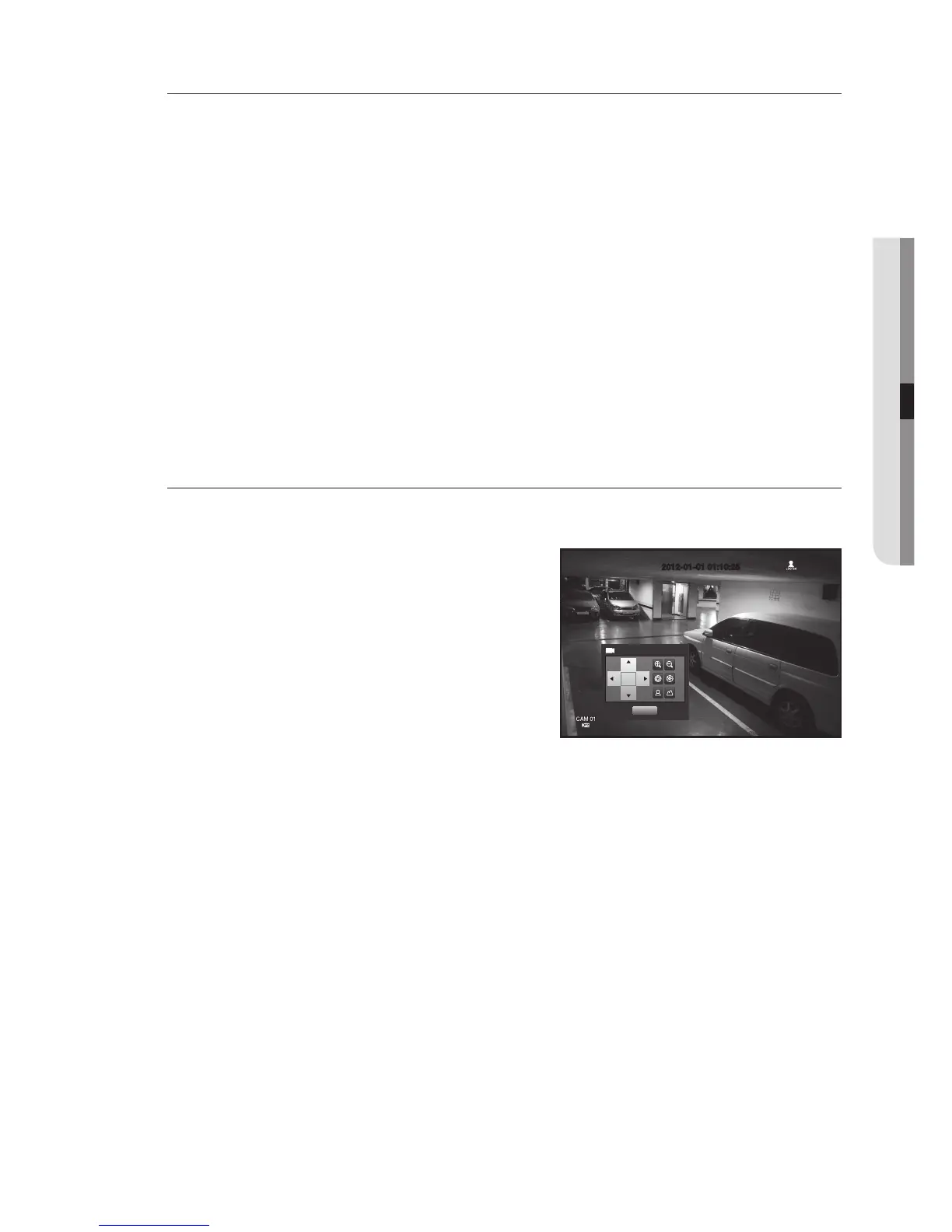
1. In PTZ Control mode, use the direction buttons to adjust the camera in a desired direction.
2. Select the <Save> key.
The virtual keyboard for inputting the preset will appear.
Refer to “Using Virtual Keyboard”. (Page 42)
• Save : You can add and save the preset.
• Rename : You can change the settings of the existing presets.
• Delete : Deletes the selected preset.
• Delete All : Deletes all existing presets.
M
If you replace the camera of the channel that stores the preset list with a new one, you should reset the preset accordingly.
3. Press <OK>.
The preset will be saved as a name that you entered.
Camera Setting
A PTZ camera has its own menu system. Optimize the PTZ camera according to the DVR.
Using the mouse may help make setup easier.
• Select <Camera Setup> in the PTZ Control menu.
The camera-specific menu appears.
You can configure the settings of only those cameras that support
the protocols of Samsung, Pelco D/P, AD and Panasonic.
If you are setting Auto Pan or Pattern in the camera menu, press
and hold the appropriate button for a certain time so that the
button operation can be different from that in normal PTZ setting.
2012-01-01 01:10:252012-01-01 01:10:25
Camera Setup
Exit



 To Next Page