Shooting options
49
Selecting a resolution and quality
Learn how to change the image resolution and quality settings.
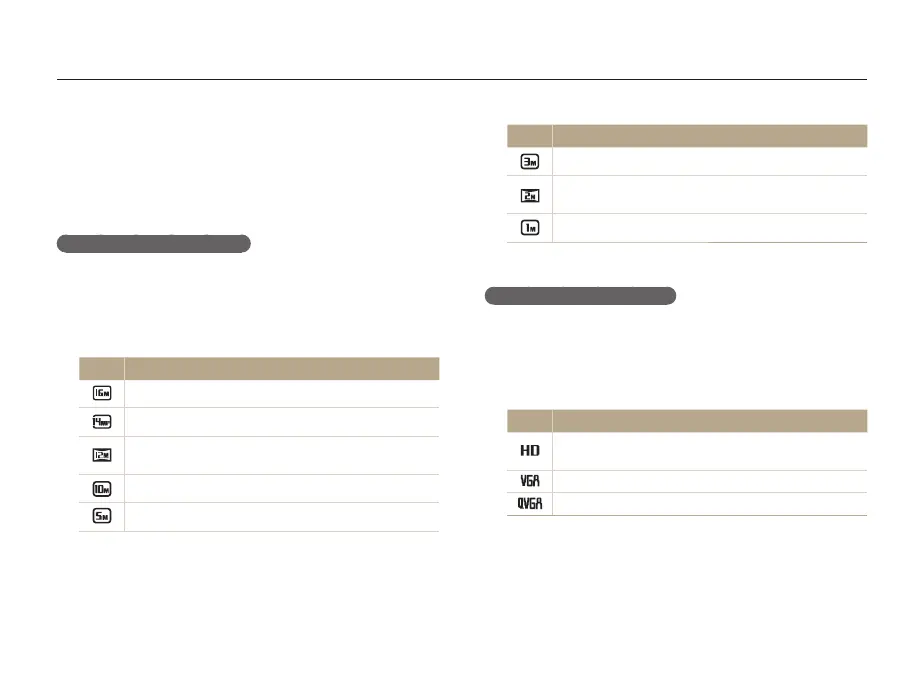
Icon Description
1984 X 1488: Print on A5 paper.
1920 X 1080: Print on A5 paper in panorama ratio (16:9)
or play back on an HDTV.
1024 X 768: Attach to an email.
Setting the video resolution
1
In Video Shooting mode, press [
m
].
2
Select
v
Movie Size.
3
Select an option.
Icon Description
1280 X 720 HQ: High-quality files to play back on an
HDTV.
640 X 480: Files to play back on an analog TV.
320 X 240: Post on a web page.
v
Selecting a resolution
As you increase the resolution, your photo or video will include
more pixels, so it can be printed on larger paper or displayed on
a larger screen. When you use a high resolution, the file size will
also increase.
Setting the photo resolution
1
In Shooting mode, press [
m
].
2
Select
a
Photo Size.
3
Select an option.
Icon Description
4608 X 3456: Print on A1 paper.
4608 X 3072: Print on A1 paper in wide ratio (3:2).
4608 X 2592: Print on A2 paper in panorama ratio (16:9)
or play back on an HDTV.
3648 X 2736: Print on A3 paper.
2592 X 1944: Print on A4 paper.
Sps



 To Next Page