Shooting options
52
Shooting in the dark
Learn how to capture photos at night or in low light conditions.
Using the flash
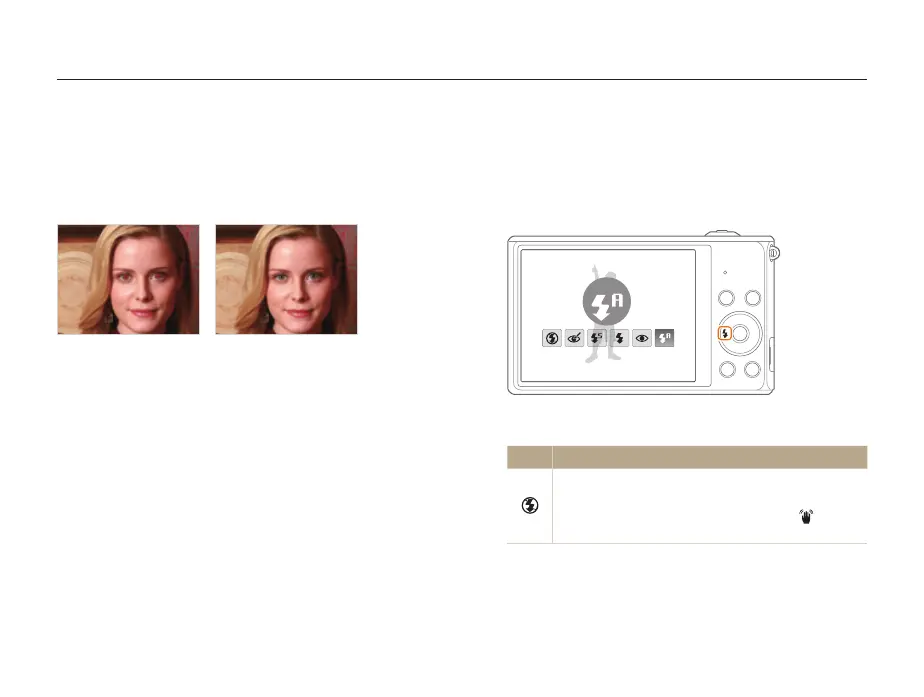
Use the flash when you capture photos in the dark or when you
need more light in your photos.
1
In Shooting mode, press [
F
].
Auto
2
Select an option.
Icon Description
Off:
•
The flash will not fire.
•
The camera will display the shake warning when
you are shooting in low light.
Spds
Preventing red-eye
If the flash fires when you capture a photo of a person in the dark,
a red glow may appear in the person’s eyes. To prevent this,
select Red-eye or Red-eye Fix. Refer to flash options in
“Using the flash”.
S
Before correction
S
After correction
ps



 To Next Page