Shooting options
64
Adjusting brightness and color
3
Select an option.
Icon Description
Off: ACB is off.
On: ACB is on.
•
The ACB feature is always on in Smart Auto mode.
•
The ACB feature is not available when you set Burst options or Smart
Filter options.
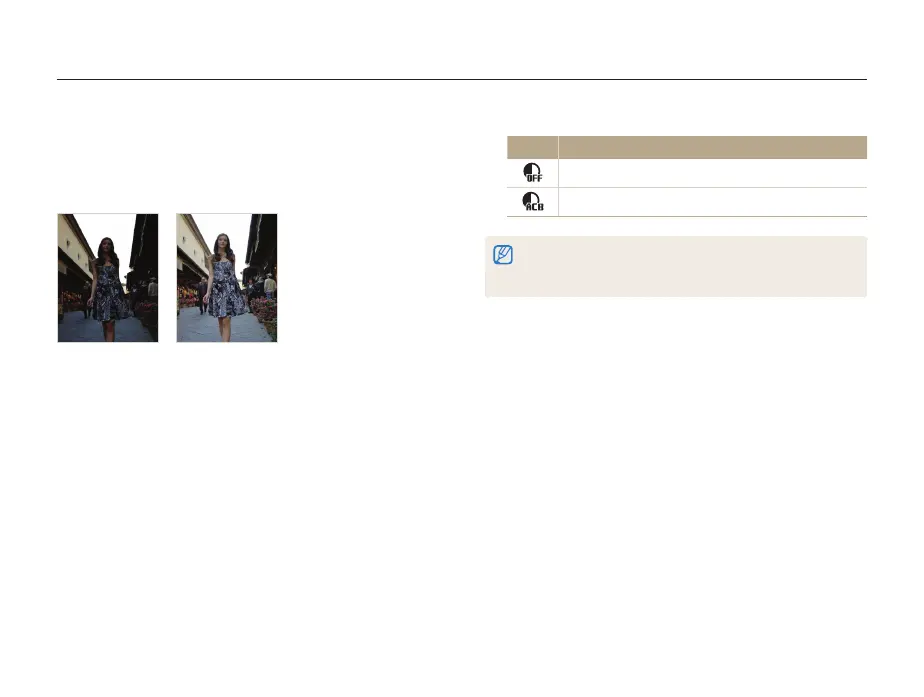
Compensating for backlighting (ACB)
When the light source is behind your subject or there is high
contrast between your subject and the background, your subject
is likely to appear dark in the photo. In this case, set the Auto
Contrast Balance (ACB) option.
S
Without ACB
S
With ACB
1
In Shooting mode, press [
m
].
2
Select
a
ACB.
p



 To Next Page