3-5 Using the Product
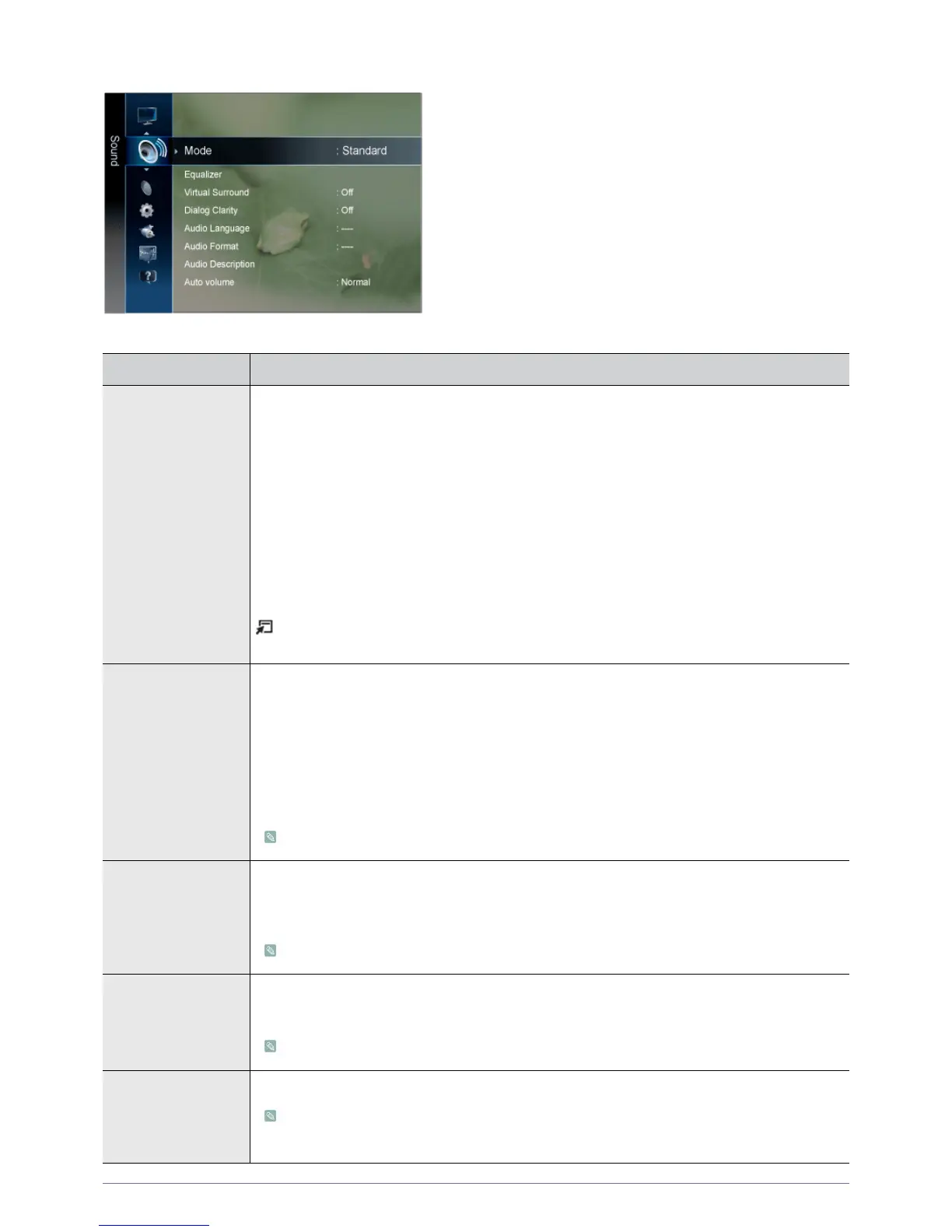
Sound
MENU DESCRIPTION
Mode • <Standard>
Choose Standard for the standard factory settings.
•<Music>
Choose Music when watching music videos or concerts.
•<Movie>
Choose Movie when viewing movies.
• <Clear Voice >
Emphasizes voice over other sounds.
•<Amplify >
Increase the intensity of high-frequency sound to allow a better listening experience for the
hearing impaired.
Press the [TOOLS] button to display the Tools menu. You can also set the <Sound Mode> by
selecting <Tools> → <Sound Mode>.
Equalizer You can adjust the left and right sound balance and equalizer settings as required.
• <Balance>
You can adjust the left and right sound balance and equalizer settings as required.
• <100Hz> - <300Hz> - <1kHz> - <3kHz> - <10kHz>
To adjust the level of different bandwidth frequencies.
• <Reset>
Resets the equalizer settings to the default values.
<Standard> sound mode only
Virtual Surround Use <Virtual Surround> technology to enjoy a more realistic sound when you are listening to the DVD
or music.
• <Off> - <On>
<Standard> sound mode only
Dialog Clarity <Dialog Clarity> emphasizes voice while maintaining background sound level.
• <Off> - <On>
<Standard> sound mode only
Audio Language You can change the default value for audio languages.
• While viewing a digital channel, this function can be selected.
• You can only select the language among the actual languages being broadcast.











 To Next Page