Your NEw TV ]
Rear Panel Jacks
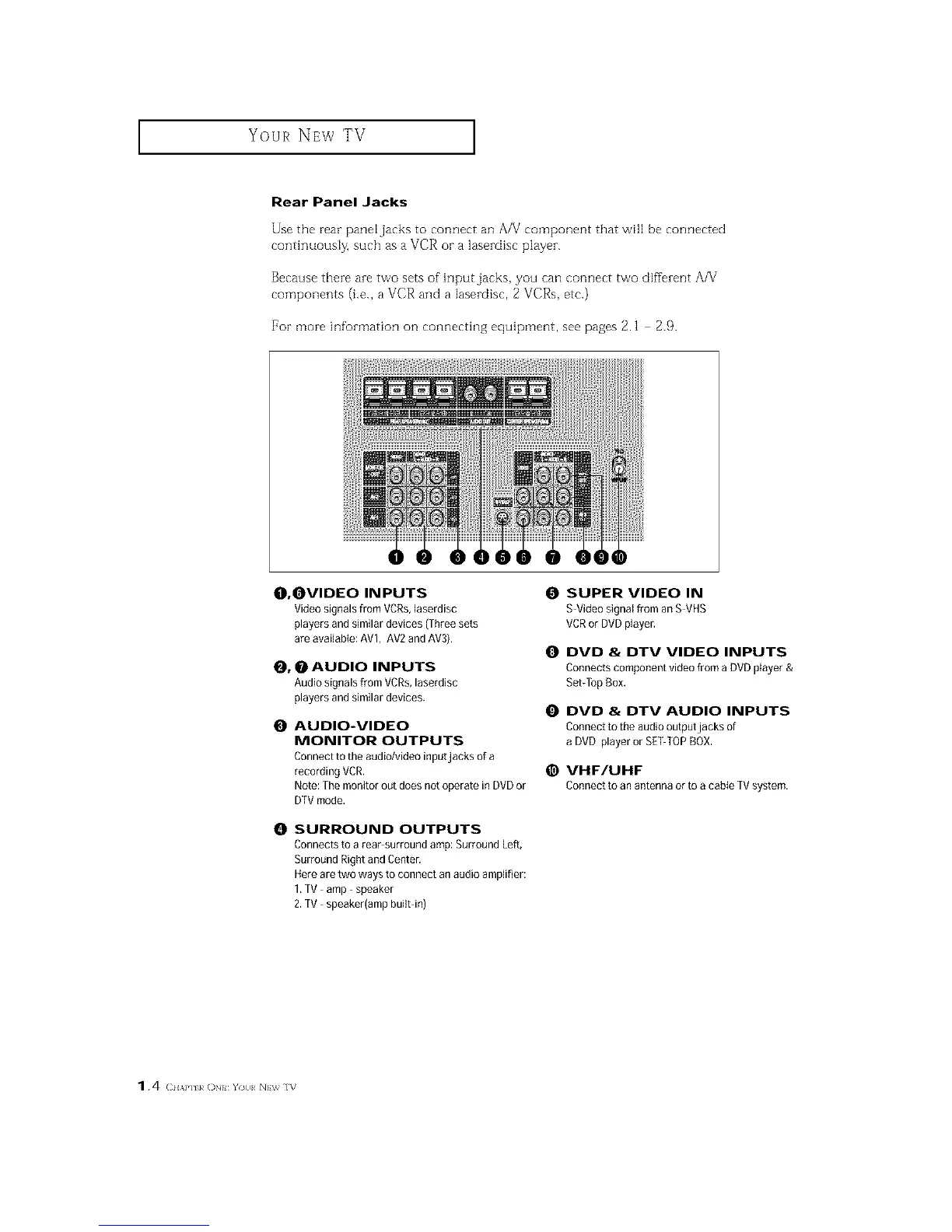
Use the rear pane[jacks to connect an A/V component that will be connected
continuously, such as a VCR or a lasezdisc playen
Because there are two sets of input jacks, you can connect two different AA/
components (i.e., a VCR and a lasezdisc, 2 VCRs, etc.)
For more infomlation on connecting equipment, see pages 2.1 2.9.
O, OVIDEO INPUTS
Video signals from VCRs,laserdisc
players and similar devices (Three sets
are availaMe: AVl, AV2 andAV3),
_, _ AUDIO INPUTS
Audio signals from VCRs,laserdisc
players and similar devices.
O AUDIO-VIDEO
MONITOR OUTPUTS
Connect to the audio/video inputjacks of a
recording VCR,
Note: The monitor out does not operate in DVDor
DTVmode,
0 SURROUND OUTPUTS
Connects to a rear surround amp: Surround Left,
Surround Right and Center.
Hereare two ways to connect an audio amplifier:
1,TV amp- speaker
2.TV speaker(amp built in)
SUPER VIDEO IN
S Video signal from an S VHS
VCRor DVDplayer,
O DVD & DTV VIDEO INPUTS
Connects component video from a DVDplayer &
Set-TopBox,
DVD & DTV AUDIO INPUTS
Connect to the audio outputjacks of
a DVD player or SETTOP BOX.
@ VHF/UHF
Connecttoanantennaorto acableTVsystem.
1.4 (2HAP] k ON You NEV_ ]V






 To Next Page