OPERATION ]
Using Automatic Sound Settings
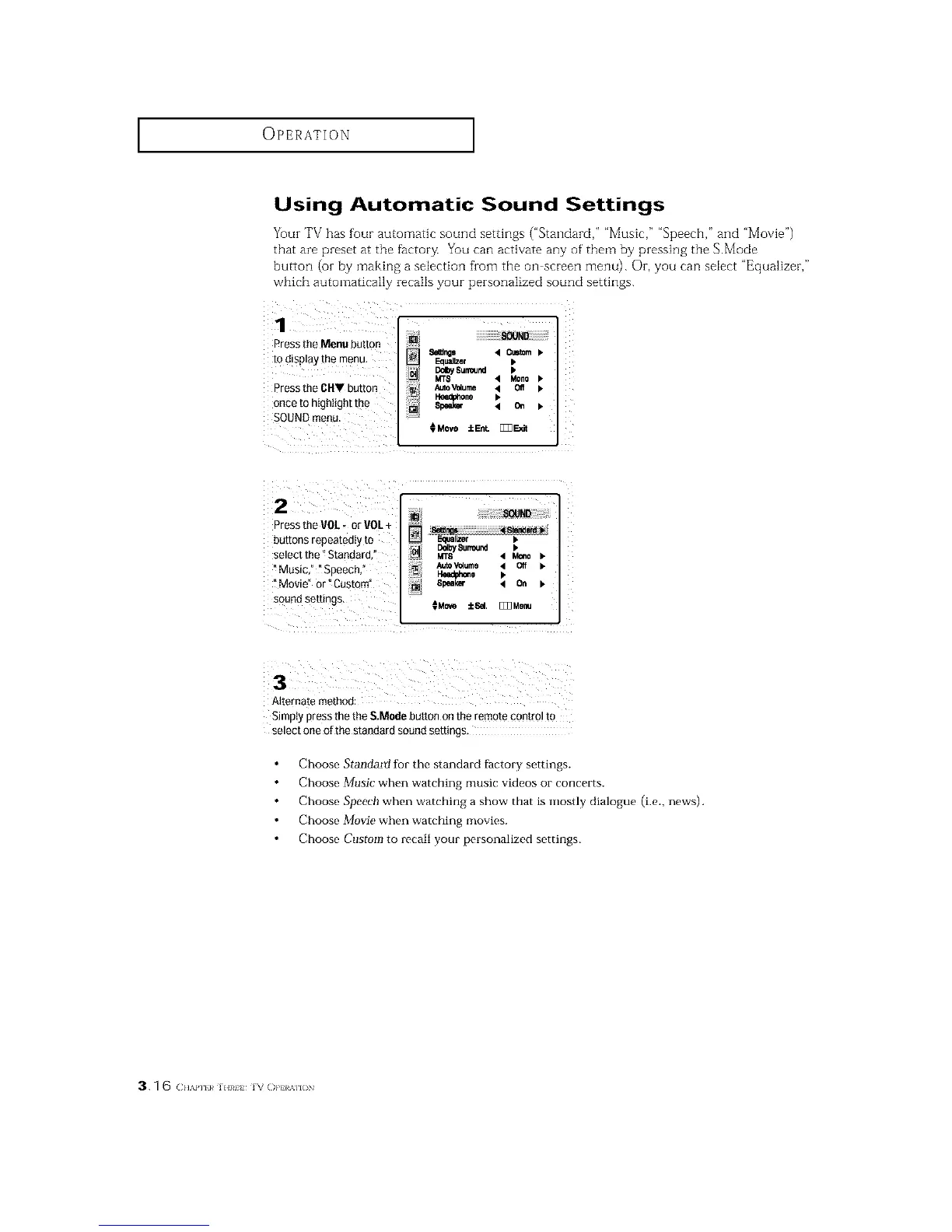
Your TV has four automatic sound settings ("Standard," "Music," "Speech," and "Movie")
that are preset at the factor_ You can activate any of them by pressing the S.Mode
button (oi- by making a selection from the oil screen menu). Or, you can select "Equalizer,"
which automatically recalls your personalized sound settings.
1 iL JL :
Press the Menu button
to display the menu,
Press the CHV button
once to highlight the
SOUNQmenu
Sires _ Cmtom b
Equalizer •
"_'"1_,s._nd
MT8 '4 Mono
AutoV_ume _ Off
Headphone D,
8peek_ < on b
CMeve :[cEnt. []]3E_t
2 J ......
Press the VOL, er VOL+
buttons repeated y to _ Equalizer b
DdbySurround I.
selectthe Standard, _ MTS '4 Mono_.
_Music," iSpeech," AutoV_4ume 4 Off ).
Iteedpi,',o.e I.
i Movie" or _Custom" 81_al_ < On b
s°undsettings CMo,_ ::[c6el,[]]]Menu
Simply press the the S.Mode button on the remote control tO
select one of the standard soued settings_
Choose Standartf for the standard factory settings.
Choose Music when watching music videos or concerts.
Choose Speech when watching a show that is mostly dialogue (i.e., news).
Choose Movie when watching movies.
Choose Custom to recall your personalized settings.
3.1 6 (:.,,,,HI}¢].1¢. iv ()PHAllON






 To Next Page