OPERATION ]
Viewing a VCR or Camcorder Tape
YO_ I_St _e]e_t t_e _[_e _ode _] o_de_ _ to vie_ r title V_ _
Camcorder signal on the T_
Make sure that the remote control is controlIing the TVset.
(Press the MODE button and makesara that the"TV_'LED is
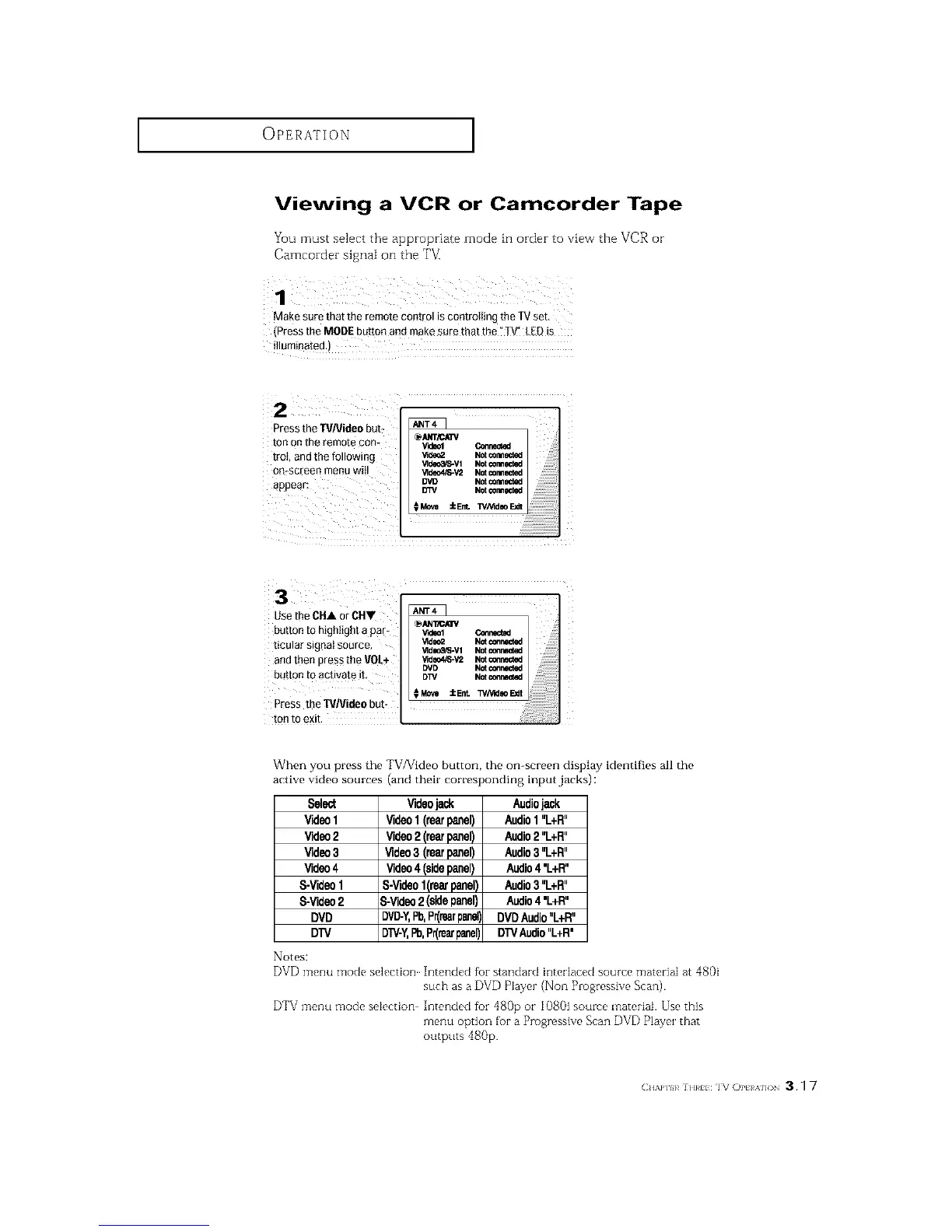
Press the TVNideo burr
ton Onthe remote con-
trot, and the following
oo-screen menu will
appear:
Videol Connected
_deo2 Not _rmected
_deo_R_-Vl Not ¢omlmct_J
_ldeo4/8-V'2 Notcormected
DVI} NOt_rmected
D3%' Notconnected
iEnt. WNideo FJdt
n arUse the CHA °iCH"
burro to highlight a p - _ _llCAIIVV'_eolConnec_
ticular signal source, _ld_Z Not_r_
_'lde_3,'S-V1Notcc,nnlmcted
and then press the VOL÷ _deo4/S-v= NotconrecWd
DVD Notc_r_cted
batton to activate it, DW Notconnected
Press theTVJVideobut-
ton to exit.
When you press the TV/Video button, the on-screen display identifies all the
active video sources (and their corresponding input,jacks) :
Select
Video1
Video2
Video3
Video4
S-Video1
S-Video2
DVD
DTV
Notes:
Videojack
Video1 (rearpanel)
Video2 (rearpanel)
Video3 (rearpanel)
Video4 (sidepanel)
S-Videol(reorpanel)
3-Video2 (sidepanel)
DVD-Y,Pb,Pr(rearpanel],
DTV-Y,Pb,Pr(rearpanel)
Audiojack
Audio1"L+R"
Audio2"L+R"
Audio3"L+R"
Audio4'L+R"
Audio3"L+R"
Audio4'L+R"
DVDAudio"L+R"
DTVAudio"L+R'
DVD menu mode selection Intended fbr standard interlaced source material at 4801
such as a DVD Player (Non Progressive Scan).
DTV menu mode selection Intended fbr 480p or 1080i source material. Use this
menu option for a Progressive Scan DVD P]ayer that
outputs 480p
(:H/,P]H_]H}_HIV OPt A]]( 3.1 7






 To Next Page