I Your NEw TV
Familiarizing Yourself with The TV
Front Panel Buttons
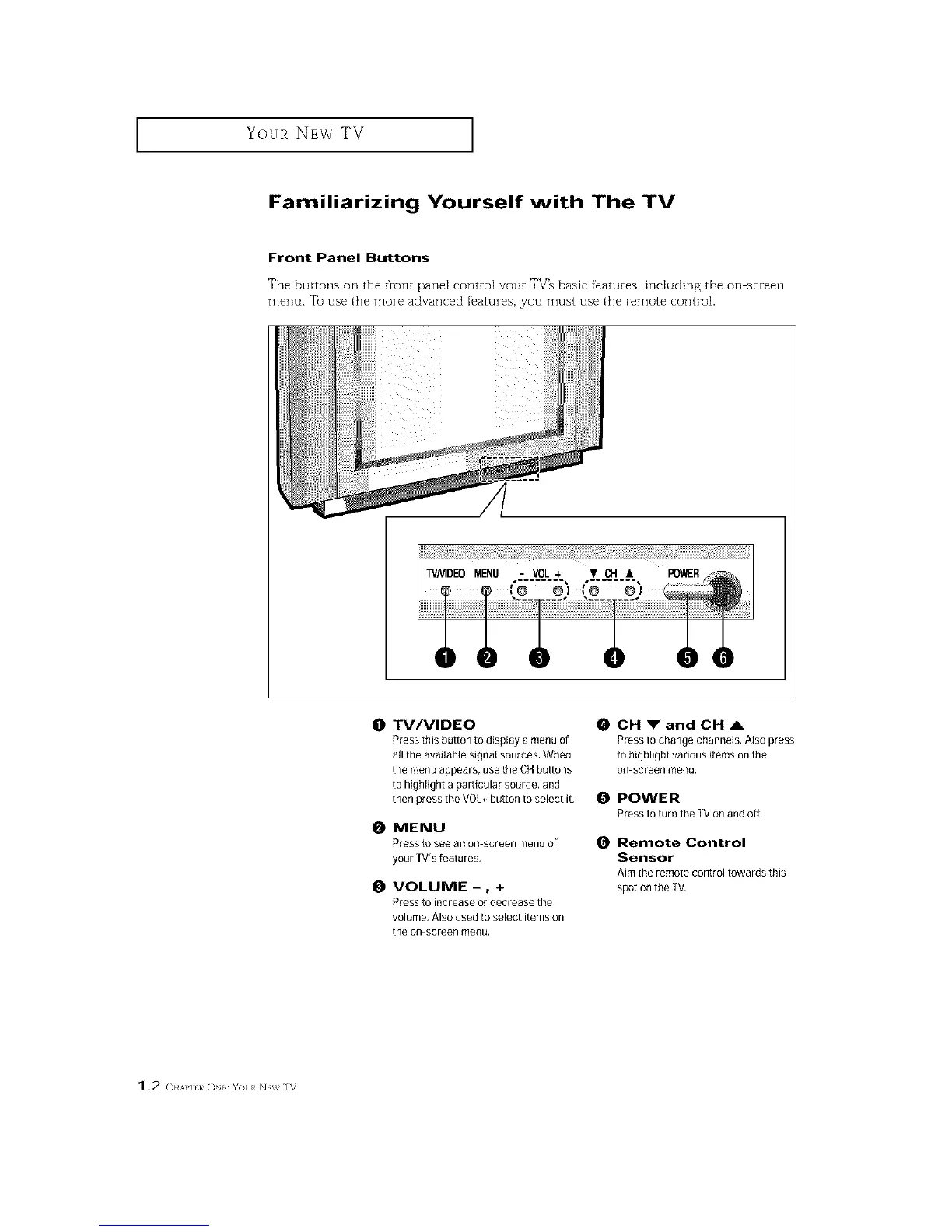
The buttons on the front pane[ corm-o[ your TV% basic features, includin 8 the on screen
menu. Tu use the more advanced f'eatures, you must use the remote control.
0 TV/VIDEO
Press this button to display a menu of
all the available signal sources, When
the menu appears, use the CHbuttons
to highlight a particular source, and
then press the VOL+button to select it,
0 MENU
Press to see an on screen menu of
your TVrsfeatures,
0 VOLUME-, +
Press to increase or decrease the
volume, Also used to select items on
the on screen menu.
0 CH _" and CH ,&
Pressto change channels. Atso press
to highlight various items onthe
On screen menu,
0 POWER
Pressto turn the TVon and off,
0 Remote Control
Sensor
Aim the remote control towards this
spot on the TV.
1.2 (2HAP] k ()N YO{I NEV_ IV






 To Next Page