INSTALLATION ]
Connecting a VCR
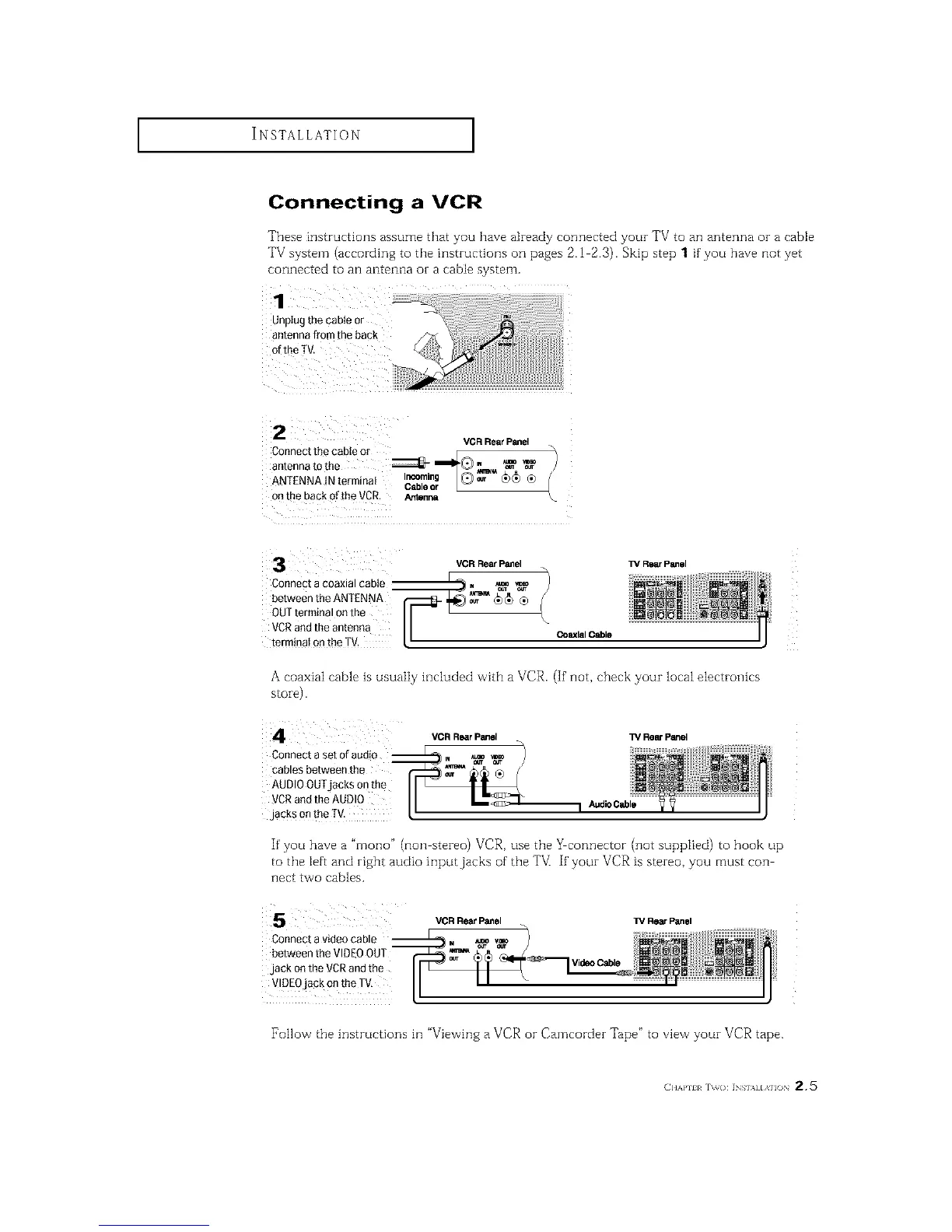
These instructions assume that you have akeady connected youz TV to an antenna oz a cable
TV system (according to the instructions on pages 2.1 2.3). Skip step 1 if you have not yet
connected to an antenna or a cable system.
VCR Rear Panel
Connectthecableor / E
antennatothe _ _II_Q. _ _
ANTENNAINterminat I_ab_, @_ _)_ ®
r L
onthe backoftheVCR. Arr_n_
l_/RearPanelVCR RearPanel
%
CoaxialCable
Connect a coaxial cable
between the ANTENNA
OUTterminal onthe
VCRand the antenna
terminai on the TM.
A coaxiaI cable is usuaIiy included with a VCR. (If' not, check your local electronics
s[oie).
Connect a set of audio __
cables between the
AUDIOOUTjacks onthe
VCRand the AUDI0
jacks on the fV.
VCR Rear Panel TV Rear Panel
If'you have a "mono" (non stereo) VCR, use the _connector (not supplied) to hook up
to the left and right audio input jacks of the TV] If' your VCR is stereo, you must con
nect two cables.
Connect a video cable
between the VIDEOOUT
jack on the VCRand the
VIDEOjack on the TV,
VCR Rear Panel TV Rear Panel
Video Cable
[_ollow the instructions in "Viewing a VCR or Camcorder Tape" to view your VCR tape.
(]]]'kl'll l r\_(): INs],_] [,\]l() 2,5






 To Next Page