EasyManua.ls Logo

Samsung TSK2792F - Digital Noise Reduction

Samsung TSK2792F
65 pages
Print Icon
To Next Page IconTo Next Page
To Previous Page IconTo Previous Page
Loading...
SPECIAL FEATURES ]
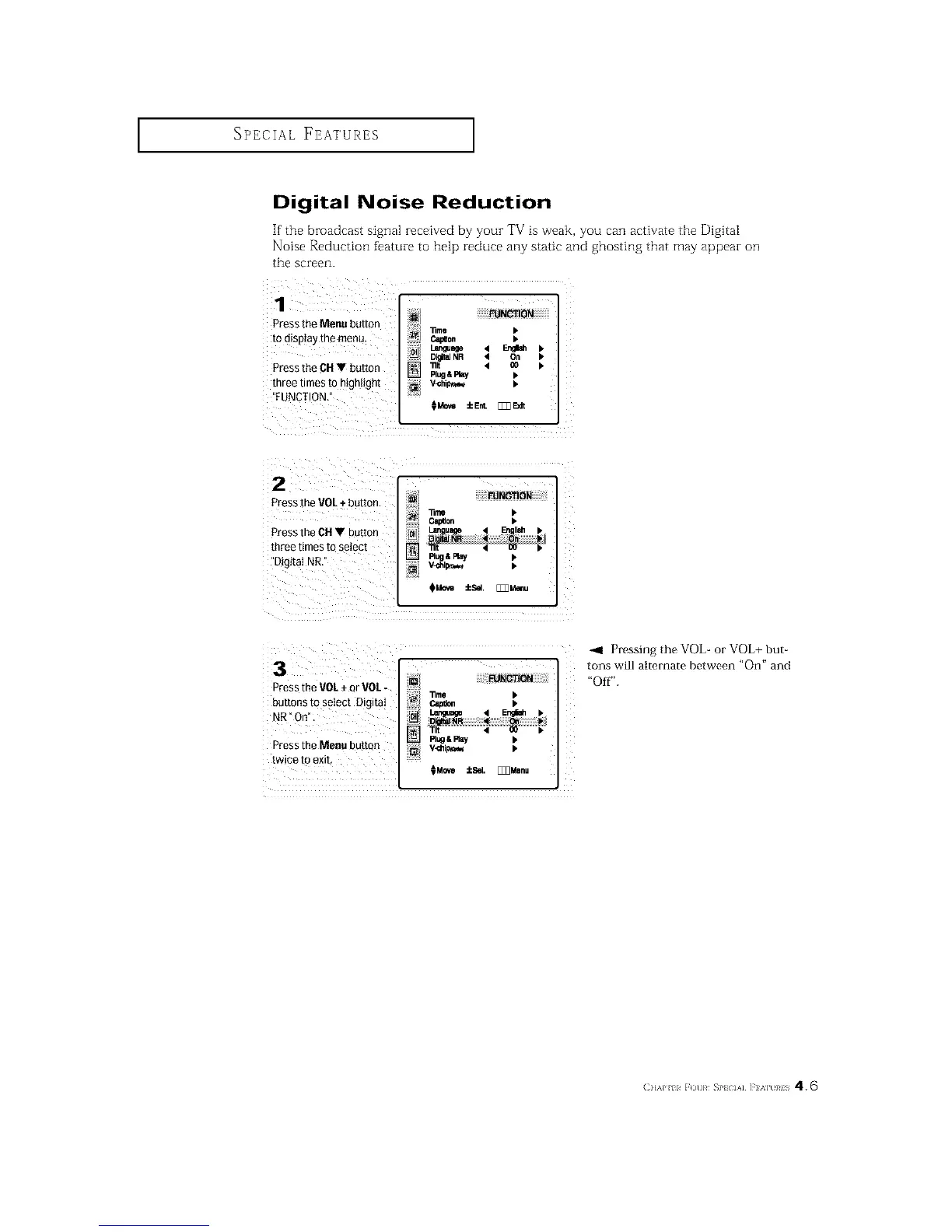
Digital Noise Reduction
If the broadcast signal zece[ved by your TV is weak, you can activate the Digital
Noise Reduction feature to help reduce any static and ghosting that may appear on
the screen.
1
Pressthe Menu buttor
to display me menu
Pressthe CH buttor
mree times to mgntign[
FUNCTION
lime b
C_0. b
Lan_age 4 _
DigitalNR 4 On
111t 4 _0
Plug&Play
V-Chi_,=_
HMo_ iEnL [_E_
2
Pressthe VOL+ button
Pressthe OH button
mree times m setect
"Digi[aI NR.
FUNCTION
_me
i C_0n
Language l EqgIsh_
Di ita]NR '4 Or= il_
Rug&Play
3
Pressthe VOL+ or VOL-
_uttons to semct Digital
"_R°O_
Press the Menu bu[[o_
[wEe [o exit,
FUNCTION
11me
PI_ & Ray
HMo_e _cSel. [_Z]Menu
_1 Pressing the VOb or VOL+ but-
tons will alternate between "On" and
"Off".
(]]'kP 11 r ()t]}¢ SP}{ IA] ]'] '_H }¢1S 4.6

Related product manuals