OPERATION ]
Viewing the Menus and On-Screen Displays
Viewing the Menus
1
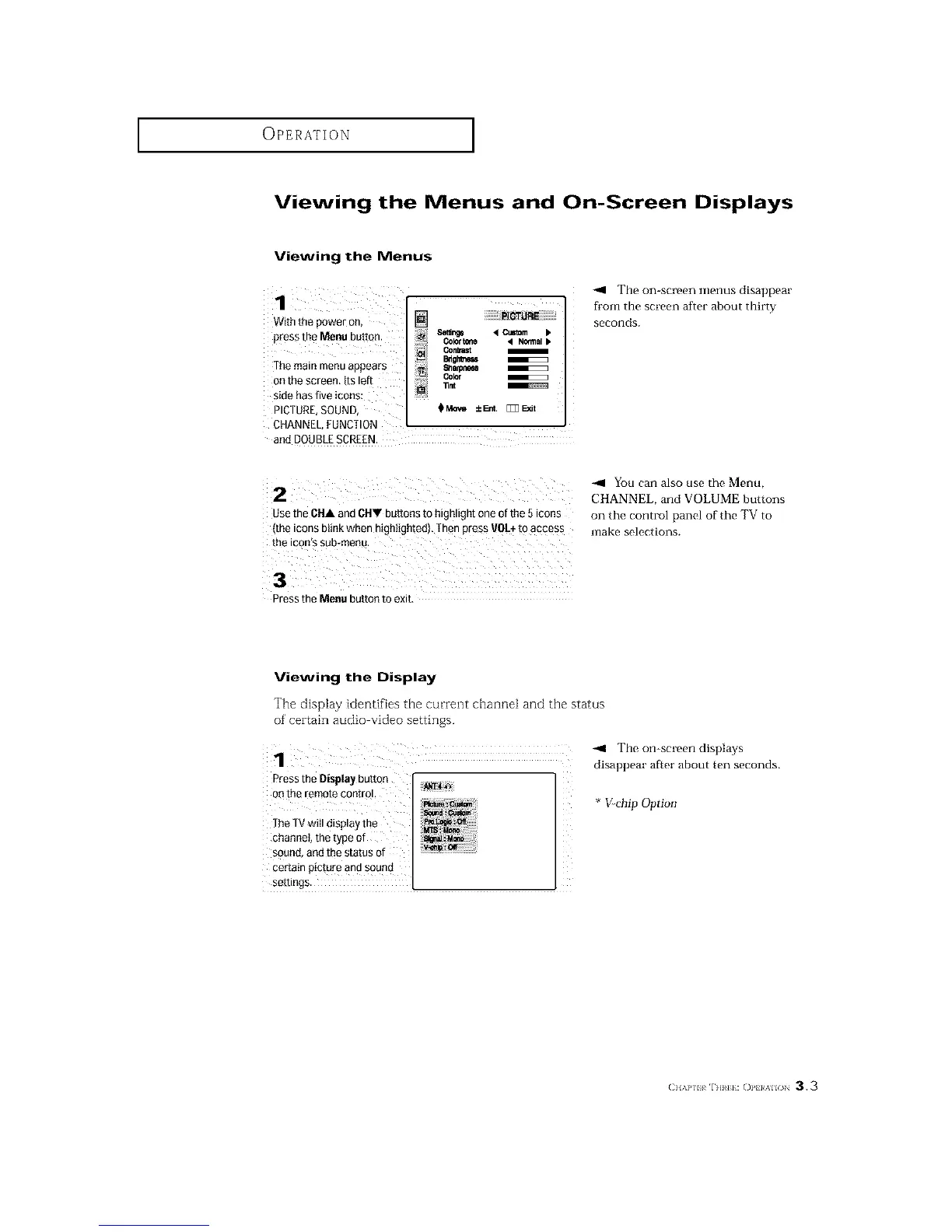
With the power on, []
Set_ng8 < CuStom b
press the Menu button, color_, _ N_at
...... Bdgl_e_
The main menu appears 8a.mr_m
Color
onthe screen.Itsleft
side has five ic0ns:
PICTURE,SOUND $_ ±_. []]]Exit
CHANNEL,FUNCTION
and DOUBLESCREEN.
-_ The on-screen menus disappear
from the screen after about thirty
seconds.
2
use tne CHA and CHY buttons to hignttgn[ one of the 5icons
•me tconsDttrlKwner --gntighted), [hen press VOL+to access
the ICOn S SUB-menu
You can also use the Menu,
CHANNEL, and VOLUME buttons
on the control panel of the TV to
make selections.
3
Dressthe Menu button to exit
Viewing the Display
The display identifies the current channel and the status
of' certain audio video settings.
The on-screen displays
disappear after about ten seconds.
Pressthe Display button
o_ the remote control.
The TVwill display the
channel, the type of
sound, and the status of
certain picture and sound
settings.
* >chip Option
(;}I,W,[ r] m]}: ()1,} }/_%ll( )N 3.3






 To Next Page