SPECIAL FEATURES I
Viewing Picture-in-Picture
Activating Picture-in-Picture
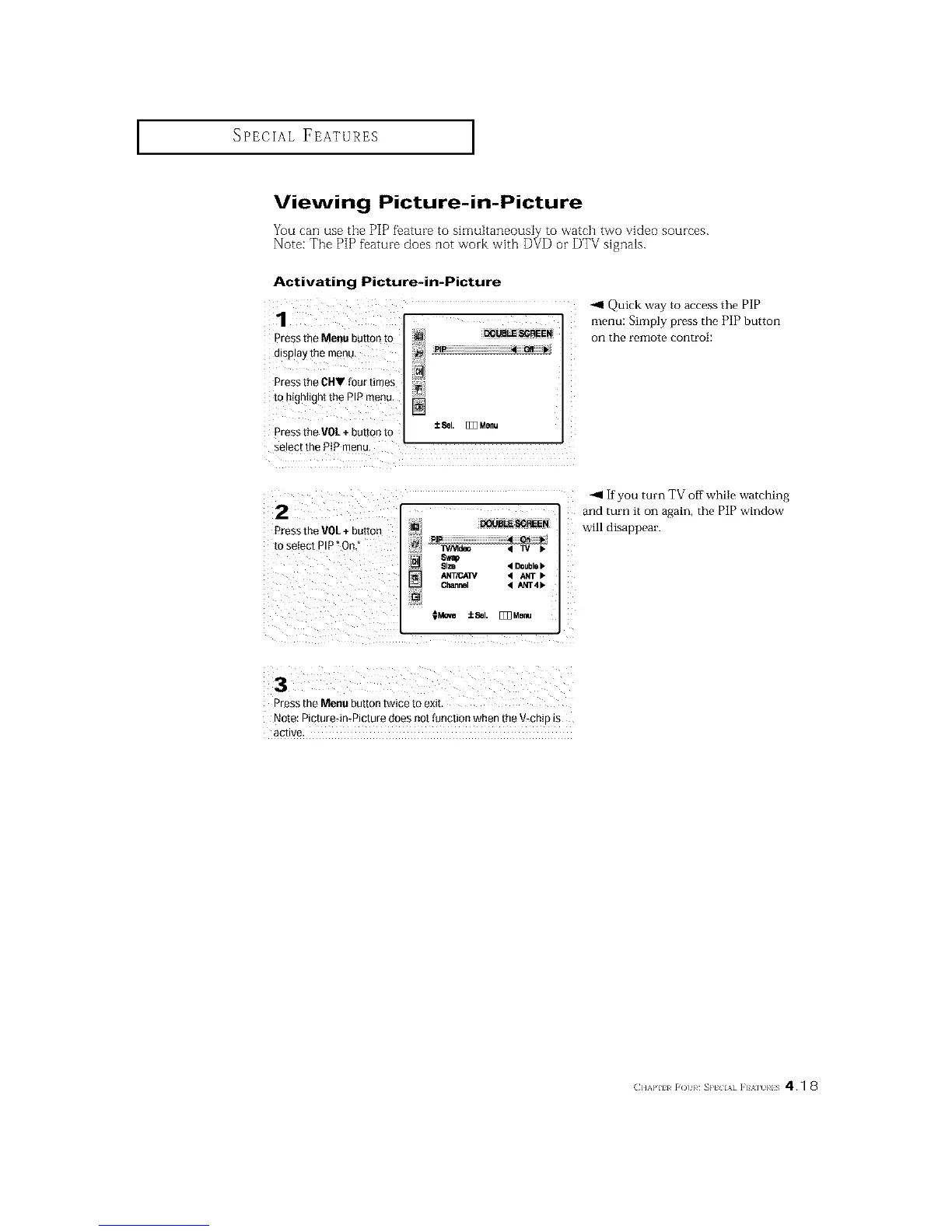
Pressthe Menu button tO
display the menu,
Pressthe CHV four times
to highlight the PIp menu. []
Pressthe VOL+ buttori to ±eel. [_Z3Menu
select the PIP menu,
2
Pressthe VOL+ button
to seiec[ PIP° On.
[] DOUBLE SCREEN
PIP • On ''r
IVNtdeo < TV •
Size • Doubl8•
ANT/CA_ • ANT •
Chann_ • ANT4•
_Move iSel. [_Menu
Quick way to access the PIP
menu: Simply press the PIP button
on the l'elllote control:
-_1 If you turn TV off while watching
and turn it on again, the PiP window
will disappear.
3
Press the Menu button twice to exit
Note: Plcture4n*Picture does not function when the V-chip _s
acllve
(]]%'111 r()/ }¢ _P[ IA] ]'] %] RIS 41 8






 To Next Page