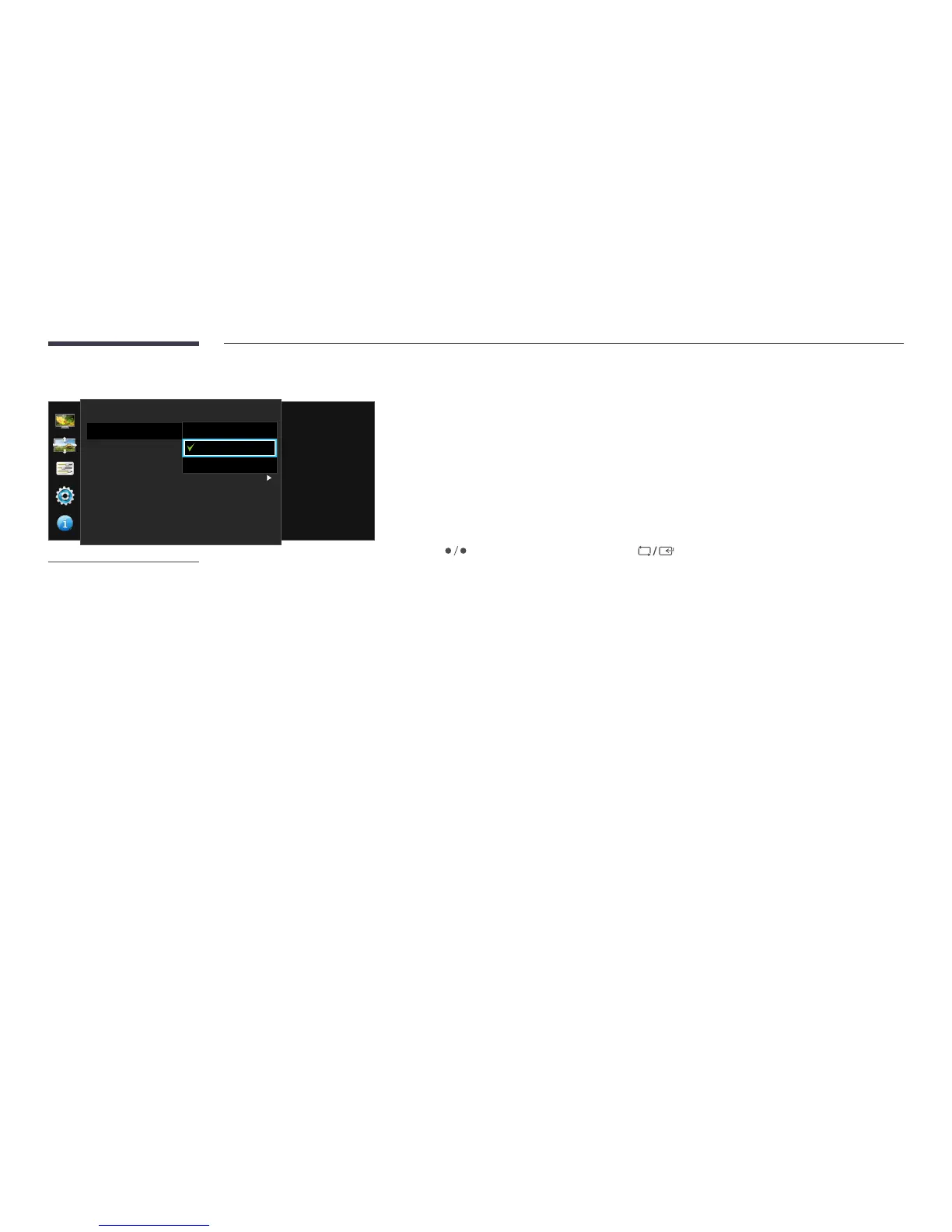
Screen
Image Size
H-Position
V-Position
PIP/PBP
Choose the size and
aspect ratio of the
picture displayed on
screen.
4:3
16:9
Screen Fit
-
The displayed image may differ depending on the model.
In AV mode
•
4:3: Display the picture with an aspect ratio of 4:3. Suitable for videos and standard broadcasts.
•
16:9: Display the picture with an aspect ratio of 16:9.
•
Screen Fit: Display the picture with the original aspect ratio without cutting off.
―
Changing the screen size is available when the following conditions are satisfied.
The function may not be supported depending on the ports provided with the product.
―
A digital output device is connected using the DVI/HDMI/DP cable.
―
The input signal is 480p, 576p, 720p, or 1080p and monitor can display normally (Not every model can support all of
these signals.).
―
This can only be set when the external input is connected through DVI/HDMI/DP and PC/AV Mode is set to AV.
4
Press to move to the option you want and press .
5
The selected option will be applied.



 To Next Page