SAMWONTECH
2nd Edition of TEMP2000_Series IM : July. 16. 2010 Page 24 / 87
2. SYSTEM SETTING CONFIGURATION
2.1 MAIN MENU Screen
▶ This product consists of Touch Screen type LCD screen.
▶ Refer to [2.1
Initial operation flow] in [Operation Manual].
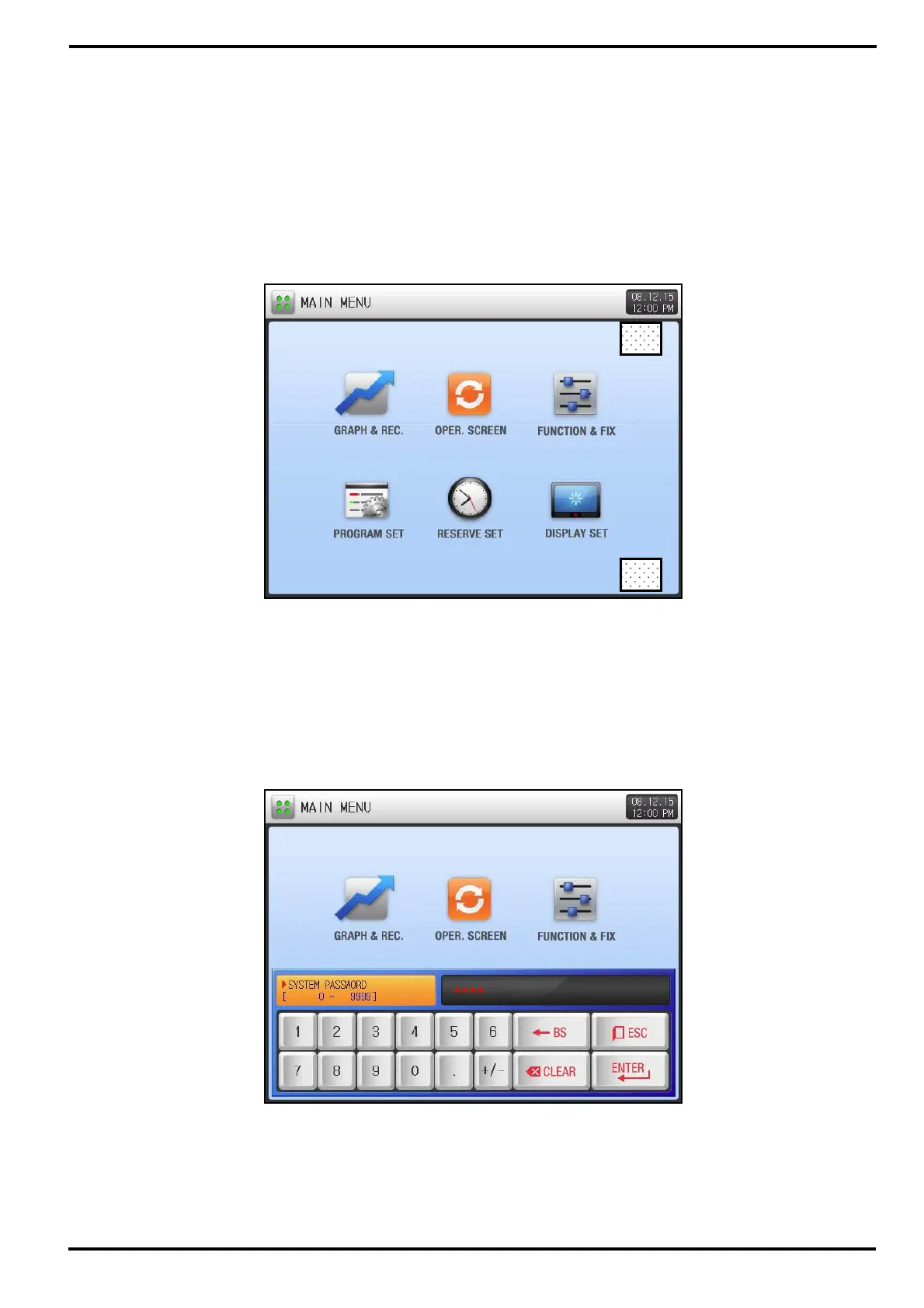
▶ Below describes MAIN MENU screen and how to enter into SYSTEM PARAMETER SET screen.
▶ [Figure 2-2 Password Input Screen] is displayed when pressing ①, and ② at [Figure 2-1 Main Menu].
▶ Enter password from [Figure 2-2 Password Input Screen] and it will move to [Figure 2-3 System
Parameter Set Screen].
☞ Factory set password is ‘0’ .
☞ Be sure to set password from [2.12 INITIAL SETTING] to prevent other user’s access.
①
②
[Figure 2-1] Main Menu
[Figure 2-2] Password Input Screen



 To Next Page