SAMWONTECH
2nd Edition of TEMP2000_Series IM : July. 16. 2010 Page 75 / 87
11.2 DI Error Name setting
11.2.1 DI Error Name Setup
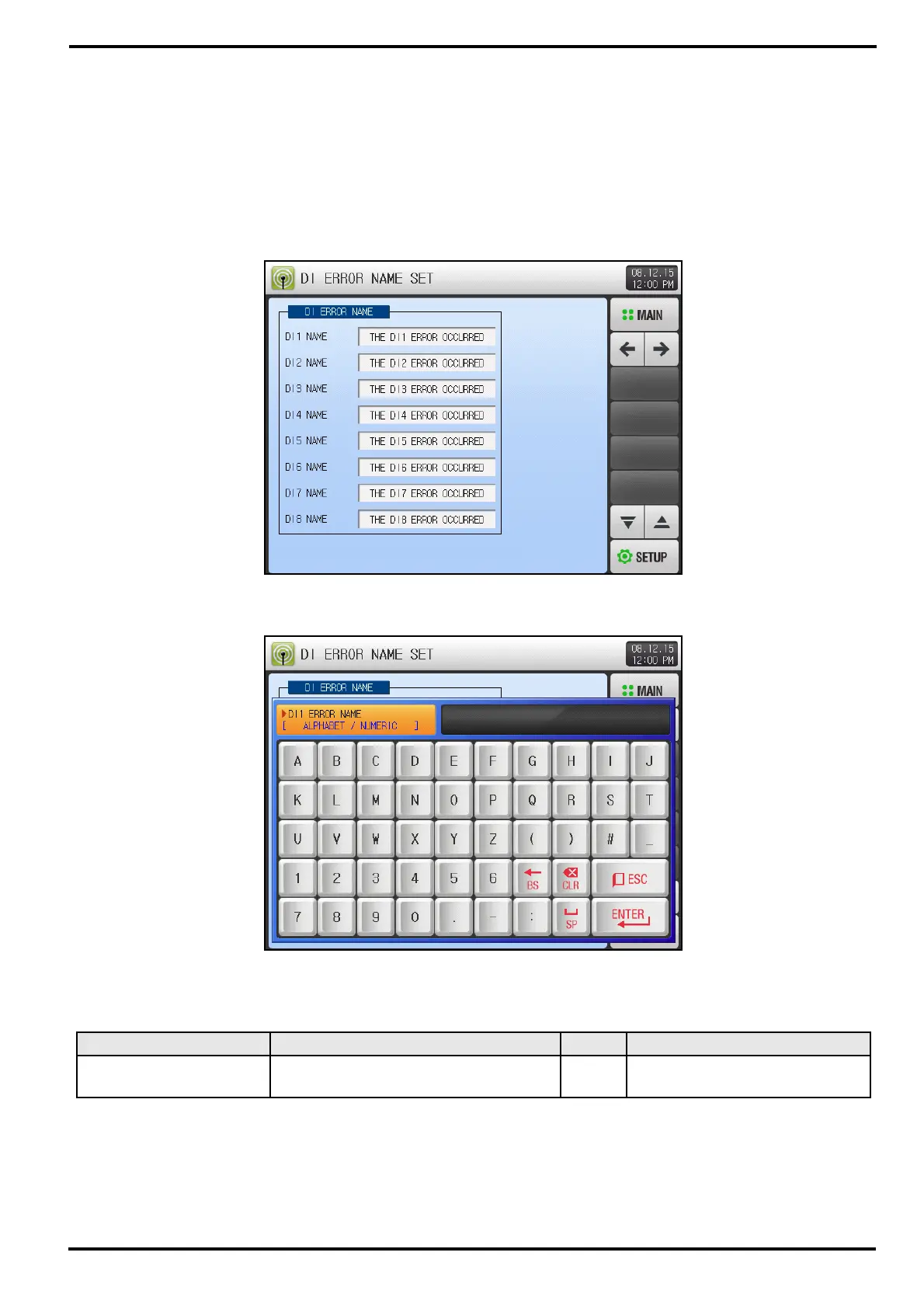
▶ Able to setup when Display Method is ‘Text’.
▶ DI Error Name can input from this screen.
▶ DI Error Name can be maximum 24 characters.
Table 11-5 DI Function and Operation Setup Screen-4 Parameter
Parameter Range Unit Default
DI #n Name
0 ~ 9, A ~ Z, Special Character
(Maximum 24 Characters)
ABS THE DI#n ERROR OCCURRED
* #n = 1 ~ 16
[Figure 11-5] DI Function and Operation Setup Screen-4
[Figure 11-6] DI Function and Operation Setup Screen-4



 To Next Page