SAMWONTECH
2nd Edition of TEMP2000_Series IM : July. 16. 2010 Page 82 / 87
12.2 User Screen Operation
▶ Refer to [12.1.1 Picture View Setup Screen-1].
▶ Up to 16 pictures can be used for Picture View Screen.
▶ Picture View screen will be displayed when there is no key touch activity for specified time.
☞ The screen rotates the pictures when there are multiple pictures stored the screen rotates the pictures
when there are multiple pictures stored.
▶ DI Error Screen is displayed when DI Error occurs during Picture View Screen operation.
☞ DI Error Screen is displayed regardless of Words or Picture type.
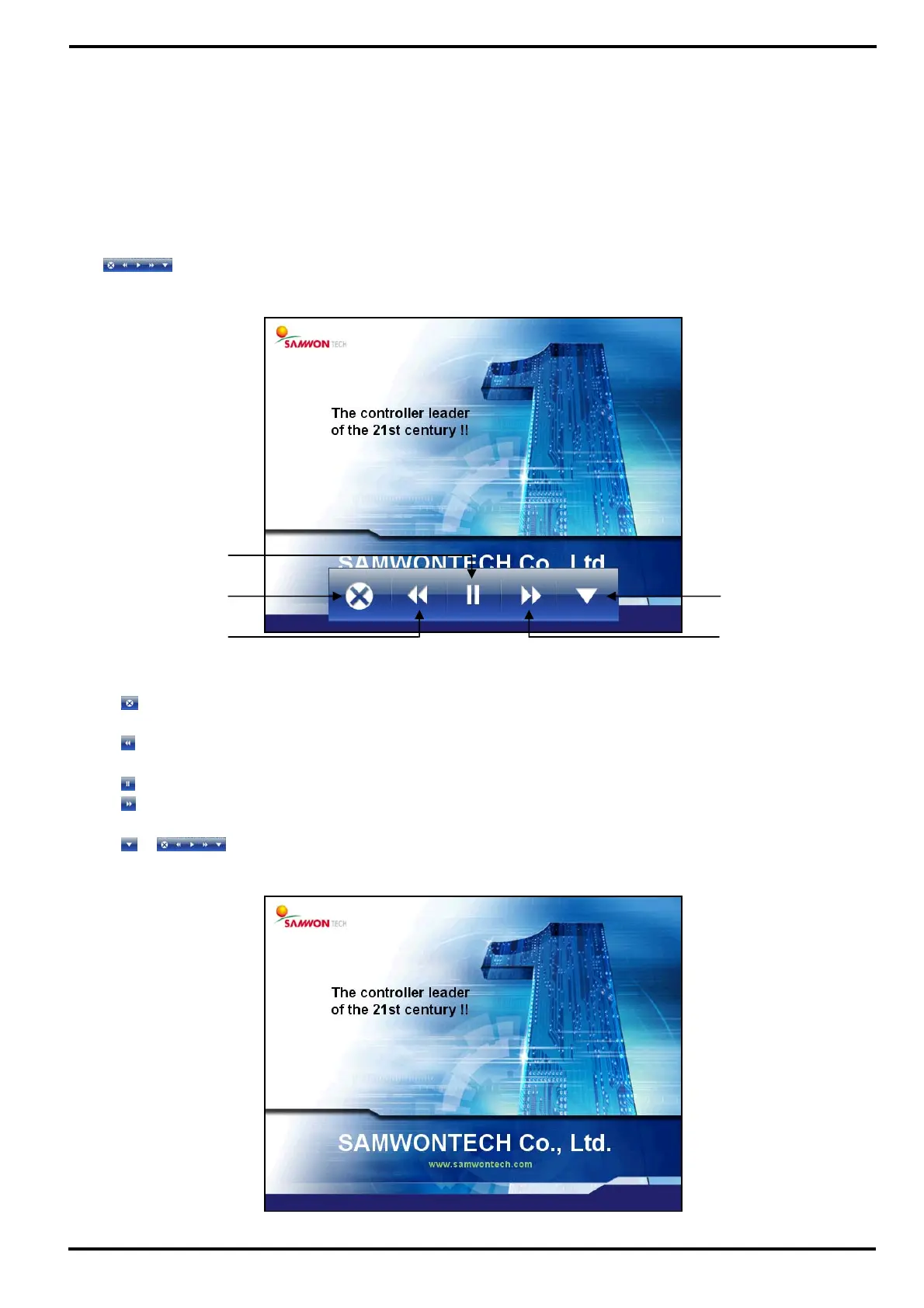
▶
button is displayed by touching any area in the screen during Picture View Screen operation.
①
: End the Picture View Screen and return to Operation Screen.
- Will return to Picture View Screen after specified time.
②
: Move from current Picture View Screen to Previous Picture View Screen.
- It does not work when there is only one Picture View Screen file.
③
: Hold the Picture View Screen.
④
: Move from current Picture View Screen to Next Picture View Screen.
- It does not work when there is only one Picture View Screen file.
⑤
: button disappears from Picture View Screen.
[Figure 12-7] Picture View Screen-2
[Figure 12-6] Picture View Screen-1
①
②
③
④
⑤



 To Next Page