10
DAB Display Modes
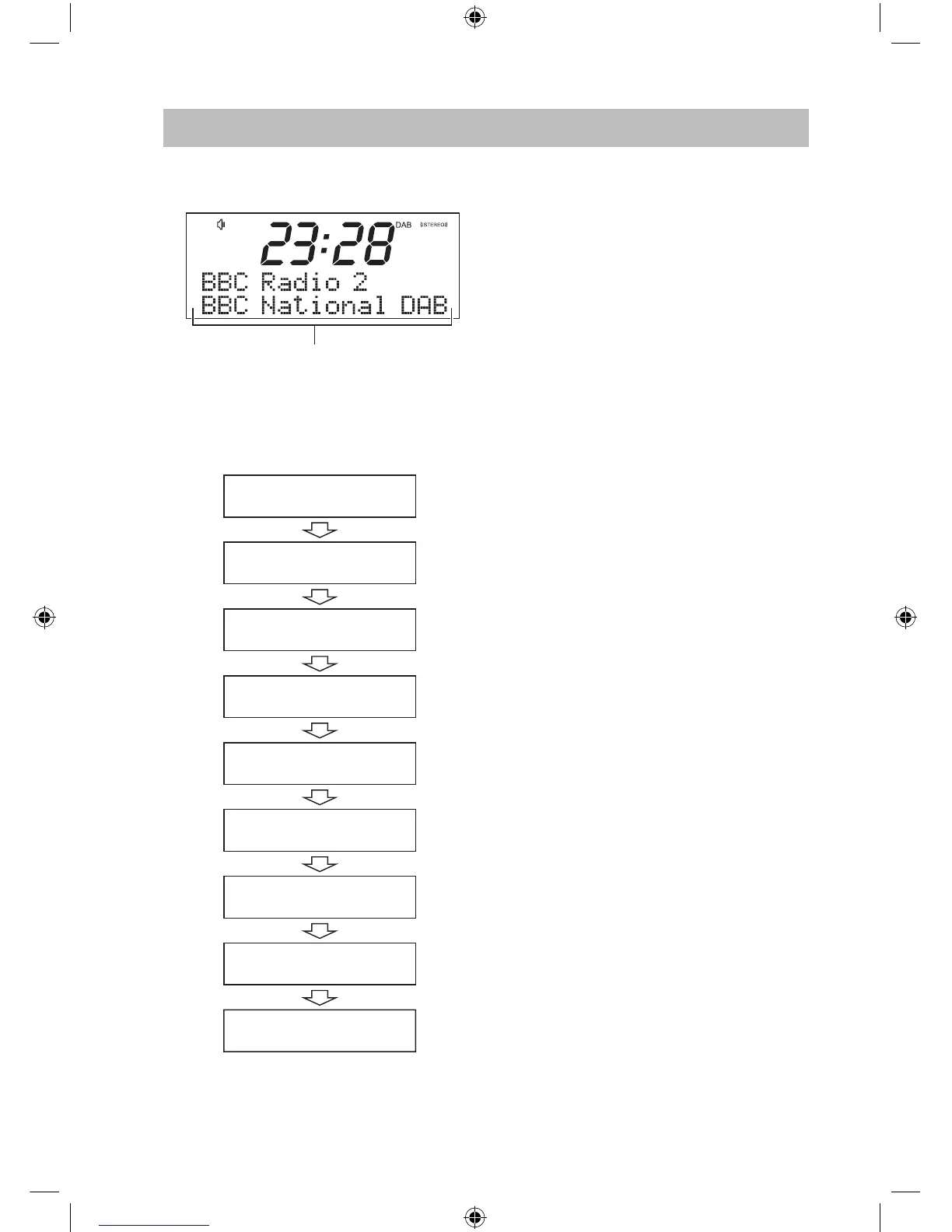
The bottom line of the DAB radio display is
the information display.
• Press INFO repeatedly to change the
information displayed.
The DAB information display options are
shown below.
Information display
DLS (Dynamic Label Segment)
Dynamic Label Segment is a scrolling
message that the broadcaster may include
with their transmissions. The message
usually includes information, such as
programme details etc.
Signal Strength
The display will show a slide bar indicating
the signal strength: the stronger the signal,
the longer the bar will be from left to right.
Programme Type
This describes the “Style” or “Genre” of
music that is being broadcast e.g. “Rock” or
“Classical”.
Multiplex Name
A multiplex is a collection of radio stations
that are bundled and transmitted on one
frequency. There are national and local
multiplexes. Local ones contain stations
that are specic to that area.
Frequency
The channel and frequency of the present
station will be displayed, such as “11C
220.352MHz”.
Signal Error
A number showing the error rate. If the
number is 0, it means the signal received is
error free and the signal strength is strong.
If the error rate is high, it is recommended
to reposition the radio aerial or reposition
the unit.
Bitrate
The display will show the radio mode and
the digital audio bit rate being received.
Time/Date
The broadcaster (radio station) provides
clock and date information automatically
so there’s no need to manually set this
information.
DLS Scrolling text
Signal strength
Programme type
Multiplex name
Frequency
Signal error
Bitrate
Time
Date
SDABXRL13_IB.indd 10 08/04/2013 10:30





 To Next Page