4
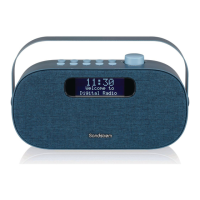
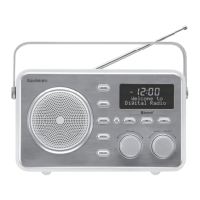
1. Handle
2. MODE button
Selects between DAB, FM, AUX and
Bluetooth modes.
3. INFO button
Changes the information display.
4. SCAN button
Auto-scans in DAB/FM mode.
5. STANDBY button
Switches the unit between the ON and
STANDBY modes.
When the alarm sounds, press to turn
alarm o
6. Display
7. { Button
Skips backwards to the beginning of
the track or to the previous track when
playing a Bluetooth source. Press and
hold to fast rewind.
8. } Button
Skips forwards to the next track when
playing a Bluetooth source. Press and
hold to fast forward.
Controls and Connections
1
2 3 4 5 6
7
8
9
10111213
9. /, Button
When playing a Bluetooth source. Plays/
pauses/resumes playback.
10. SCROLL/SELECT dial
Station selection and tuning control.
Navigates up/down on a menu screen
and adjusts settings.
Press to conrm a menu selection.
11. VOLUME dial
Increases and decreases the volume.
12. PRESET button
Save or recall preset radio stations.
13. MENU button
Displays the main menu.
FRONT VIEW
SDABXRL13_IB.indd 4 08/04/2013 10:30





 To Next Page