37
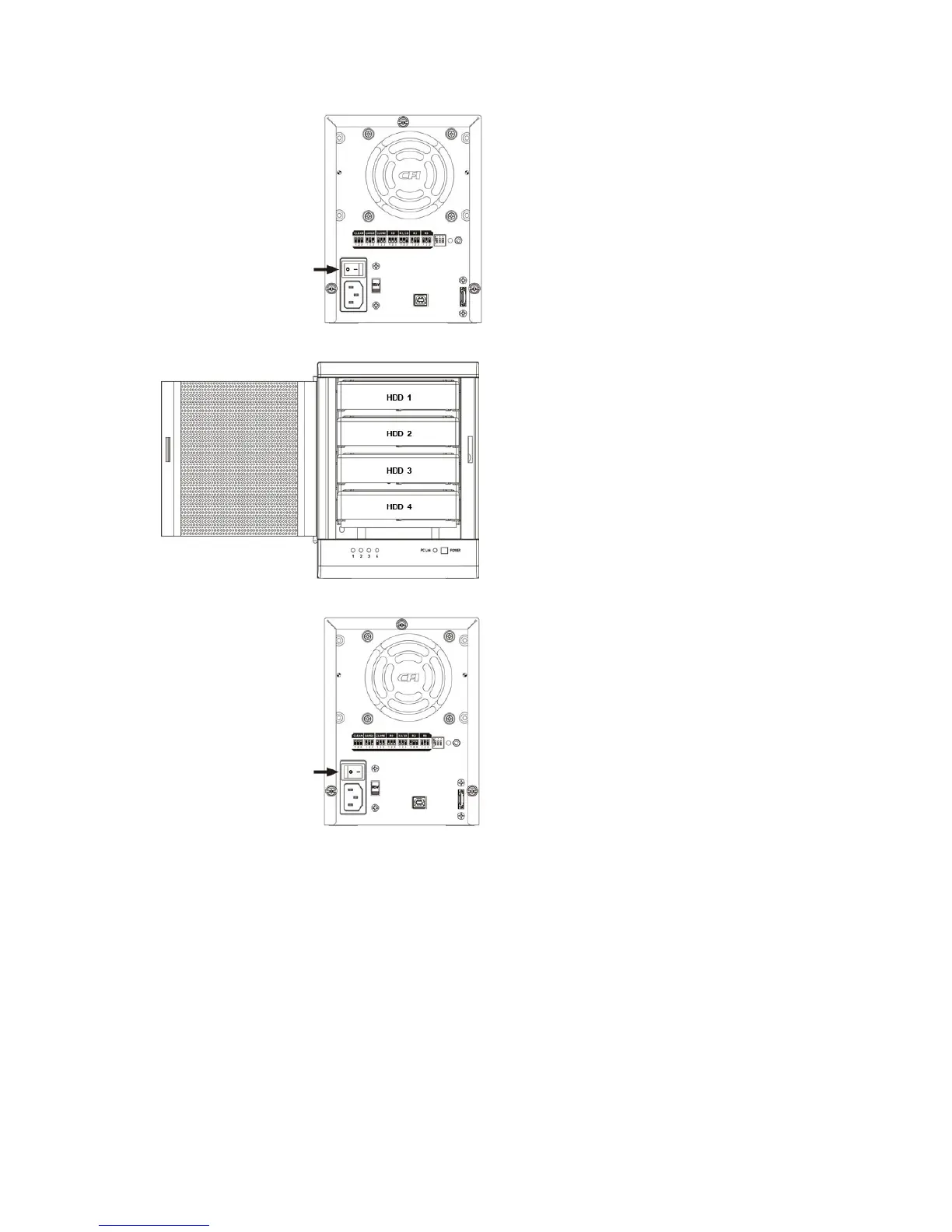
6. Turn off the power.
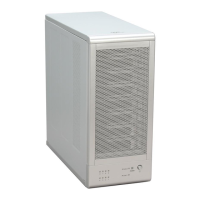
7. Insert the hotspare drive into the 4
th
HDD bay.
8. Turn on the power to complete mode setting.
4.7 REBUILDING A REDUNDANCY OR HOT SPARE DRIVE
The TowerRAID TR4UTP/TR4UT-BP storage appliance stores all data in duplicate on separate drives to protect against data
loss due to drive failure on CLONE, R1, R3, R5, and R10 MODE. The following example illustrates how the procedure to
rebuilding a redundancy or hot spare drive.
4.7.1 REBUILDING A REDUNDANCY DRIVE
1. If the drive 2 has breakdown, please remove the breakdown drive 2.


 To Next Page