46
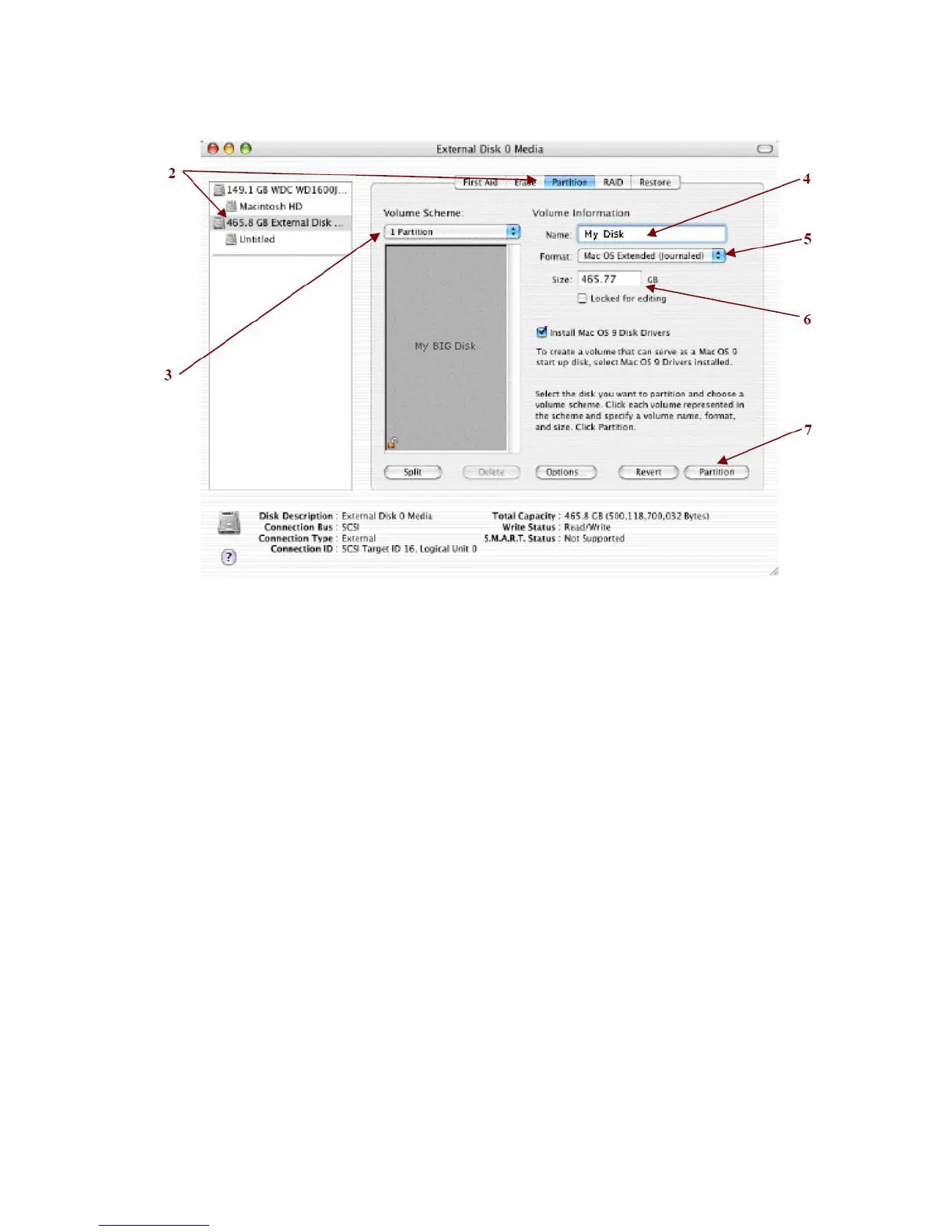
2. Select a configured disk and click the Partition tab. This procedure illustrates the LARGE Storage Policy
configuration, which concatenates the capacity of all hard drives connected to the TERA BOX SATA RAID III.
3. Select 1 Partition from the Volume Scheme drop-down list.
4. Enter a name for the volume in the Name field (such as “My Disk”.)
5. Select Mac OS Extended (journaled) from the Format drop-down list.
6. Specify the size of the partition in the Size field.
7. Click the Partition button.


 To Next Page