23
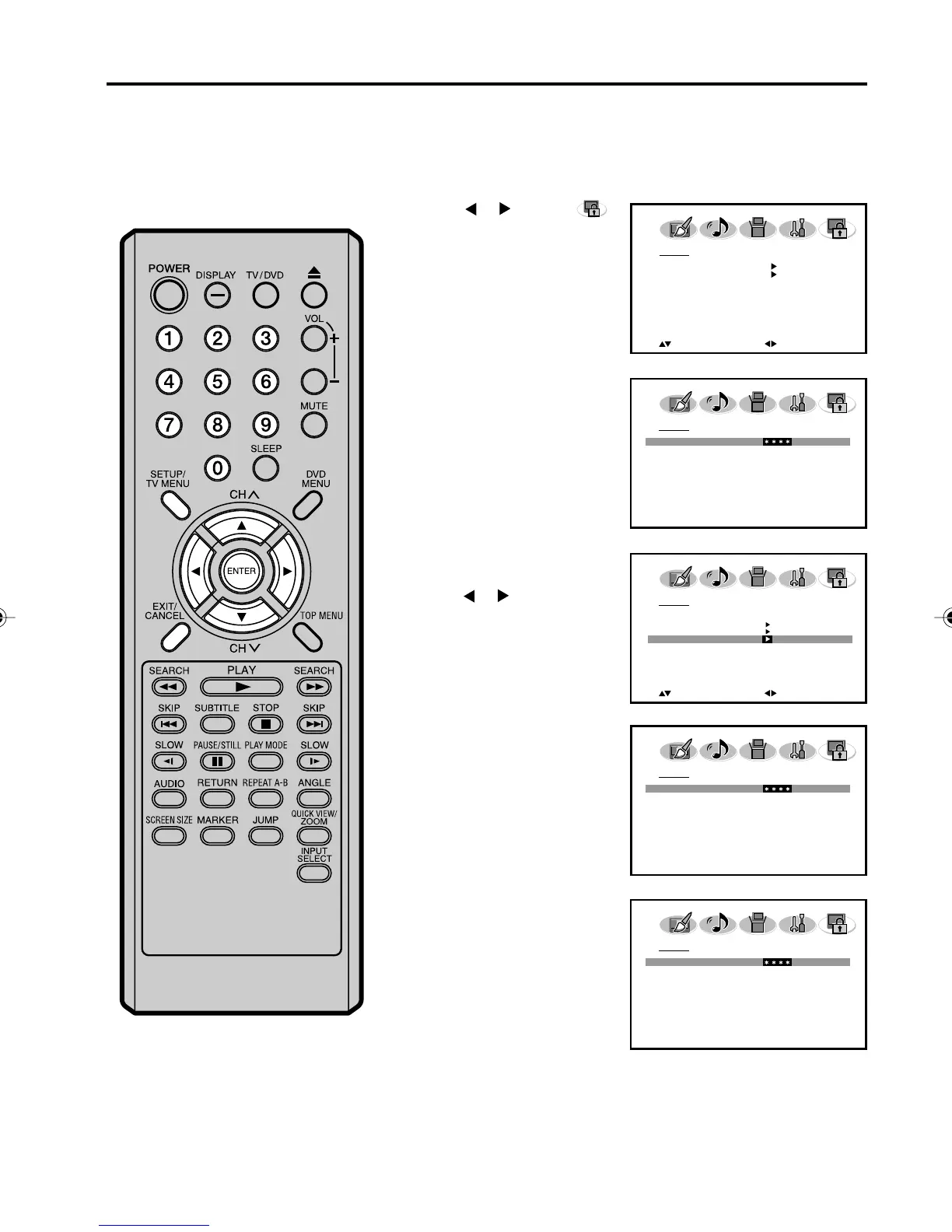
To change the password
Enter the same password
again to confirm, then press
ENTER.
Press EXIT to return to the normal screen.
5
7
Enter a new password
using Number buttons
(0-9), then press ENTER.
6
2
Press ▲ or ▼ to display the
password entering mode.
Use Number buttons (0-9)
to enter your password,
then press ENTER. The
LOCKS menu appears.
Press
or to select
(LOCKS) menu.
4
Press ▲ or ▼ to select
“NEW PASSWORD”, then
press
or .
3
Setting the V-Chip (continued)
1
Press SETUP/TV MENU in the TV mode.
The TV menu screen will appear.
LOCKS
V-CHIP OFF
V-CHIP SET
V-CHIP SET (DTV)
NEW PASSWORD
:SELECT
:ADJUST
LOCKS
V-CHIP SET
NEW PASSWORD
:SELECT
:ADJUST
LOCKS
PASSWORD
[0-9] : SELECT ENTER : SET
EXIT : END
LOCKS
NEW PASSWORD
[0-9] : SELECT ENTER : SET
EXIT : END
LOCKS
CONFIRM PASSWORD
[0-9] : SELECT ENTER : SET
EXIT : END
50C0301A_EN_P23-28 4/27/07, 7:18 PM23



 To Next Page