48
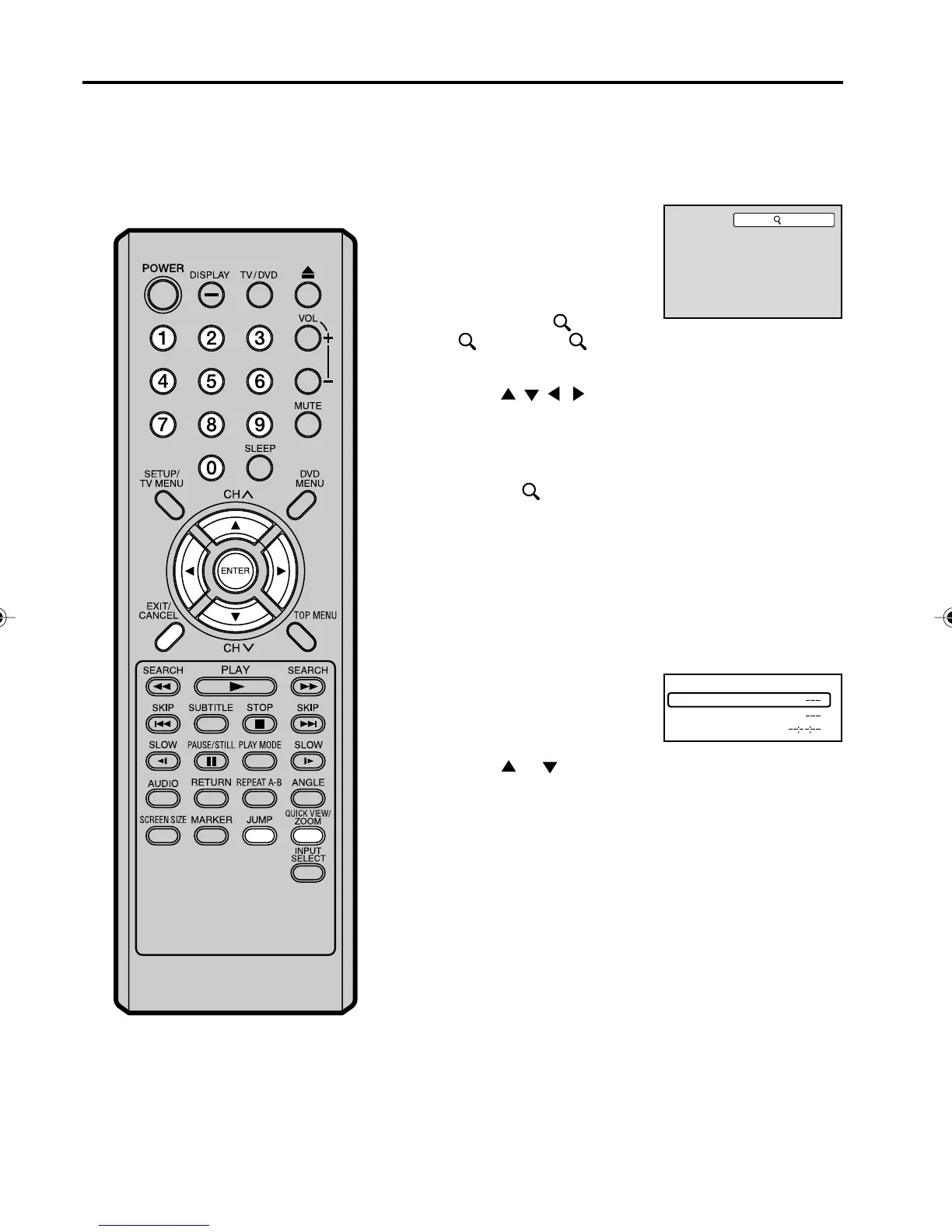
Zooming/Locating desired scene
NOTES:
•You can select the Pause, Slow or
Search playback in the zoom mode.
• Some discs may not respond to zoom
feature.
This unit will allow you to zoom in on the frame image. You
can then make selections by switching the position of the
frame.
In the zoom mode press ZOOM repeatedly to return to a
1:1 view (
Off).
1
Press ZOOM during
playback.
The center part of the
image will be zoomed in.
Each press of ZOOM will
change the ZOOM
magnification
1 (x 1.3),
2 (x 1.5) and 3
(x 2.0).
2
3
Zooming
Use the title, chapter and time recorded on the disc to locate the
desired point to play back.
Press Number buttons (0–9) to input the number.
• If you input a wrong number, press CANCEL.
• Refer to the package supplied with the disc to check the
numbers.
1
Press JUMP during playback
or resume stop mode.
3
Locating desired scene
Press ENTER.
4
• Playback starts.
• When you change the title, playback starts from
Chapter 1 of the selected title.
• Some discs may not work in the above operation.
Press
/ / / to view a different part of the frame.
You may move the frame from the center position UP,
DOWN, LEFT or RIGHT.
2
Press or to select the “Time”, “Title/track” or
“Chapter”.
Time
Title
Chapter
Jump
1
50C0301A_EN_P46-55 4/27/07, 7:19 PM48



 To Next Page