31
ENGLISH
12
POWER
CHANNEL
MENU
ENTER
AUTO
TRACKING
SLOW
PAUSE/STILL
STOP
PLAY
REW/
REC/OTR
SKIP
SEARCH
3
45
6
789
0
/F.FWD
SET
SLOW
TIMER REC TV MONI.
CALL
TV/VCR
AUDIO
SPEED
EJECT
COUNT
RESET
ZERO
RETURN
INPUT
SELECT
INDEX
CANCEL
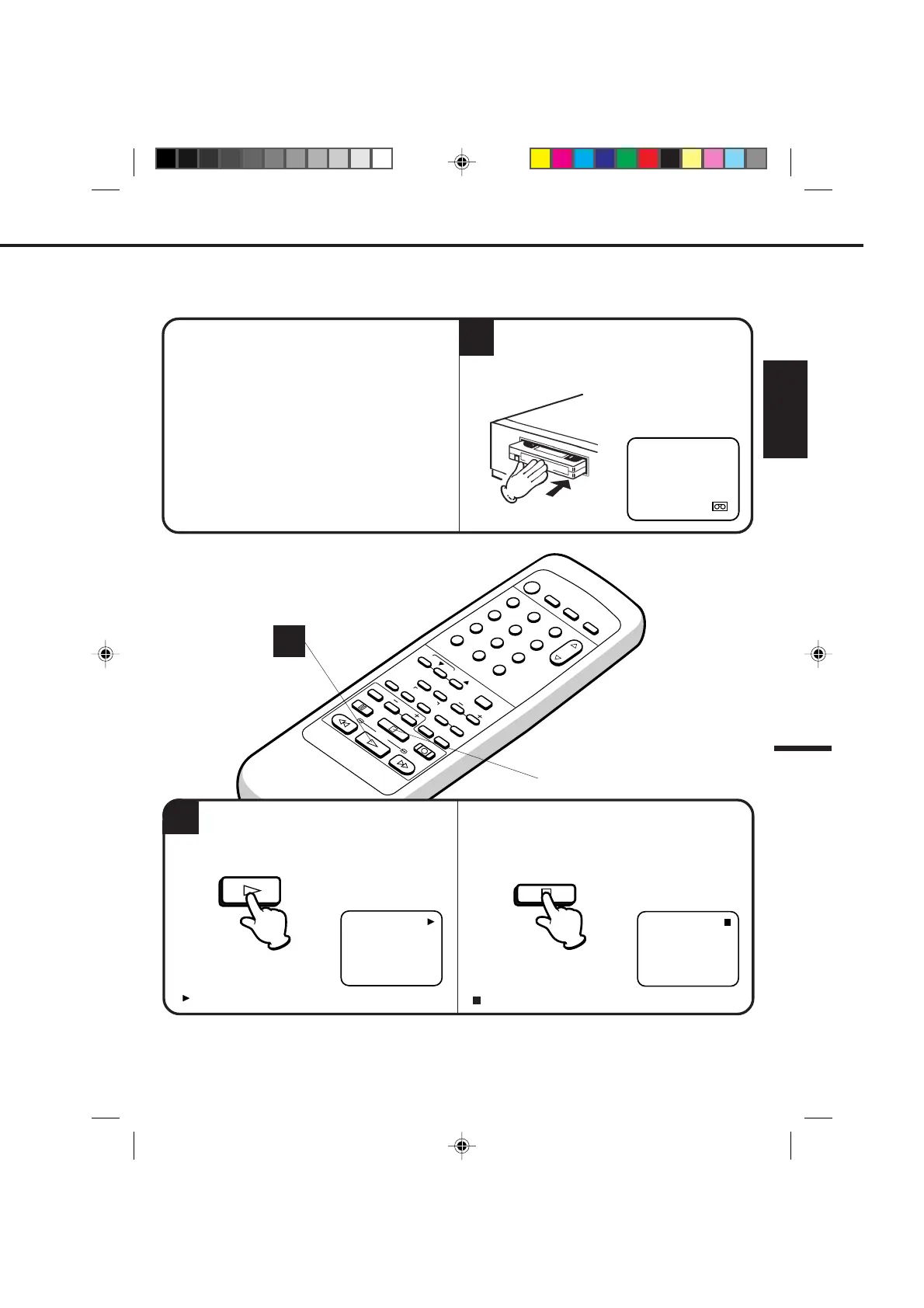
TO START PLAYBACK
1
2
TO STOP PLAYBACK
CHECK BEFORE YOU BEGIN
Turn ON the TV and set to the video channel 3 or 4.
When a TV is connected with an audio/video cable,
turn the TV and this VCR on and select the video
input mode on the TV.
Press the PLAY button. Playback will start.
Load a prerecorded tape. (When loading a
cassette tape without the erase prevention tab,
playback will start automatically.)
Press the STOP button once. The tape will stop but
remain fully loaded and ready to play.
" " will appear on the screen about 4 seconds.
" " will appear on the screen about 4 seconds.
2
To play a prerecorded cassette tape.
PLAYBACK
PLAY
STOP
4C94001A/E/P30-37 08*12*99, 11:3931


 To Next Page