43
ENGLISH
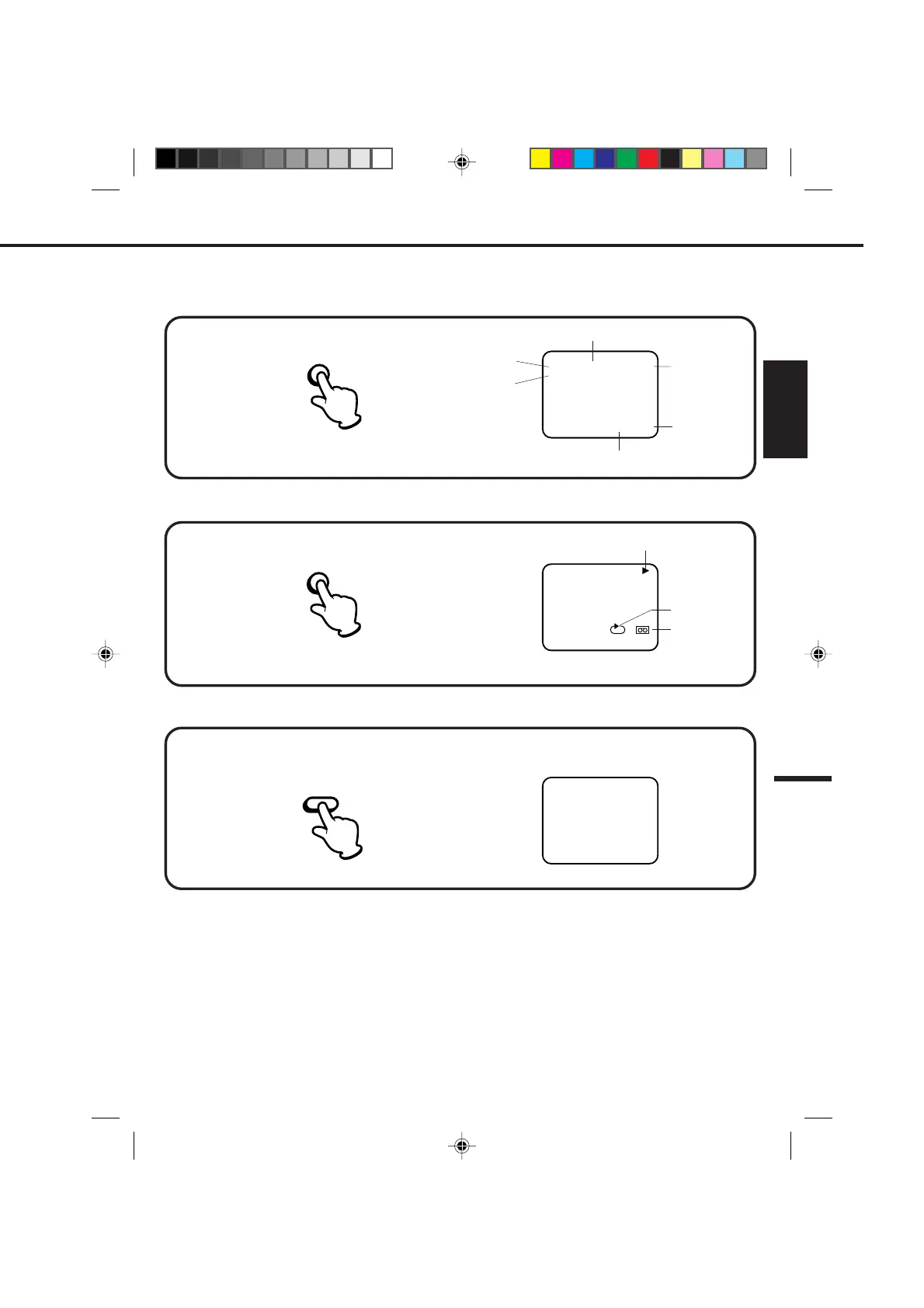
Press the CALL button.
Press the CALL button.
Press the CALL button again to make the display disappear.
Press the CALL button again to make the display disappear.
Press the COUNT RESET button. The counter will appear on the screen.
TO SET THE COUNTER TO '00:00:00'
WHILE OPERATING A TAPE
WHILE WATCHING TV
NOTES: •If you rewind the tape from "00:00:00", a minus sign ("–") will be displayed in front of the time.
•When you load a tape, the counter will change to "00:00:00".
•The counter does not function on nonrecorded (blank) sections of the tape. When you rewind, fast forward
or play tapes through blank sections, the counter stops.
ON-SCREEN FUNCTION DISPLAY
00 : 00 : 00 SP
00 : 00 : 00 SP
CH 1258 : 30 AM THU
STEREO SAP
00 : 00 : 00 SP
CH 1258 : 30 AM THU
STEREO SAP
DAY OF THE WEEK
CHANNEL
TAPE SPEED
REAL TIME COUNTER
CLOCK
OPERATING MODE
TAPE IN
STEREO AND
SEPARATE AUDIO
PROGRAM (SAP)
CALL
CALL
COUNT
RESET
AUTO REPEAT
4C94001A/E/P38-43 08*12*99, 11:3943


 To Next Page