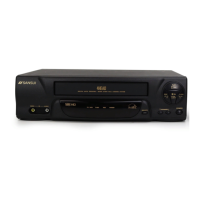
12
19
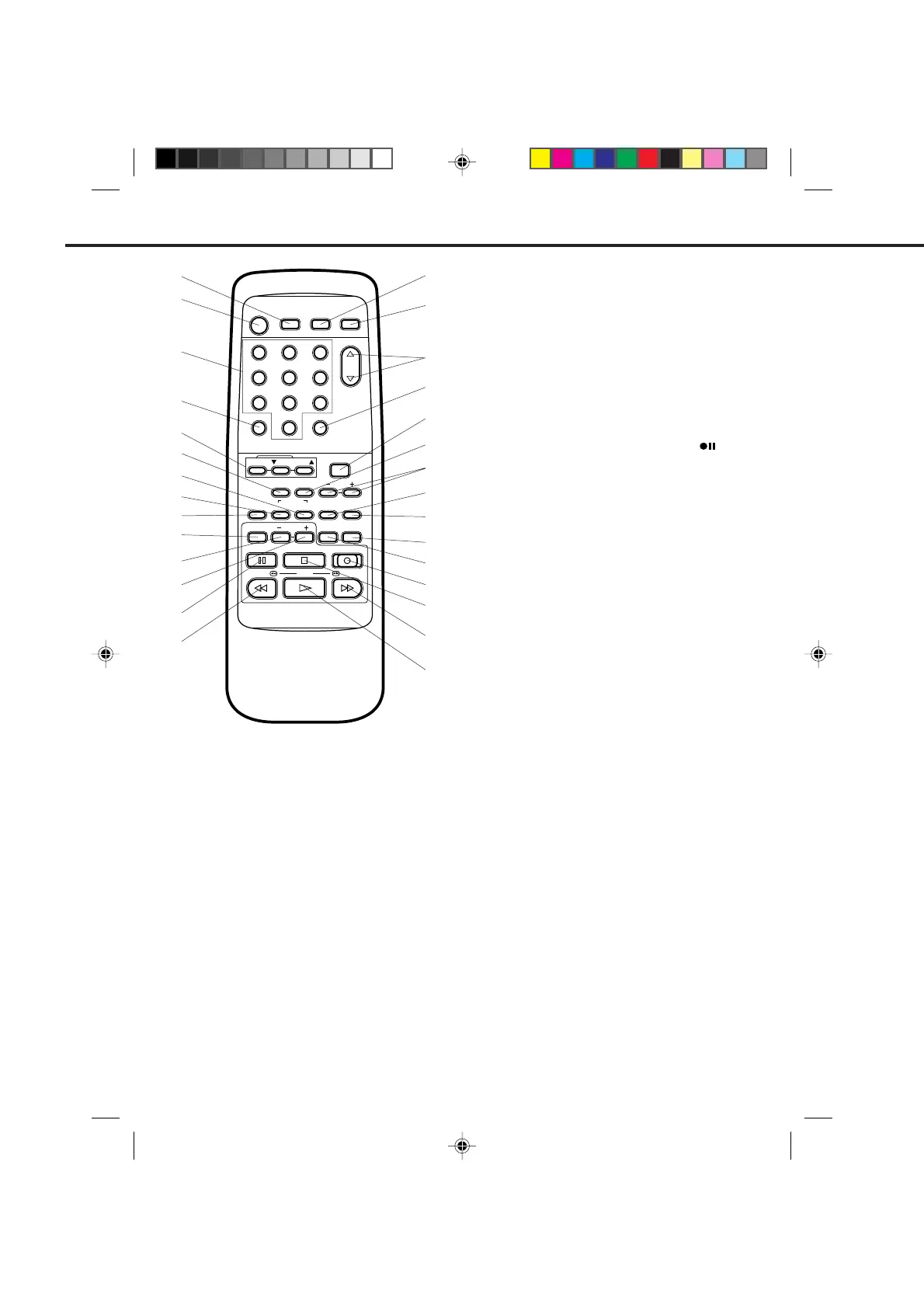
REMOTE CONTROL
1
2
3
4
5
6
7
9
12
15
16
17
18
29
28
27
26
25
24
23
22
21
20
8
12
POWER
CHANNEL
MENU
SET
TV/VCRCALL
3
45
6
789
0
EJECT
TIMER REC TV MONI.
AUTO
INDEX
SELECT
INPUT ENTER CANCELAUDIO
TRACKING
SKIP
SEARCH
COUNT
RESET
ZERO
RETURN
SLOWSLOW
PAUSE/STILL STOP
PLAY / F.FWD
REW /
REC/OTR
SPEED
13
8. INPUT SELECT button - Switches the program for
viewing between the VCR and external input sources.
9. INDEX button - Used to search for the INDEX mark.
10. SLOW button - Press to play back a tape in slow
motion or to advance the tape one frame at a time
during still playback.
11. SLOW – button - Press to speed down slow motion
playback until it is 1/30 of normal speed playback.
12. SLOW + button - Press to speed up slow motion
playback until it is 1/5 of normal speed playback.
13. PAUSE/STILL button - During recording, this
button temporarily stops the tape. The "
" will
appear on the screen. During playback, it stops the
tape and displays a still image on the TV screen.
14. REW button - In the STOP mode, this button rapidly
winds the tape backwards. In the PLAY mode, this
button activates Reverse Search.
15. TV MONI. (Monitor) button - Used to temporarily
view a TV channel selected on the VCR while in the
playback mode.
16. EJECT button - Press to eject the tape.
17. CHANNEL ▲ / ▼ buttons - Used to select a channel
for viewing or recording.
18. TV/VCR selector button - Switches between TV
and VCR.
19. MENU button - Press to display the on-screen menu
function.
20. ZERO RETURN button - Used to stop the tape when
the counter reaches 00:00:00.
21. SET +
/
– buttons - Used to set or adjust in the
menu mode.
22. ENTER button - Used to enter the information in
the menu mode.
23. CANCEL button - Used to clear the selected timer
recording program.
24. SKIP SEARCH button - Press in the playback
mode to search forward in 30 second increments to
a maximum of 3 minutes.
25. SPEED (SP/LP/SLP) selector button - Sets the tape
speed for recording.
26. REC/OTR button - Press once to start normal
recording. Additional presses activate One-touch
Timer Recording.
27. STOP button - Press once to stop the tape.
28. F. FWD button - In the STOP mode, this button
rapidly winds the tape forward. In the PLAY mode,
this button activates Forward Search.
29. PLAY button - Press to play a prerecorded tape.
10
14
11
DESCRIPTION OF BUTTONS
1. TIMER REC button - Used to set the VCR to start
recording at a preset time.
2. POWER button - Turns the VCR power on and off.
3. Direct Channel Selection buttons (0-9) - Allow direct
access to any channel.
4. CALL button - Displays the present time/day of the
week, channel, counter, speed selection and VCR mode
on the TV screen.
5. AUTO/Manual TRACKING buttons - Allows automatic
or manual adjustment of tracking to minimize picture
noise during playback.
6. COUNT RESET button - Resets the Real Time
Counter to 00:00:00.
7. AUDIO SELECT button - Switches sound between
mono and stereo, and SAP when receiving broadcasts
in stereo or SAP.
4C94001A/E/P10-19 08*12*99, 11:4212


 To Next Page