41
ENGLISH
12
POWER
CHANNEL
MENU
ENTER
AUTO
TRACKING
SLOW
PAUSE/STILL
STOP
PLAY
REW/
REC/OTR
SKIP
SEARCH
3
45
6
789
0
/F.FWD
SET
SLOW
TIMER REC TV MONI.
CALL
TV/VCR
AUDIO
SPEED
EJECT
COUNT
RESET
ZERO
RETURN
INPUT
SELECT
INDEX
CANCEL
6
4
6
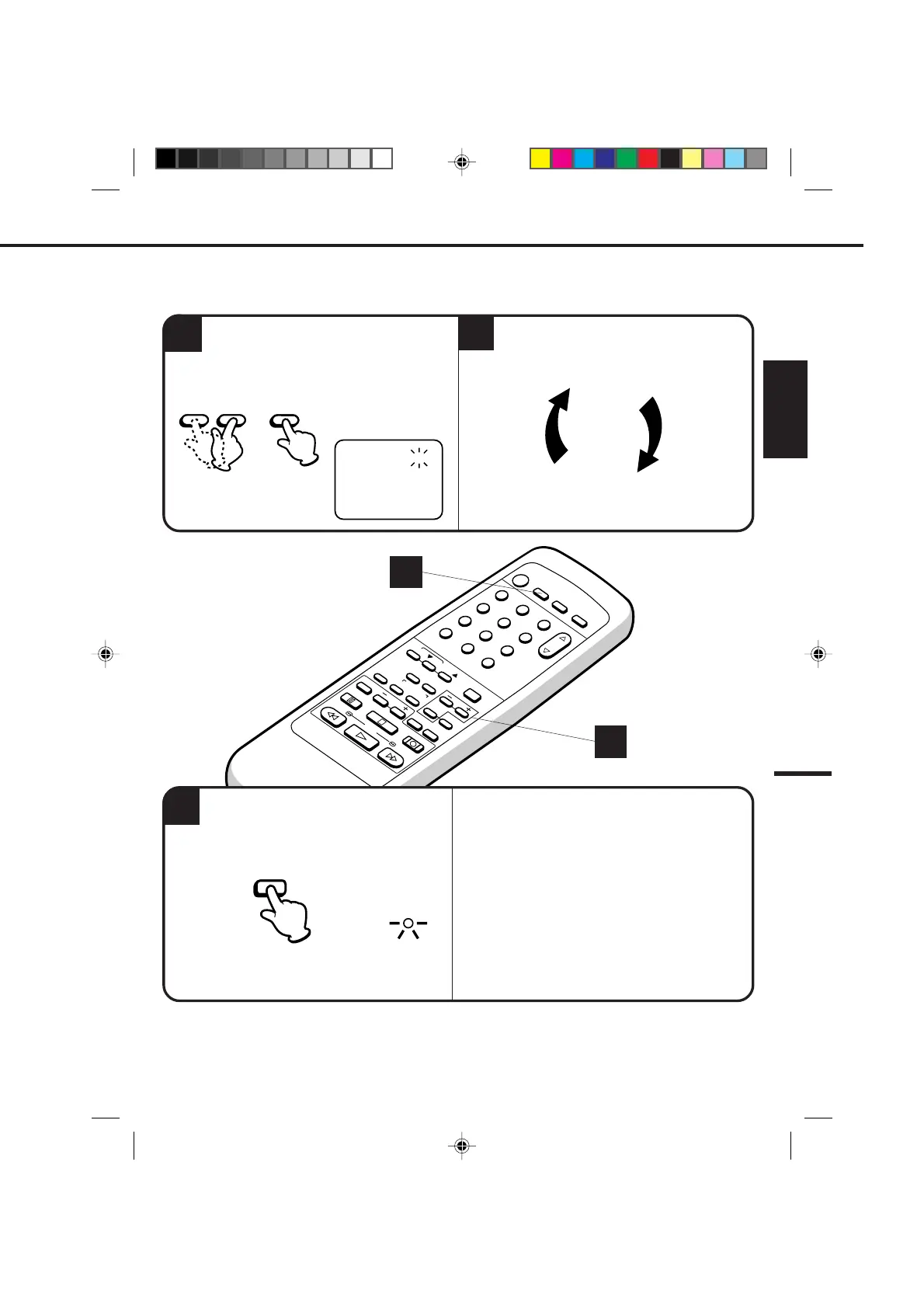
While setting, press the ENTER button to flash the item
to correct, then re-enter the setting with the SET + or –
button.
When finished, press the ENTER button.
Press the TIMER REC button. The power will
go off, the T.REC indicator will light and the
VCR stands by for recording.
To cancel timer recoreding, press the button again
and the T.REC indicator will go out.
T.REC
TIMER REC
NOTES: • The VCR cannot be used while the T.REC indicator is lit.
•After a power failure or disconnection of the power plug, all programmed recording settings must be reset
upon resumption of power. In this case, reset the clock (see page 25) and reprogram any timer recordings.
•Press the CANCEL button to move cursor backward for correction.
TO CORRECT THE SETTINGS
4
Set the start time, end time, channel and tape
speed as in step 3.
5
To set the timer for other programmes, repeat
step 3 through 4.
3
4
〈
+/-/ENTER/CANCEL/MENU
〉
11:00PM 11:30PM
-:-- -:-- ---
-:--
-:-- ---
-:-- -:-- ---
-:-- -:-- ---
-:-- -:-- ---
-:-- -:-- ---
-:-- -:-- ---
------ -
------ -
------ -
------ -
------ -
------ -
------ -
26(WE)
125
START END
DATE
CH
SLP
– SET +
ENTER
4C94001A/E/P38-43 08*12*99, 11:3841


 To Next Page