EasyManua.ls Logo

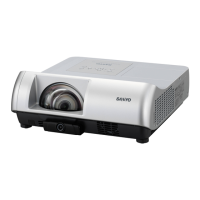
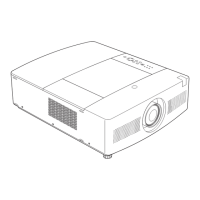
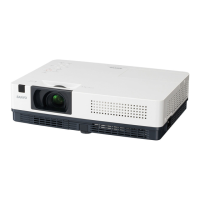
Sanyo PLC-WXU700A - User Manual

Sanyo PLC-WXU700A
393 pages
Print Icon
To Next Page IconTo Next Page
Loading...
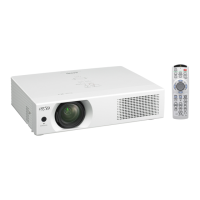
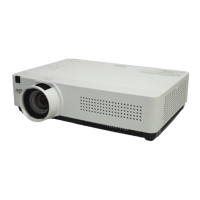
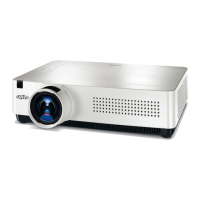
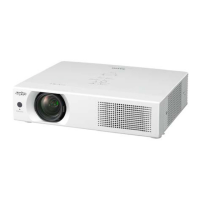
Multimedia Projector
MODEL PLC-WXU700A
Owners Manual
Network Supported
Ƒ:LUHOHVV/$1
,(((EJQ
Ƒ:LUHG/$1
%DVH7;%DVH7
Memory Viewer
Ƒ 86%0HPRU\9LHZHU

5HIHUWRWKHRZQHU¶VPDQXDOVEHORZIRU
GHWDLOVDERXWQHWZRUNDQGPHPRU\YLHZHU
IXQFWLRQ
Ŷ1HWZRUN6HWXSDQG2SHUDWLRQ
Ŷ0HPRU\YLHZHUIXQFWLRQ

Table of Contents

Other manuals for Sanyo PLC-WXU700A

Questions and Answers

  • C
    cheryl16Aug 1, 2025
    What to do if the LAMP REPLACE indicator is yellow on Sanyo PLC-WXU700A Projector?
    • C
      Christopher BowmanAug 1, 2025
      When the LAMP REPLACE indicator lights yellow, promptly replace the projection lamp in your Sanyo Projector with a new one. After replacing the lamp, reset the lamp replacement counter.
  • K
    Kevin WilliamsAug 7, 2025
    How to turn on Sanyo PLC-WXU700A?
    • D
      Deborah CombsAug 7, 2025
      If the Sanyo Projector is off, it might be in stand-by mode. Press the ON/STAND-BY button to turn it on.
  • N
    ndouglasAug 13, 2025
    What to do if Sanyo PLC-WXU700A Projector detects an abnormal temperature?
    • J
      John HunterAug 13, 2025
      If your Sanyo Projector detects an abnormal temperature increase, check the air filters and remove any objects near the intake and exhaust fan openings. Wait until the POWER indicator stops blinking, and then try turning the projector on again.
  • C
    christophermendozaAug 19, 2025
    Why are all LED indicators not lighting on Sanyo PLC-WXU700A?
    • D
      Donald LopezAug 19, 2025
      If all LED indicators on your Sanyo Projector are not lighting, it indicates that the primary power supply circuit is not operating properly. Check the power primary circuit and parts such as the AC cord, F601 (Fuse), Power board, and SW902 (Thermal sw.). Note that SW902 opens when the surrounding temperature exceeds 100°C.
  • M
    Megan HardinAug 26, 2025
    What to do if there is no sound with HDMI on Sanyo Projector?
    • M
      maysrebeccaAug 26, 2025
      If there is no sound with HDMI, MCI audio input from PC1, PC2 or VIDEO source on your Sanyo Projector, check the audio output circuit, the speaker, and the connection of the terminal 'K8F'.

Sanyo PLC-WXU700A Specifications

General IconGeneral
Vertical scan range50 - 100 Hz
Horizontal scan range15 - 100 kHz
Projection technologyLCD
Contrast ratio (typical)500:1
Projector native resolutionWXGA (1280x800)
Resolution3072000 pixels
Aspect ratio16:10
RS-232 ports1
Power requirements100 - 240 V
Lamp typeNSH
Lamp power275 W
Light source typeLamp
Serial interface typeRS-232
USB 2.0 ports quantityUSB 2.0 ports have a data transmission speed of 480 Mbps, and are backwards compatible with USB 1.1 ports. You can connect all kinds of peripheral devices to them.
Noise level31 dB
Power consumption (typical)333 W
Power consumption (economy mode)292 W

Related product manuals