EasyManua.ls Logo

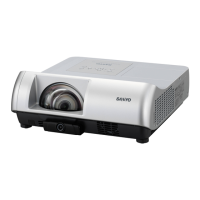
Sanyo PLC-WL2500 - User Manual

Sanyo PLC-WL2500
78 pages
Print Icon
To Next Page IconTo Next Page
Loading...
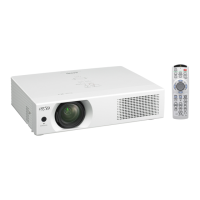
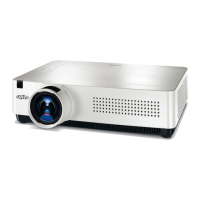
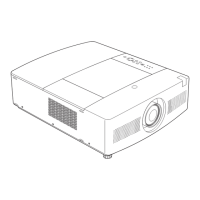
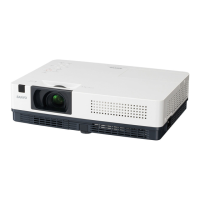
Multimedia Projector
MODEL PLC-WL2500
Owners Manual
Network Supported
□ WiredLAN
*
Refertotheowner’smanual
belowfordetailsaboutnetwork
function.
□ NetworkSet-upandOperation

Table of Contents

Other manuals for Sanyo PLC-WL2500

Questions and Answers

  • V
    Vanessa IbarraAug 11, 2025
    Why does the LAMP REPLACE indicator light up yellow on my Sanyo PLC-WL2500?
    • N
      Nina Brooks PhDAug 11, 2025
      When the LAMP REPLACE indicator lights up yellow on your Sanyo Projector, it means the projection lamp is nearing the end of its life. Replace the projection lamp with a new one as soon as possible. After replacing the lamp, remember to reset the lamp replacement counter.
  • R
    rgonzalezAug 17, 2025
    What to do if my Sanyo PLC-WL2500 Projector cannot be turned on due to high temperature?
    • M
      Melissa PierceAug 17, 2025
      If your Sanyo Projector cannot be turned on due to abnormally high temperature inside the projector, wait for it to cool down. Once the temperature returns to normal, the POWER indicator will stop blinking, and you will be able to turn on the projector.
  • J
    John KochAug 25, 2025
    What to do if my Sanyo PLC-WL2500 cannot be turned on until cooling is completed?
    • A
      Amy SanchezAug 26, 2025
      If your Sanyo Projector cannot be turned on until cooling is completed, it means that the projector is either preparing for stand-by or the projection lamp is cooling down. Please wait until the cooling process is completed and the POWER indicator stops blinking before attempting to turn it on.
  • E
    ellisalanSep 2, 2025
    How to turn on Sanyo Projector if it is in stand-by mode?
    • C
      Chad Weaver MDSep 3, 2025
      To turn on your Sanyo Projector from stand-by mode, simply press the ON/STAND-BY button.

Summary

Safety Instructions

Installation

Positioning the Projector

Guidance on placement and throw distance for optimal screen size.

Connecting to a Computer

Instructions for connecting the projector to a PC via cables.

Connecting to Video Equipment

Instructions for connecting video sources using specific cables.

Connecting the AC Power Cord

Details on safe connection of the projector's power cord.

Basic Operation

Turning On the Projector

Step-by-step guide for powering on and initial setup.

Enter a PIN code

Procedure for entering the PIN code to unlock operation.

How to Operate the On-Screen Menu

Navigating and using the projector's on-screen menu system.

Remote Control Operation

Quick access to functions using the remote control.

Computer Input

Input Source Selection (Computer 1: RGB)

Guides for selecting Computer 1 as the input source.

Computer System Selection

Automatic and manual tuning for computer signal formats.

Manual PC Adjustment

Precise adjustment of display parameters for computer signals.

Video Input

Setting

Information

Maintenance and Cleaning

Sanyo PLC-WL2500 Specifications

General IconGeneral
Brightness2500 ANSI Lumens
Display TypeLCD
Native ResolutionXGA
Resolution1024 x 768 (XGA)
Lamp Life3000 hours (Eco mode)

Related product manuals