EasyManua.ls Logo

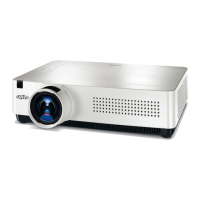
Sanyo PLC-WXU30 - User Manual

Sanyo PLC-WXU30
270 pages
Print Icon
To Next Page IconTo Next Page
Loading...
Multimedia Projector
MODEL PLC-WXU30
Owner’s Manual
Network Supported
RWireless LAN
IEEE802.11b/g
RWired LAN
100-Base-TX/10-Base-T
Memory Viewer
RSD Card Memory Viewer
@Refer to the owner’s manuals below for details
about network and memory viewer function.
QNetwork Set-up and Operation
QMemory viewer

Table of Contents

Other manuals for Sanyo PLC-WXU30

Questions and Answers

  • K
    Kristina SmithAug 8, 2025
    What to do if Sanyo Projector cannot be turned on?
    • L
      Linda CurtisAug 8, 2025
      If your Sanyo Projector won't turn on and the power indicator is still blinking, it could be due to several reasons. First, the projector might be in the process of cooling down its projection lamp or preparing for standby. Allow it to complete this process. If the internal temperature is too high, wait for the projector to cool down to a normal temperature, indicated by a red POWER light, and check/clean the air filter. If the projector detects an abnormal condition, the power supply circuit and the fan control circuit should be checked.
  • M
    Ms. Alexandra BrooksAug 23, 2025
    Why Sanyo Projector cannot be turned on until cooling is completed?
    • P
      peter24Aug 25, 2025
      Your Sanyo Projector may not turn on until cooling is completed for one of the following reasons: the projector is preparing for stand-by or the projection lamp is being cooled down; the temperature inside the projector is abnormally high; or the projector detects an abnormal condition. When the projector is cooled down enough and the temperature returns to normal, the POWER indicator emits a red light and the projector can be turned on. (The WARNING indicator keeps blinking.) Check and clean the air filter; or check power supply circuit and fans control circuit.

Sanyo PLC-WXU30 Specifications

General IconGeneral
ResolutionWXGA (1280x800)
Brightness3000 ANSI Lumens
Lamp Life (Normal Mode)2000 hours
Display TypeLCD
Projection Technology3LCD
Throw Ratio1.5 - 1.8:1
Screen Size30 - 300 inches
Input PortsHDMI, VGA, Composite, S-Video

Related product manuals