14
o
t
y
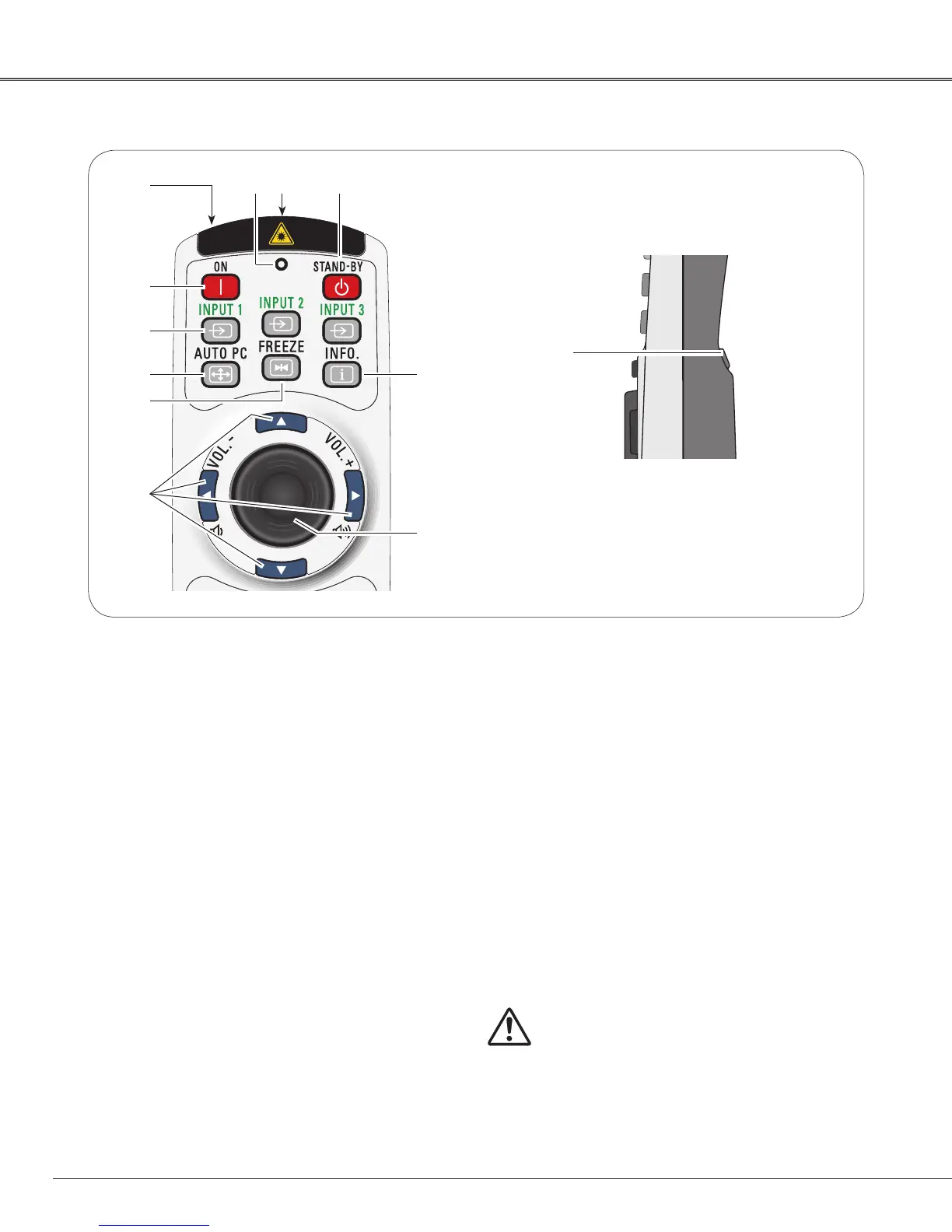
q STAND-BY button
Turn the projector off (p.25).
t ON button
Turn the projector on (p.24).
y INPUT 1 – 3 buttons
Select a input source (INPUT 1 – INPUT 3) (pp.34–
35).
uAUTO PC button
Automatically adjusts the computer image to its
optimum setting (pp.30, 38).
i FREEZE button
Freeze the picture on the screen (p.30).
oPOINT ed 7 8 ( VOLUME + / – ) buttons
– Select an item or adjust the value in the On-
Screen Menu (p.26).
– Pan the image in Digital zoom + mode (p.47).
– Adjust the volume level (with Point 7 8 buttons)
(p.29).
r
Remote Control
!0
u
i
!1
q
!2 L-CLICK button
Acts as the left mouse button for wireless mouse
operation (p.33).
e SIGNAL EMISSION indicator
Lights red while the laser beam is being emitted
from the laser light window or a signal is being sent
from the remote control to the projector (p.32).
!0 PRESENTATION POINTER button
Move a pointer of the projector or a pointer for
wireless mouse operation (pp.32–33).
To ensure safe operation, observe the following
precautions:
– Do not bend, drop, or expose the remote control to
moisture or heat.
– For cleaning,
use a soft dry cloth. Do not apply benzene,
thinner, splay, or any other chemical materials.
e
!2
w WIRED REMOTE jack
Connect the remote control cable (not supplied) to
this jack when using as a wired remote control.
!1 INFO. button
Display the input source information (p.28).
w
r LASER LIGHT window
A laser beam is emitted from here (p.32).
Part Names and Functions


 To Next Page