17
Interface Description
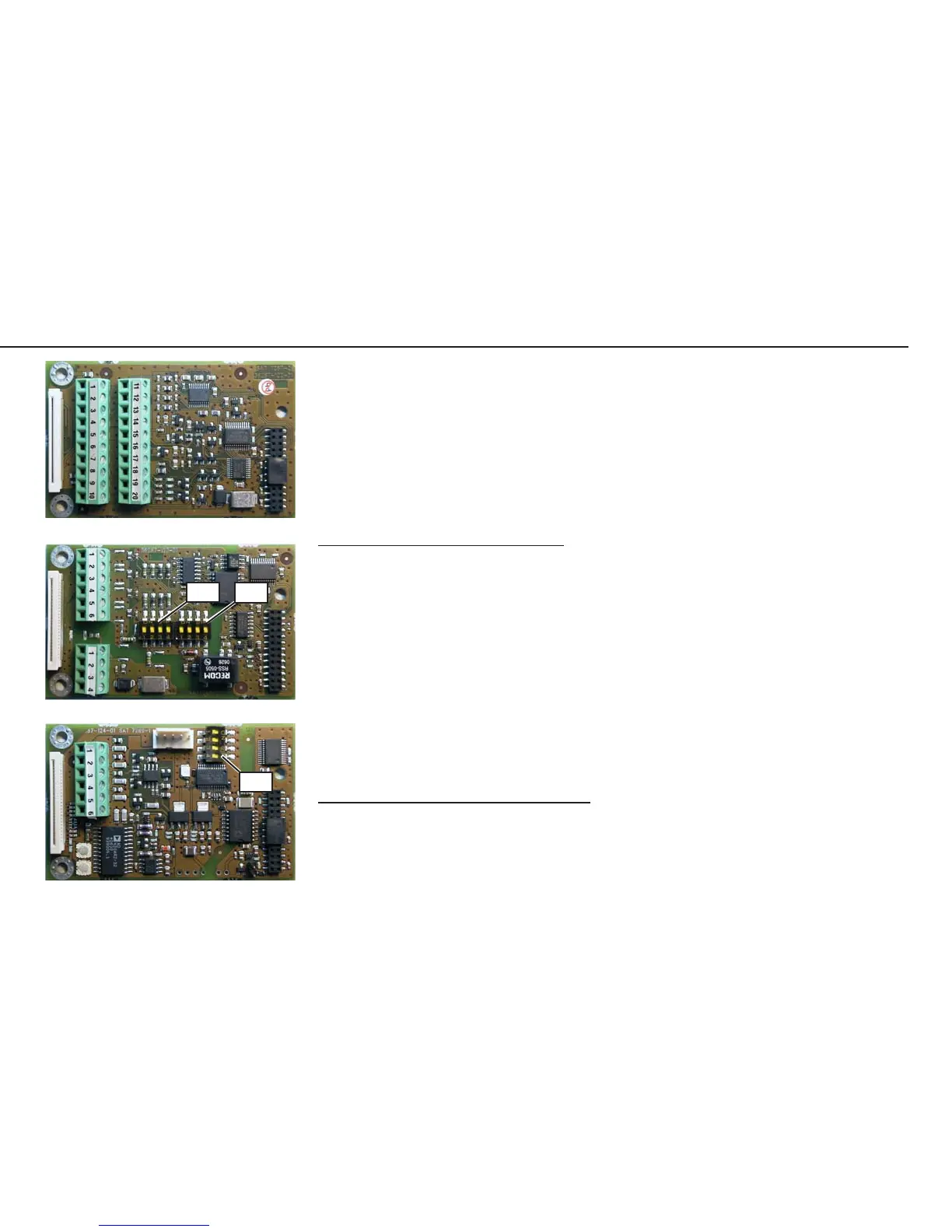
RS-232 Interface
• For RS-232 interface pin assignments, see page 16.
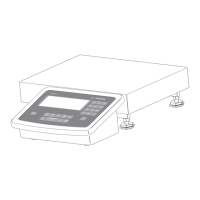
RS-485 Interface
• For RS-485 interface pin assignments, see page 16.
Switch Function when switch closed
SW1-1 Terminating resistor, transmitting 120 Ω
SW1-2 Bias resistor, , transmitting side (TxD+, pull-up) 680 Ω
SW1-3 Bias resistor, , transmitting side (TxD-, pull-down) 680 Ω
SW1-4 RS-422 mode (open: RS-485 mode)
SW2-1 Terminating resistor, receiving side 120 Ω
SW2-2 Bias resistor, receiving side (RxD+, pull-up) 680 Ω
SW2-3 Bias resistor, receiving side(RXD-, pull-down) 680 Ω
SW2-4 Not used
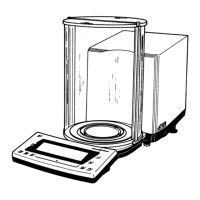
Analog Interface
• For analog interface pin assignments, see page 16.
Switch Function
SW1-1 SW1-2 |
open open 4-20mA
closed open 0-10V
open closed 0-20mA
closed closed 0-24mA
SW1-3 For future applications
SW1-4 For future applications
Repairing the Midrics Indicators
AUT23965.JPG
AUT23963.JPG
AUT23964.JPG
SW2 SW1
SW1



 To Next Page