
 Need help?
Do you have a question about the SaskTel maxTV and is the answer not in the manual?
Description of various input and output ports found on the STB for connectivity.
Diagram and explanation of typical TV input ports for receiving audio and video signals.
How to connect VCRs and DVD players to the system using various available ports.
Connecting home theatre systems and gaming consoles to the Max service for integrated entertainment.
Details on connecting the set-top box to the TV using Coaxial, S-Video, and RCA cables.
Steps for connecting a VCR or DVD player using coaxial cables to the system.
Connecting the STB and VCR to an A/V receiver using coaxial cables for signal transmission.
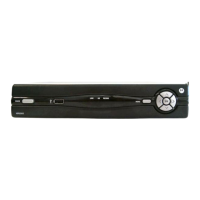
Description of buttons, indicators, and ports on the front panel of the STB.
Detailed explanation of the various input and output ports on the rear of the STB.
Explanation of HDTV standards like 720p and 1080i and their pixel counts.
Detailed comparison of different HDTV resolutions like 1080p, 1080i, and 720p.
Definition and comparison of Standard Definition TV and High Definition TV.
Essential components needed to receive and display HD pictures on a TV.
Details on the Max wireless keyboard, its functions, cost, and warranty.
Steps to take when encountering 'Signal Lost' or 'Signal Unavailable' messages.
Troubleshooting steps for issues with no picture, no audio, or both.
 General
| Connectivity | Ethernet, Wi-Fi |
|---|---|
| Video Output | HDMI, Component, Composite |
| Audio Output | HDMI, RCA |
| Features | Parental Controls |
| Supported Resolutions | 1080p |
| USB Port | Yes |
| DVR Capabilities | Yes |

 To Next Page
