CONNECTIONS CHECKLIST
1. Know your jacks and plugs – most are color coded:
• Yellow plugs are Video connections
• Red plugs are Right Audio connections
• White (or black) plugs are Left Audio (or Mono)
connections. If you VCR is mono-sound, it will
have only a white or black plug, no second red
one.
2. Perform one connection at a time. If you have
several accessories to connect, make sure each
connection is correct by checking to see that it works
properly before trying the next connection.
3. Unplug the power cord during each connection.
4. Follow the In and Out Concept. Remember In and
Out – the Output jack from one devise will go to the
Input jack of the other. Read the jack panels, they
are all labeled
.
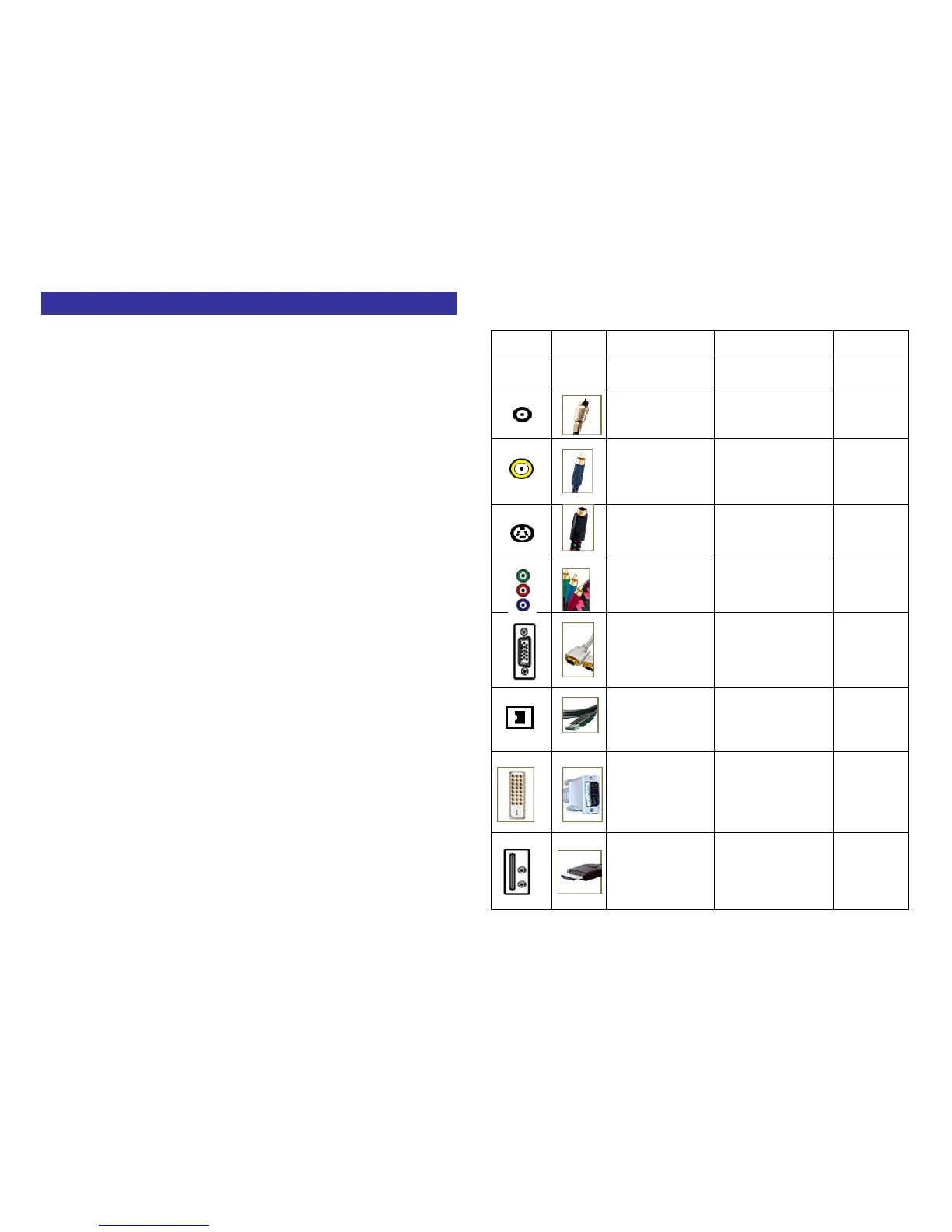
Cables
Video
Jack
Cable
Name
Typical Use
Level of
Video
Quality
RF


 To Next Page