THE PROFESSIONAL EQUIPMENT------------------|USER’S MANUAL| THE PROFESSIONAL EQUIPMENT------------------|USER’S MANUAL|
Press the keys of to move the cursor up
or down in the menu interface, then use OK key to
confirm a selection.
▲▼◄►
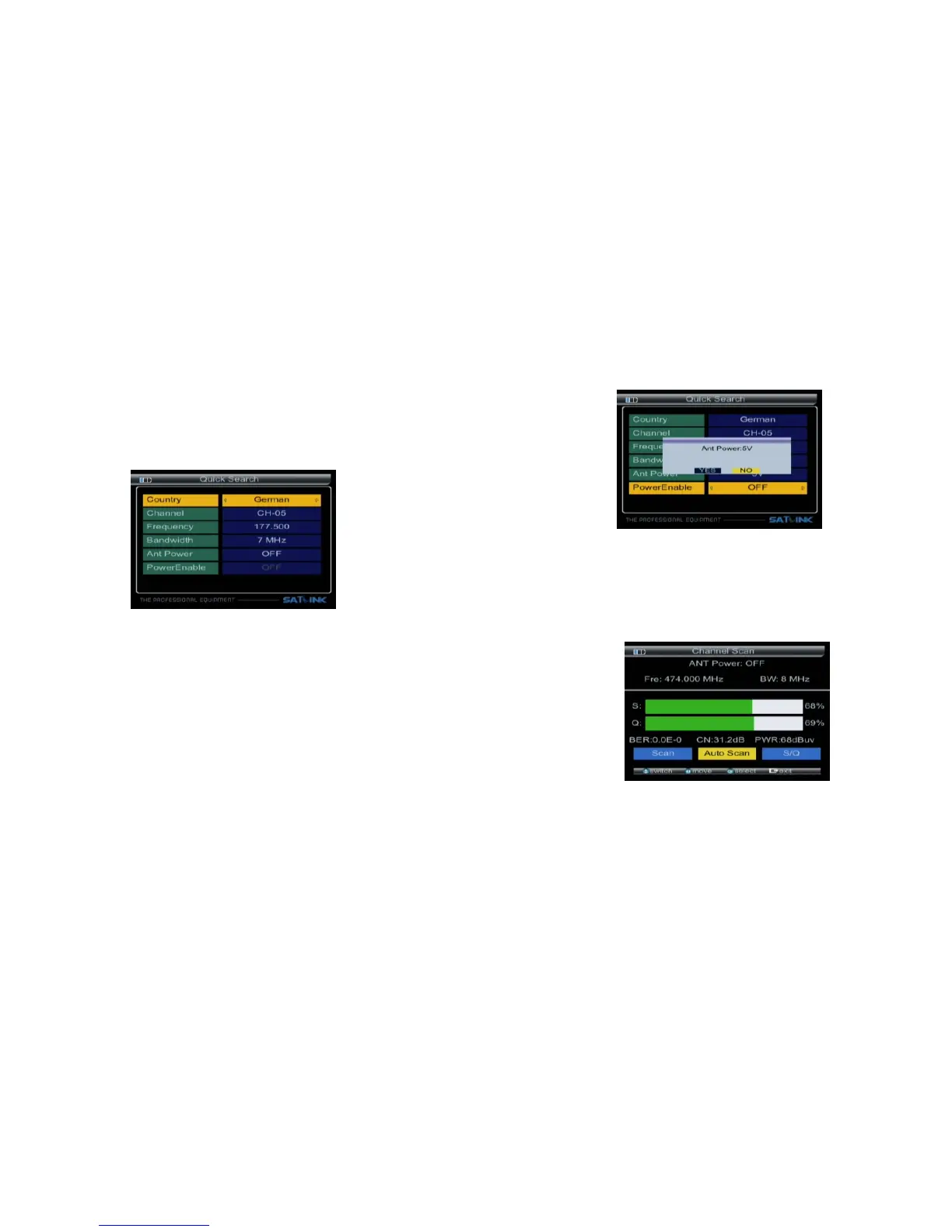
3.1 Quick Search
3.1.6 PowerEnable:Press ◄► key to Enable of ANT
voltage output, then select OK, the ANT Power
output will active.
3.1.1 Country : Press ◄► key to select the default
channels of the country.
3.1.2 Channel:Press ◄► key to select the channel.
3.1.3 Frequency:Frequency of the current channel,
Input the value by using the numeric keys.
3.1.4 Bandwidth:Press ◄► key to select the ban-
dwidth. The type of bandwidth has 6M/7M/8M.
3.1.5 ANT Power:Press ◄► key to choice Ant volt-
age output, it has 5V / 12 V / 24 V options.
Warning: you must choose the correct voltage in
ANT Power, otherwise it will damage the
external amplifier.
3.1.0.1 Quick Search:
enter
In the satellite search interface,
pressing OK key will the quick search.
Press BEEP key to open locking sound.
Press ▲▼ key to change the channel
Press ◄► key to select Scan, Auto Scan, S/Q;
press OK key enter function.
07-Digital Satellite Meter Digital Satellite Meter-08



 To Next Page