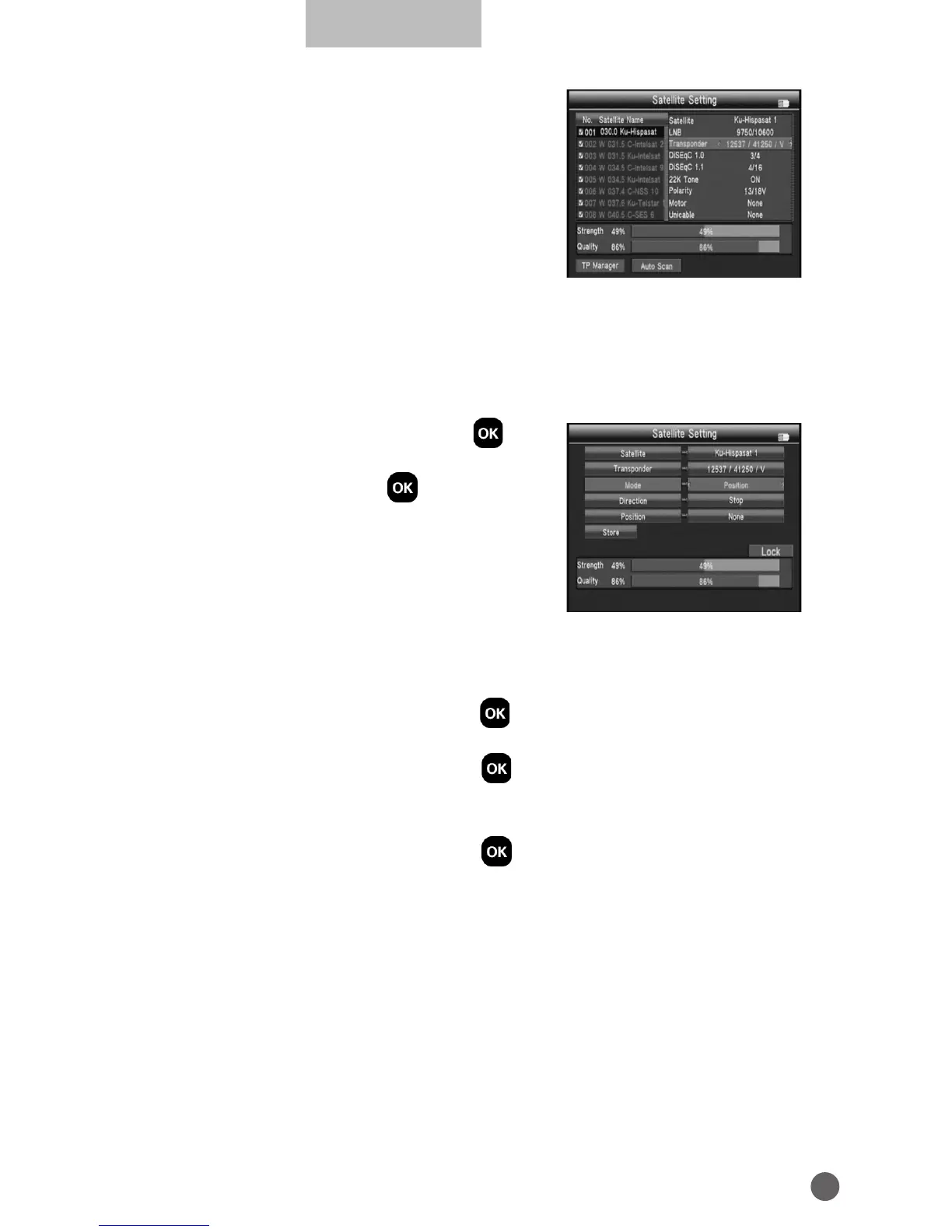
Press
AB
to set the single satellite setting.
In the setting interface:
1. TP Manage: press red key into TP manager.
2. Auto Scan: press green key into auto scan.
3. LNB: Press
AB
key then change the LNB
frequency.
4. Transponder: Press
AB
key then change
the current TP.
5. DiSEqc1.0: Press
AB
key to change the DiSEqC port.
6. DiSEqc1.1: Press
AB
key to change the DiSEqC port.
7. Motor: Press
AB
key to change the DiSEqC port.
If we select DiSEqC1.2/USALS, press OK into
the motor interface.
• Transponder: Press OK to change the
current tp.
• Mode: A, Position
A1 Direction: Press
AB
key to move direction
to west or east.
A2 Position: Set the satellite save position.
A3 Store: Save the satellite position to set of A2.
• Mode: B, Drive to Zero
Move the cursor to GO, then press OK, the motor will go to zero.
• Mode: C, Drive to stored position
Move the cursor to GO, then press
O
K, the motor will go to position of we
have saved in mode A Position.
• Mode: D, Drive to Satellite
Move the cursor to GO, then press
O
K, the motor will go to position of
auto calculate.
• Mode: E, Recalculate
E1 Direction: Press
AB
key to move direction to west or east.
E2 Recalculate: Recalculate the satellite position.
• Mode: F, Set East Limit or Set west Limit
Limit the motor move to east or to west.
F1 Direction: Press
AB
key to move direction to west or east.
F2 Store: Save the satellite position of A2
• Mode: G, Set Limit enable or disable
Set the limit enable or disable.



 To Next Page