18
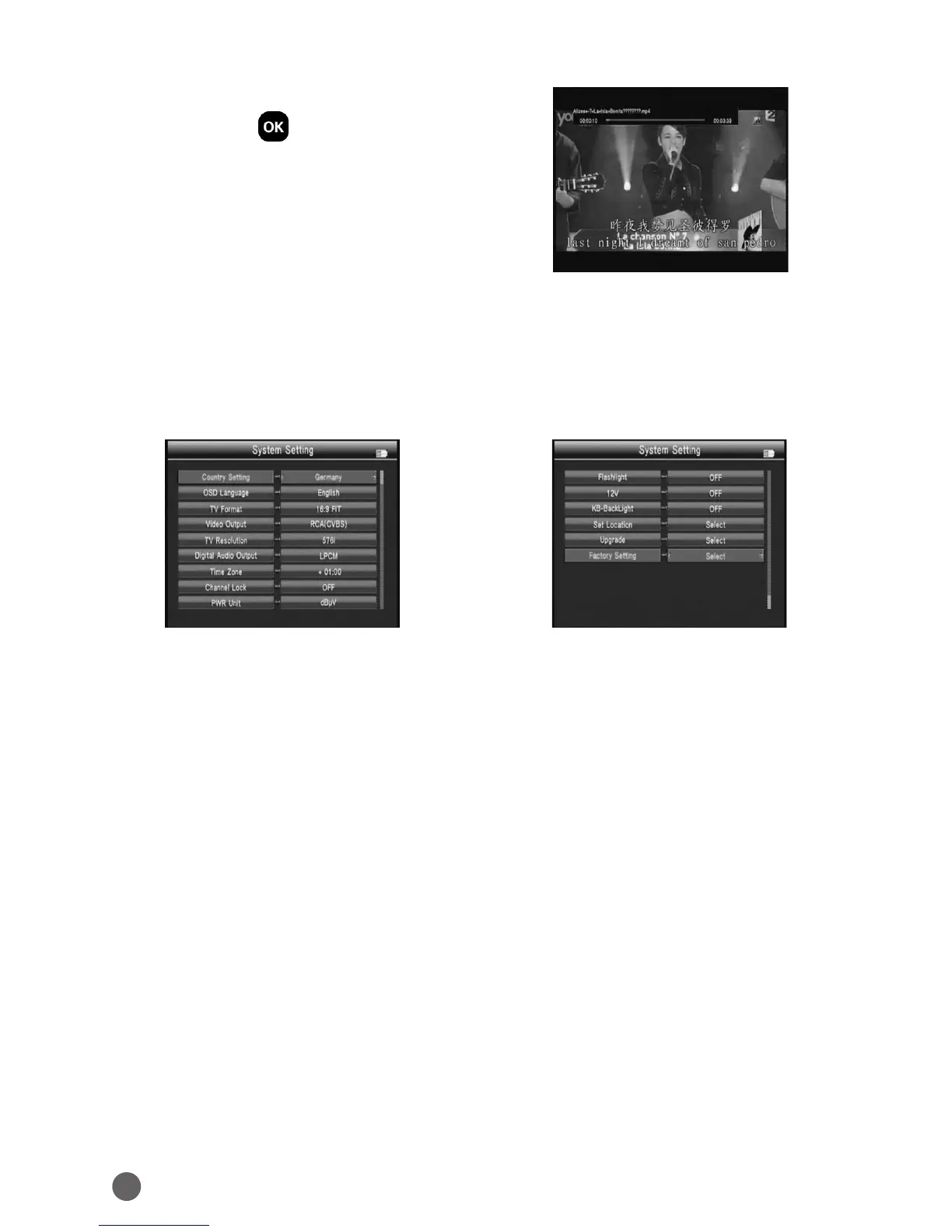
Press the arrow keys to move the cursor,
then press OK to enter the file.
In the play interface:
F1 Key: Normal play.
F2 Key: Pause.
F3 Key: Fast backward. Press F1 key return.
F4 Key: Fast forward. Press F1 key return.
• Music& Photo
Please refer to the Movie operating.
3.6 SYSTEM SETTING
• Country Setting
Press
AB
key to change the country
• OSD Language
Press
AB
key to change the OSD Language.
• TV Format
Press
AB
key to change the TV Format.
• Video Output
If we connect HDMI interface, we can press
AB
key.
• TV Resolution
On the basis of the Video Output choice, we can press
AB
key to change the
TV resolution.
• Digital Audio Output
Press
AB
key to change the LPCM or RAW format.
• Time Zone
Press
AB
key to change the Time Zone.
• PWR Unit
Press
AB
key to change the PWR unit.
• Flashlight



 To Next Page