8
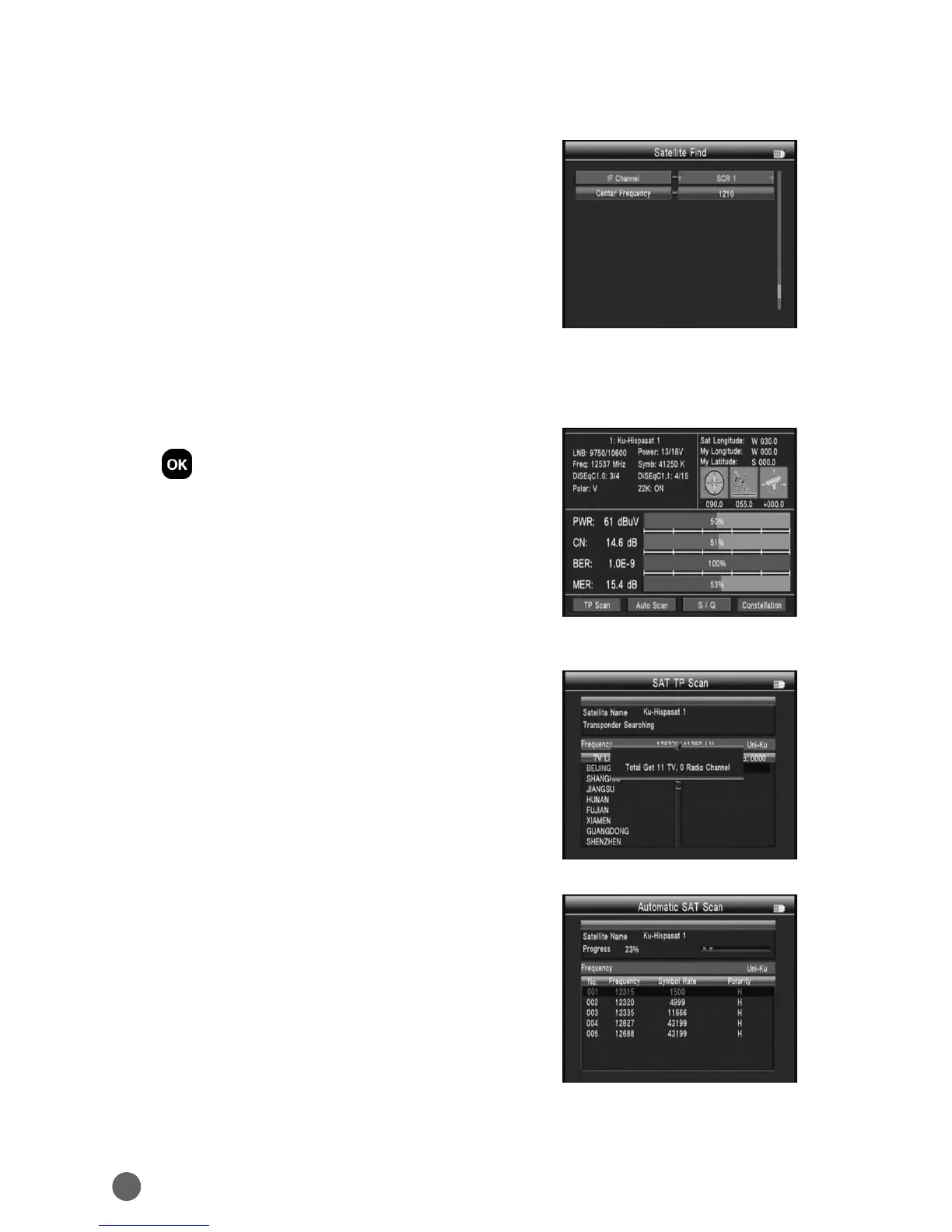
3.1.10 DISEQC TYPE & INPUT
If we select diseqc1.0/1.1, we can press
AB
key to set the port number. If select Unicable,
we can press
AB
to select IF Channel, and
use number key to input Center Frequency.
3.1.0.1 Quick Search
In the Satellite Find interface, you can press
OK to enter the quick search.
If you have set the Longitude and Latitude
under the system setting, the angle of LNB,
the orientation and elevation of antenna all
will be displayed on the screen.
• TP Scan: Press the red key to search the
current TP.
• Auto Scan: Press the green key to auto blind
search the current satellite



 To Next Page