SX4M / SX5M / TXPSX4 / TXPSX5
Setup and initial operation
13
7.3 Inserting media
1 Open the front cover.
2 Slide the media stock in from the side of the
printer. Do not push the media from behind.
3 Media stock should be pushed all the way
onto the label shaft up against the round
metal plate.
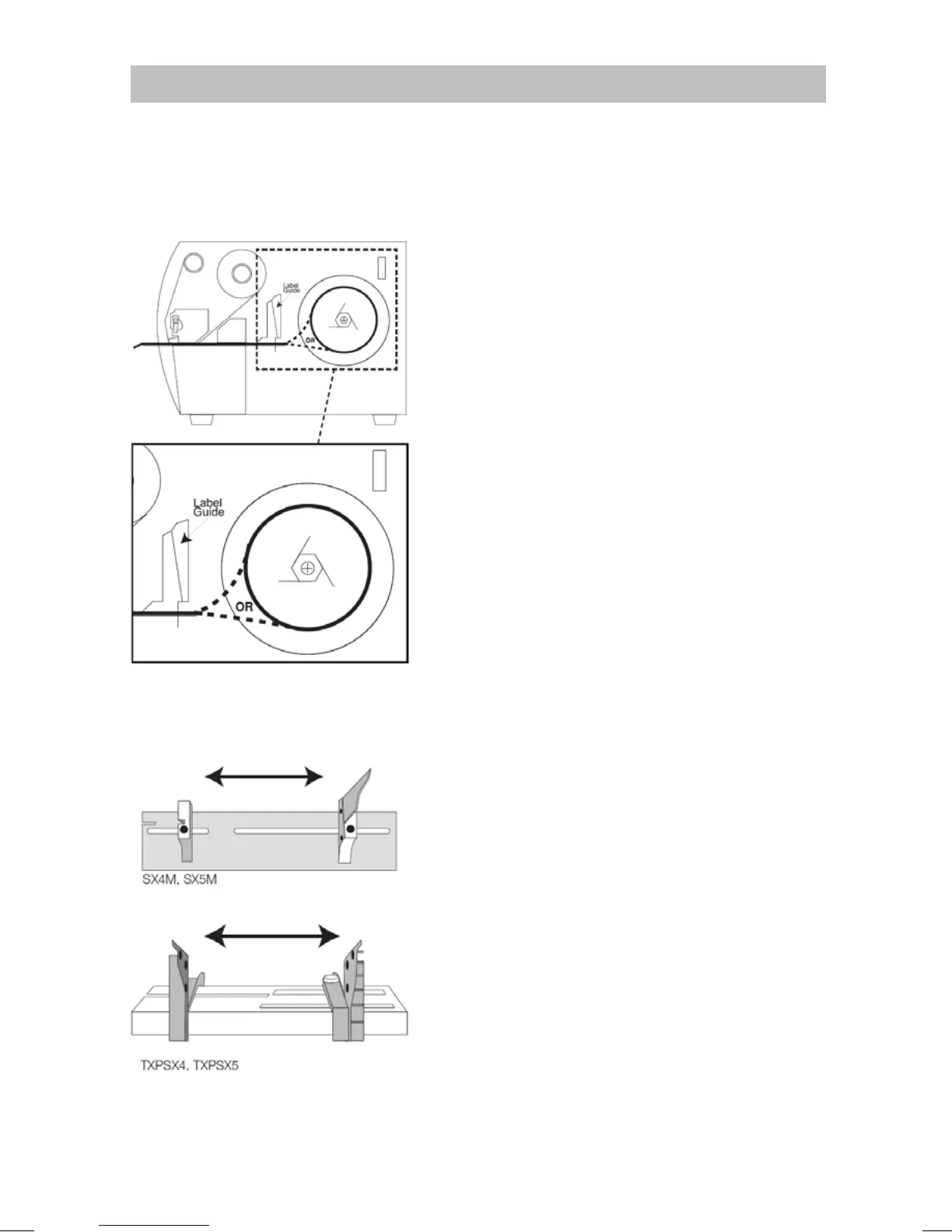
4 Follow the label path as shown.
Fig. 9 Label path
7.4 Adjusting label guide
1 Open the front cover.
2 SX4M and SX5M
Loosen the thumb screw.
TXPSX4 and TXPSX5
Slide the outside and inside guides to the
edge of the media on both sides.
3 SX4M and SX5M
Adjust the label guide so the guide is
against the edge of the media on both
sides.
Fig. 10 Label guides



 To Next Page