Saia-Burgess Controls AG
User Manual Standby System │ Document 27-645 │ Edition ENG 02 │ 2017-04-26
Programming
Diagnostic
2-25
2
2.6.2.1 Going Online to Active CPU1
CPU1 is always S-Bus station number 253.
CPU1 has its own ‘Online Settings’ branch in the Project Tree, but CPU1 will usu-
ally be accessed via the Ethernet connection to CPU0 of the Primary or Secondary
device. Therefore the same Online Settings of the Primary or Secondary CPU0
should be used, but with station number 253. Usually you will also want to go on-
line with the ACTIVE CPU1 device, because only the ACTIVE device is executing
the program.
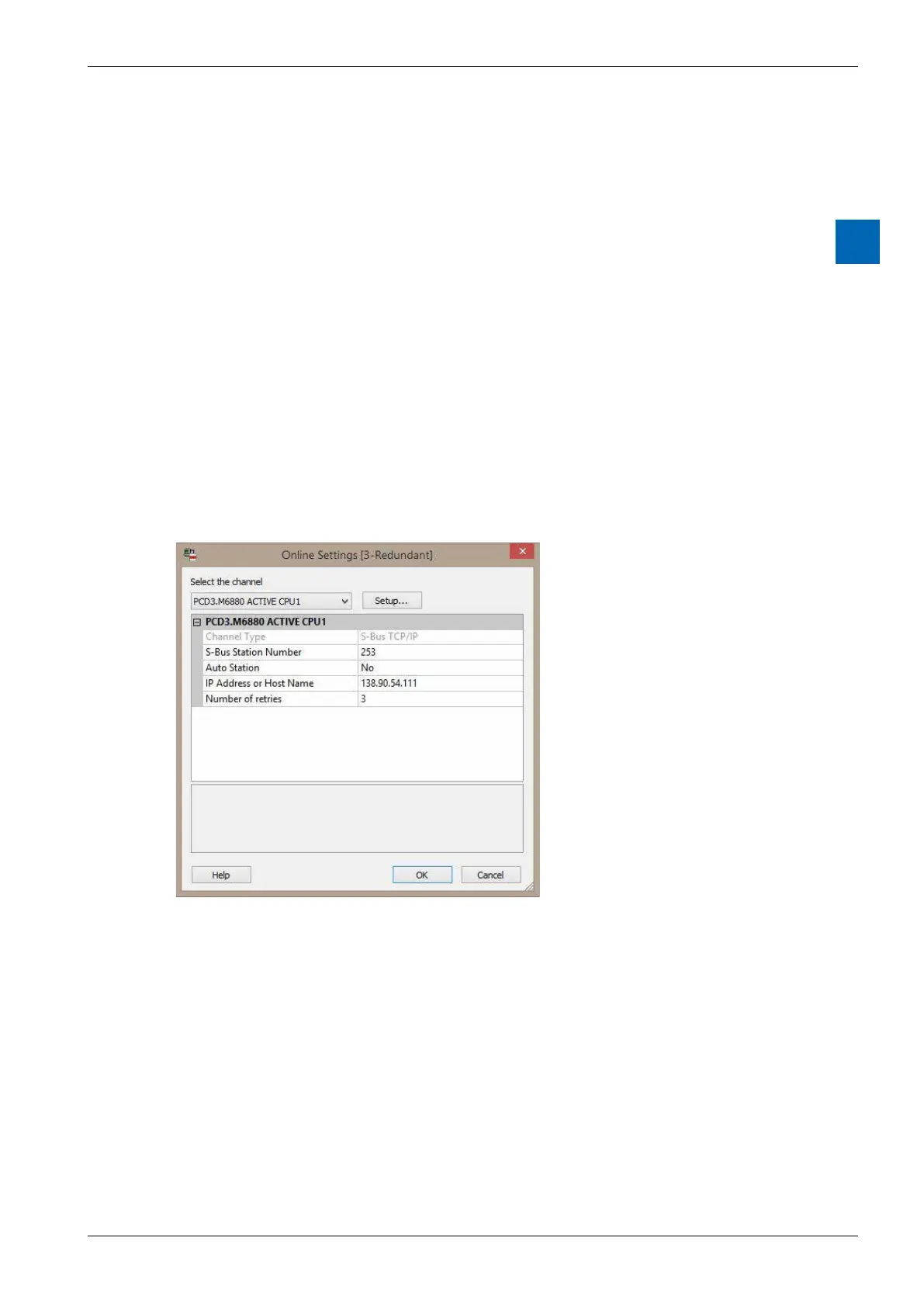
If the channel named “PCD3.M6880 ACTIVE CPU1” is selected for CPU1, then
when the Go Online command is done, the ACTIVE CPU1 is automatically con-
nected using the Online Settings of the Primary or Secondary device. The ‘S-Bus
with the IP address of the Primary or the Secondary device, whichever is the AC-
TIVE device.
If another channel is used, then it will go online the actual Online Settings, so en-
sure that the IP address of the Primary or the Secondary device is used.
Tips
Connecting to CPU1 with S-Bug, S-Conf or the Watch Window
Watch Window for CPU1, it will use the current Online Settings - it will not try to
-
the “PCD3.M6880 ACTIVE CPU1” channel to select the correct Online Settings.
You can then open S-Bug, S-Conf or the Watch Window.
To connect to CPU1 with S-Bug, you can select the Primary or Secondary device
Cpu 1” command or “cOnnect Sbus-station 253” to connect to CPU1.



 To Next Page