30
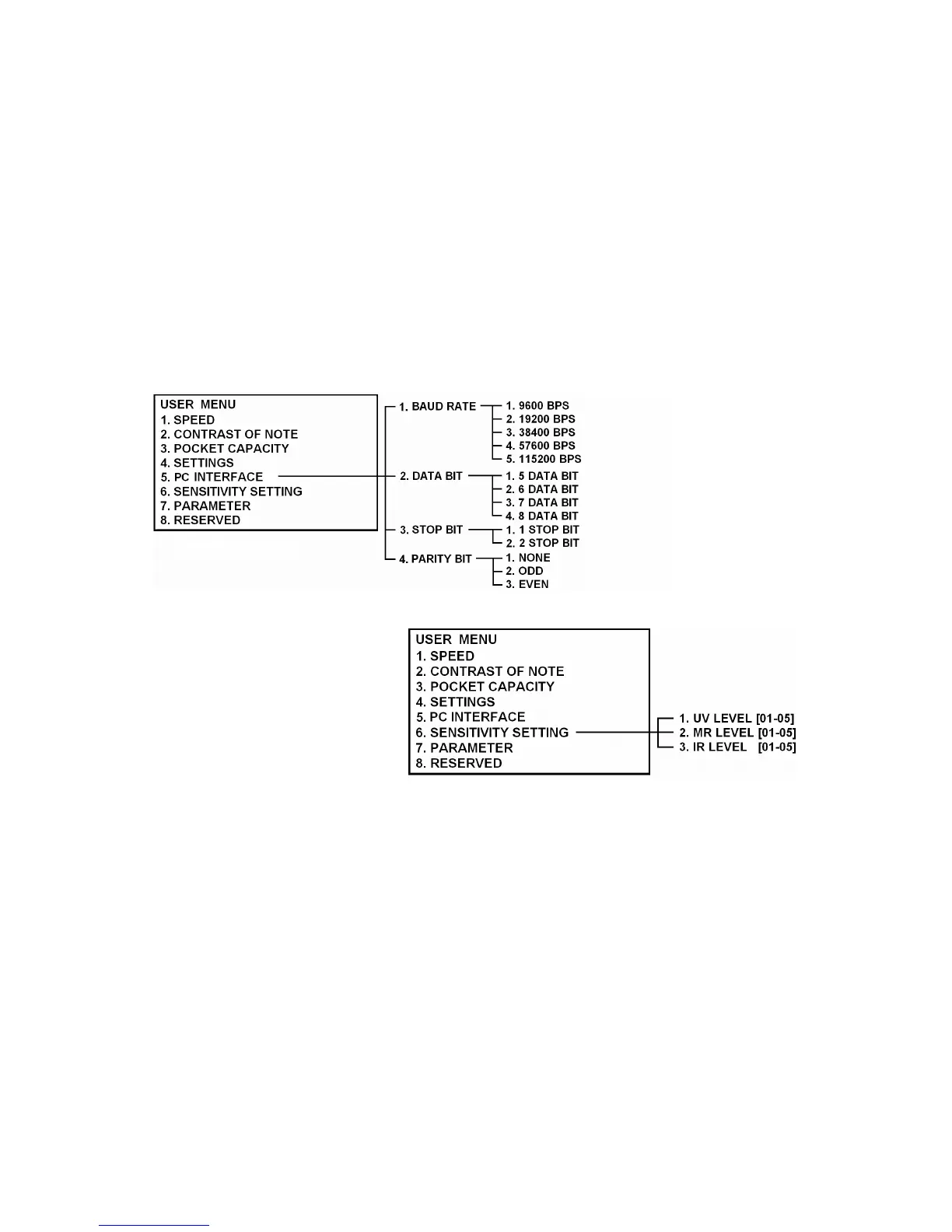
PC Interface
Sensitivity Setting
User can adjust the sensitivity of UV sensor,
Magnetic sensor and IR sensor with this
function. To set the level to the lower value
means that the sensitivity of the sensor is lower.
To get the proper value, begin testing from the
lower. If the machine detects the real money as
a counterfeit, then change the value to the higher level and try again until getting proper level.
To change the sensitivity, move to “Sensitivity Setting” and press ENTER key then choose one of the sensors by
pressing UP/DOWN key or a numeric key. And select a certain level you want to set.



 To Next Page