25
Section 4
C. HOPPER DEFLECTOR ADJUSTMENT
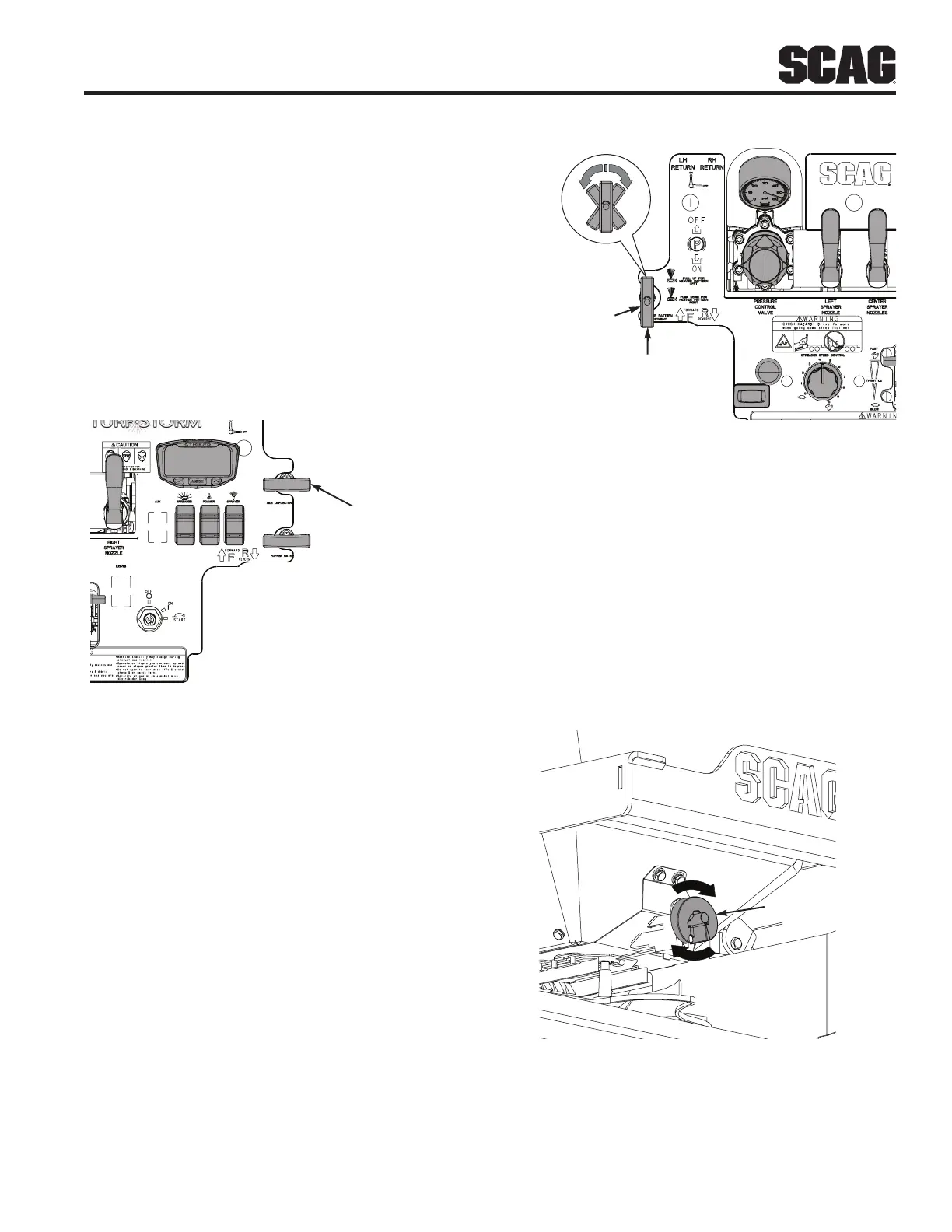
The hopper deflector control is used to control the granular
product's broadcast from the left side of the impeller. The
hopper deflector can be used to control the broadcast of
granular product onto sidewalks, driveways, planting beds,
etc. Use the deflector during normal operation as required.
1. To broadcast product from the left side of the
impeller, pull up (open) on the hopper deflector
control handle.
2. To block the product from broadcasting on the left
side of the impeller, push down (closed) on the
hopper deflector control handle.
HOPPER DEFLECTOR
CONTROL
Figure 4-18. Hopper Deflector Control
D. HOPPER DIFFUSER ADJUSTMENT
The hopper diffuser control is used to control the spread of
granular product from left to right across the spread pattern.
1. Rotate the hopper diffuser control handle to unlock.
2. Adjust the diffuser control as follows to control the
spread pattern.
• Pull the handle to broadcast more granular
product to the right side of the impeller.
• Center the handle to balance the granular
product spread from side to side.
• Push the handle to broadcast more product to
the left side of the impeller.
3. Rotate the hopper diffuser handle to lock the control.
See Figure 4-19.
HOPPER DIFFUSER
CONTROL
TURN
TO
LOCK
ROTATE TO LOCK
TURN
TO
LOCK
TURN
TO
LOCK
TURN
TO
LOCK
UNLOCKED
POSITION
Figure 4-19. Hopper Diffuser Control
E. GRANULAR DROP RATE CAM ADJUSTMENT
The granular drop rate cam is used to control the application
rate of the granular material. See Spreading Charts, Section
5.1 on page 35.
-NOTE-
The spreading charts are for reference only. The
machine should be calibrate for accuracy.
1. Rotate the granular drop rate cam to the dial setting
as determined by using the Spreading Charts.
1
9
8
4
3
2
5
6
7
GRANULAR DR
RATE CAM
Figure 4-20. Granular Drop Rate Cam



 To Next Page