IPM25 User Manual
15
Operation Features
Normal Display Operation
The IPM25 has a full 7 digit display, which can be scaled using the calibration menu to suit the application it is to be
used in. The display can display the instantaneous, peak or trough values. It is also possible to hold the display value
(this only operates when not in peak or trough mode).
The display update rate, decimal point position and resolution can be set to suit.
The IPM25 has two independent ranges. All values set in one range are totally independent from the other.
Switching the IPM25 On/Off
The IPM25 is switched ON or OFF by pressing and holding down the button for 3 seconds.
It is also possible to set an Auto-off value in the configuration menu, so that the IPM25 automatically switches itself off
after a preset time, if there is no keyboard activity.
RANGE Button
The range feature allows for the setting of two totally independent setup ranges to be selected, if required. To switch
between ranges simply press the range button. If TEDS has been enabled then only 1 range is permissible.
When you enter either the calibration menu or configuration menu, the parameters you will be setting are those for the
range you have selected. An LED is lit to identify which range has been selected.
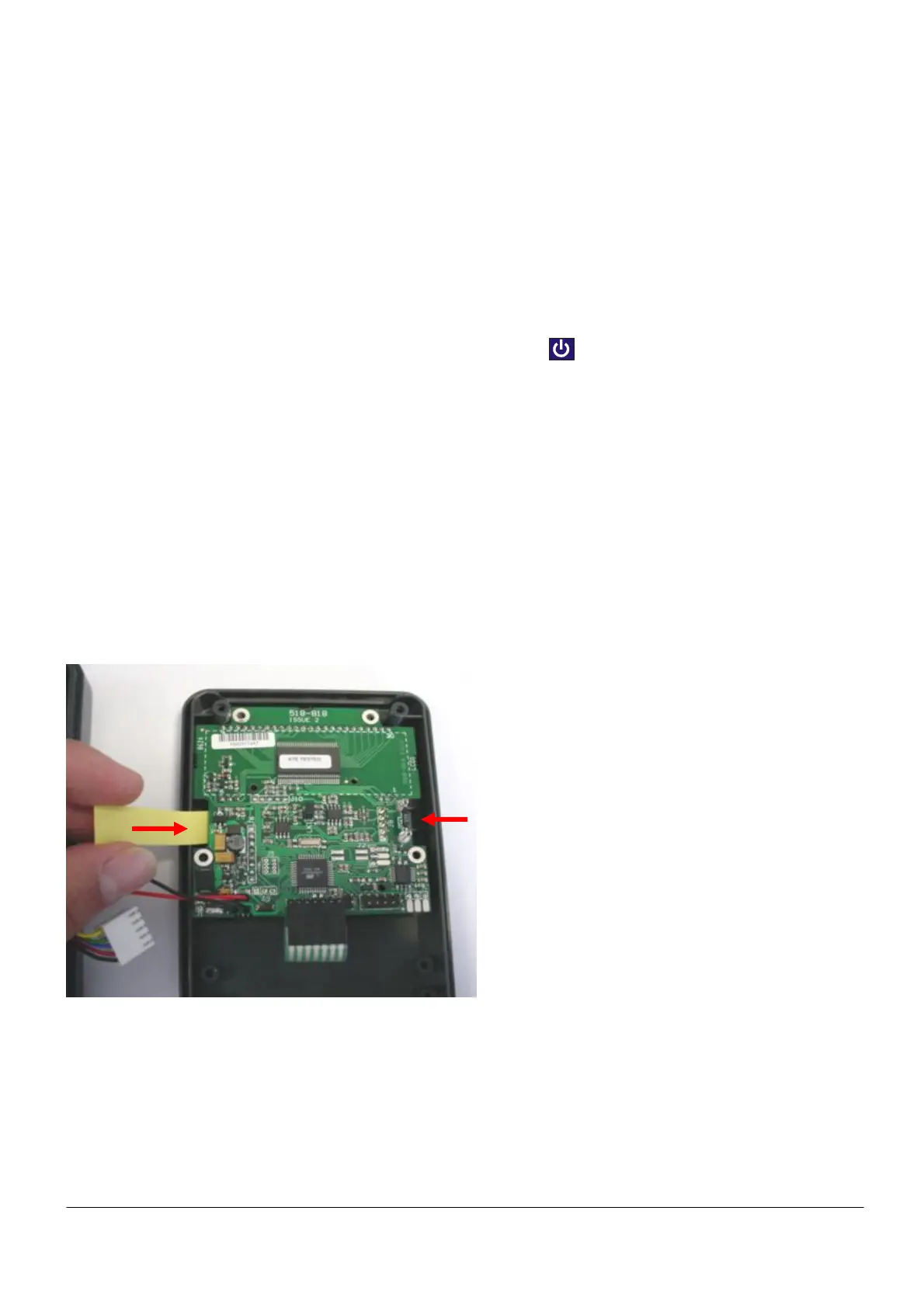
The IPM25 is supplied with engineering unit legends; these can be slid into a window, located on the inside of the front
panel. These labels then help to further identify the units being displayed for each range. Please refer to the photo
below:-
Legend labels are
inserted both sides



 To Next Page