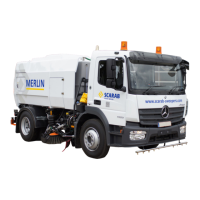
SCARAB M6 SWEEPER KIT
13 Operator’s Manual Amdt.1 - 03 November 2009
1. Press the PRE-HEATERS switch. After a brief delay the red LED will
illuminate briefly accompanied by and audible ‘beep’ to denote
that the heating cycle is complete.
2. Press an
d hold the engine START switch until the engine starts. As
soon as the engine is at IDLE speed (approx. 1000 rpm), the START
swit
ch is disabled (backlight OFF) and the engine STOP switch is
enabled (backlight ON).
ACTIVATING THE CONTROL PANEL
1. Press the stand-by/sweep mode switch to activate the
sweeper controls. The red LED will illuminate to confirm that
th
e panel is active. At the same time, the backlights for all
available services will illuminate. Red LEDs will illuminate on any
active switches (i.e. sweeping equipment remaining selected from
previous sweeping duties). Preselected equipment will not deploy/
start until the Sweep Master switch is activated).
The LCD display changes as follows:
• Top line - Engine Spee
d (Auxiliary).
• Bottom line alternates - Water Tem
p/Active Warnings
SWEEPING
1. With the chassis and auxiliary engines running and control
panel ON, switch on the suction fan. The auxiliary engine will
automatica
lly increase speed to its default operating speed
of 1600 rpm.
2. Se
lect the desired sweeper configuration (any combination of the
available sweeper functions can be selected). Switch on the
beacons and work-lights as required.
3.
Press the Sweep Master switch ON to lower and start the
selected sweeping equipment. Al
l sweeping equipment
will stop and rise to the stowed position when the switch is
pressed a second time. This will also occur when REVERSE
gear is engaged.
4. Ope
rate the side brush IN/OUT and nozzle TILT switches as required
to suit the sweeping conditions.
5. Select
an appropriate forward gear ratio to suit the prevailing
sweeping conditions, release the parking brake and commence
sweeping.
REVERTING TO NORMAL DRIVE MODE 1
The vehicle can, if required, be returned
to normal drive mode without
stopping the auxiliary engine. This is useful where a temporary pause in
sweeping is required such as when traversing a busy road junction or
when it is known that you will be resuming sweep mode within a short
distance beyond an obstacle. In this event proceed as follows at the
end of the sweeping run:


 To Next Page