5
CONTROL PANEL
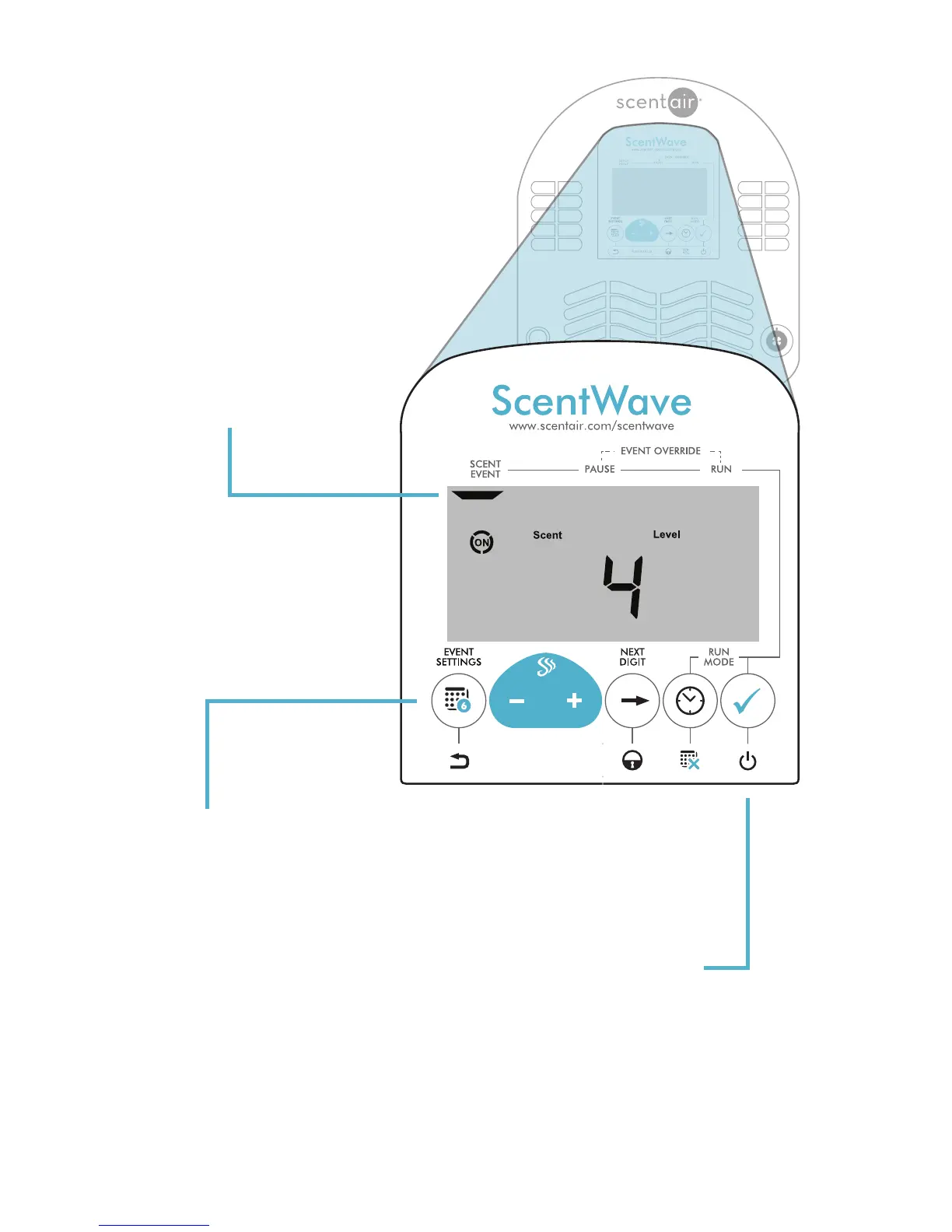
DISPLAY SCREEN
When the system is running the
word ON will be displayed; a
circle will appear around ON
while the fan is operating.
The Scent Level will be displayed
as the default screen.
BUTTON FUNCTIONS
The ScentWave functions and
settings are controlled by the six (6)
buttons under the display screen.
Some buttons may have alternate
functions when held down.
Specific button details are found
within this owners manual.
POWER
The ScentWave can be switched
off by pressing and holding
the CHECK button for four (4)
seconds.
Pressing any button will wake up
the ScentWave and will resume the
normal programmed operation.


 To Next Page