7
RUN MODE
The ScentWave has alternate run modes to
temporarily change the way the system will perform
without editing the details of a Scent Event.
Under normal operation a bar is shown under
SCENT EVENT. There are two (2) EVENT OVERRIDE
modes called PAUSE and RUN.
You can change the current run mode by pressing
CLOCK and CHECK at the same time. A black bar
will appear on the display screen under the currently
selected mode.
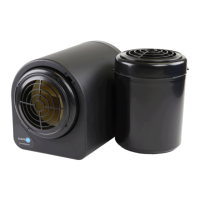
SCENT EVENT:
This indicates that the ScentWave is currently set-up
to function under a preset event schedule. This is
the default screen when running a scheduled Scent
Event. (Fig.5)
EVENT OVERRIDE:
The ScentWave preset events can be temporarily
overridden without editing the events by changing
the current run mode.
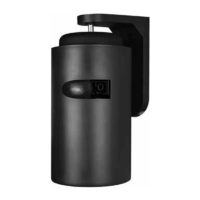
• PAUSE: During an active event, PAUSE
mode will cause the system to stop running
for the remainder of the current Scent
Event. Activating the PAUSE mode before a
scheduled event will cause the system to skip
the next event. (Fig.6)
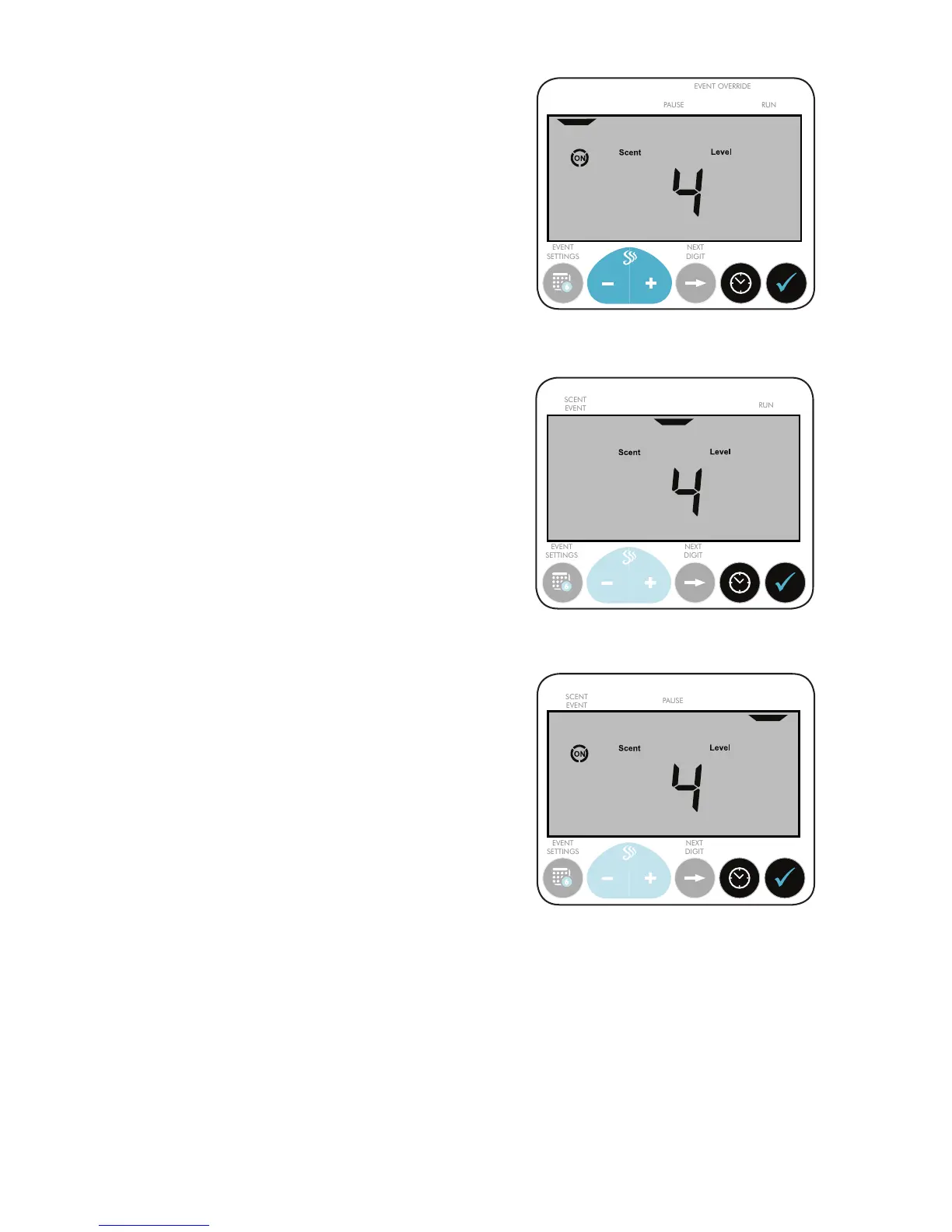
• RUN: When the ScentWave is not running an
event, selecting RUN will cause the system to
activate immediately at the currently selected
Scent Level. The system will run until the Off
Time of the next Scent Event. If the system is
running an event, RUN mode will force the
event to continue beyond its scheduled Off
Time. (Fig.7)


 To Next Page