6
SCENT LEVEL
The ScentWave uses the Scent Level to control the
amount of fragrance that is emitted into the space.
The Scent Level cycles a fan within the cartridge on
and off for specific intervals.
Adjust the Scent Level to increase or decrease
the amount of fragrance within the space. This is
the best option for controlling the intensity of the
fragrance within the space.
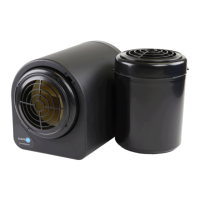
There are seven Scent Levels of fragrance intensity;
one (1) is minimum and seven (7) is maximum.
The default setting is four (4). The displayed Scent
Level will be used for all scheduled Scent Events.
Fragrance intensity changes with adjustment of the
scent level.
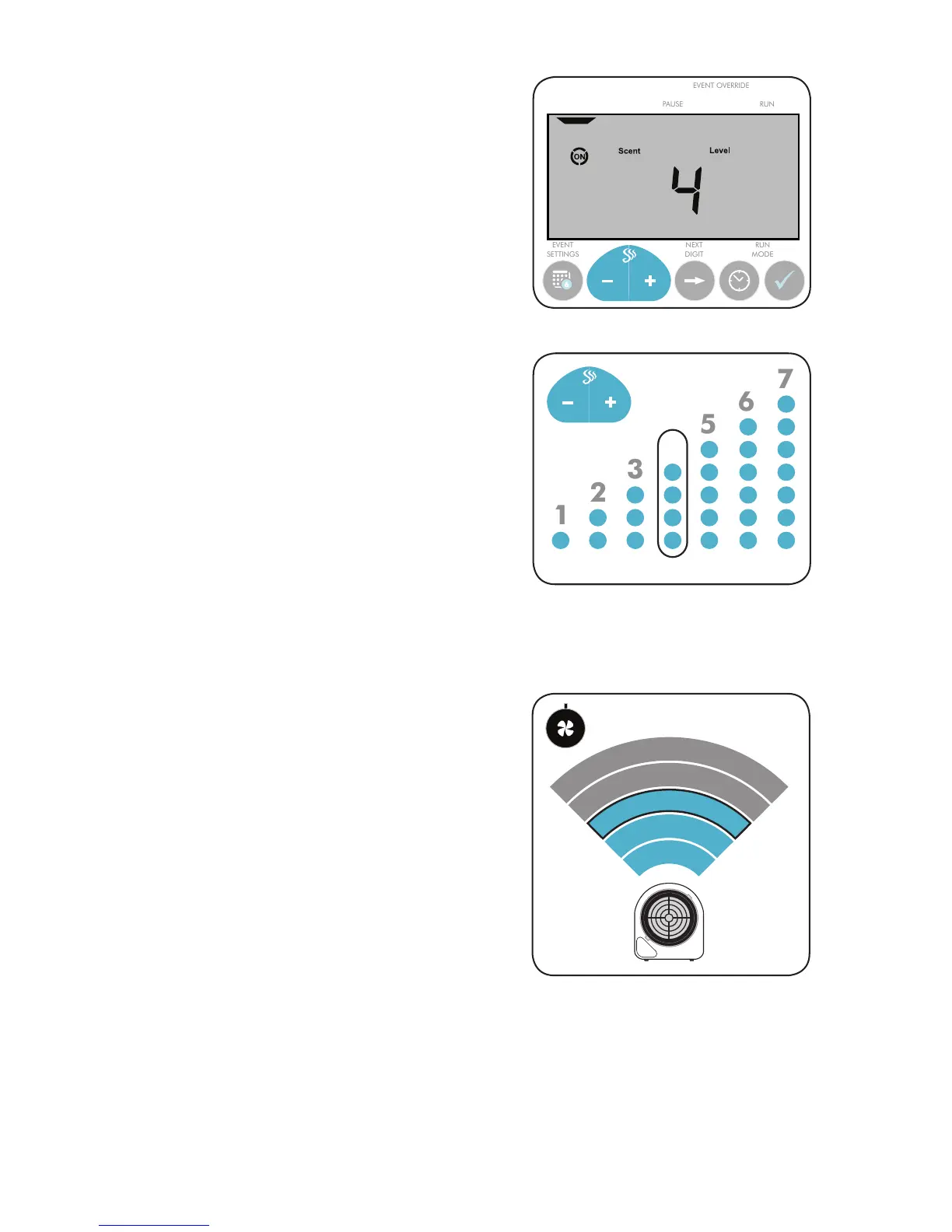
The ScentWave will always display the current Scent
Level on the display screen. When the fan is running,
the word ON will be surrounded by a circle. (Fig.2)
ADJUSTING THE SCENT LEVEL:
• Press - or + to adjust the Scent Level. (Fig.3)
SCENT
EVENT
Fig.2: Scent Level main display.
4
MIN MAX
FAN SPEED
The ScentWave uses Fan Speed to control the
coverage of the system. The Fan Speed is controlled
with the knob at the lower right of the ScentWave.
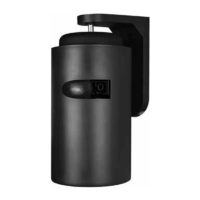
Adjust the Fan Speed to increase or decrease the
fragrance coverage of the ScentWave system. Set
the fan speed by turning the knob clockwise or
counterclockwise. (Fig.4)
ADJUSTING THE FAN SPEED:
• Turning the knob counterclockwise will cause
the fan to run slower and will fragrance the
area closest to the ScentWave. The further
you turn it counterclockwise, the quieter the
system will become.
• Turning the knob clockwise will cause the
fan to run faster and will fragrance an area
further from the ScentWave. The further
clockwise, the louder the system will become.
500 sq.ft. 2000
50%
25%
5%
100%
75%
MAX MIN
Fig.3: There are seven (7) Scent Levels to choose from.
Fig.4: Adjusting the fan speed changes the overall scent
coverage area.


 To Next Page