- 12 -
www.SCEPTRE.com
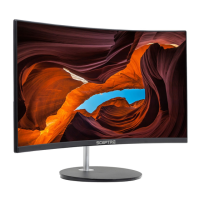
SCEPTRE C27 FHD Display User Manual
Table of Contents
SAFETY INSTRUCTIONS ............................................................................... 1
IMPORTANT INFORMATION ......................................................................... 3
Opening the Package ...................................................................................... 8
Package Contents ........................................................................................... 8
Installation ....................................................................................................... 8
Assembling the Stand ..................................................................................... 9
Disassembling the Stand ............................................................................... 11
Identifying Front and Rear Panel ................................................................... 13
Front View ................................................................................................ 13
Rear View Mounting Pattern ..................................................................... 13
Rear Control Buttons ................................................................................ 14
Rear View Connections ............................................................................ 15
Connections .................................................................................................. 16
.............................. 16
If You have VGA ................................ 17
On Screen Display (OSD) Menu ............................................................... 18
QUICK START ......................................................................................... 19
PICTURE .................................................................................................. 20
COLOR ..................................................................................................... 22
SYSTEM ................................................................................................... 23
Supported PC (VGA) Resolution ................................................................... 24
Supported Video (HDMI) Resolution ............................................................. 24
Troubleshooting ............................................................................................. 25
How do I clean the LED Monitor? .................................................................. 28
Specification .................................................................................................. 29
LIMITED PRODUCT WARRANTY ................................................................ 30
Disclaimer, Trademarks, Icons & Copyright Information ............................... 32
FCC Compliance Statement .......................................................................... 33


 To Next Page
 Loading...