www.schaerer.com Programming
BASCJ_EN
V03 | 07.2015
44
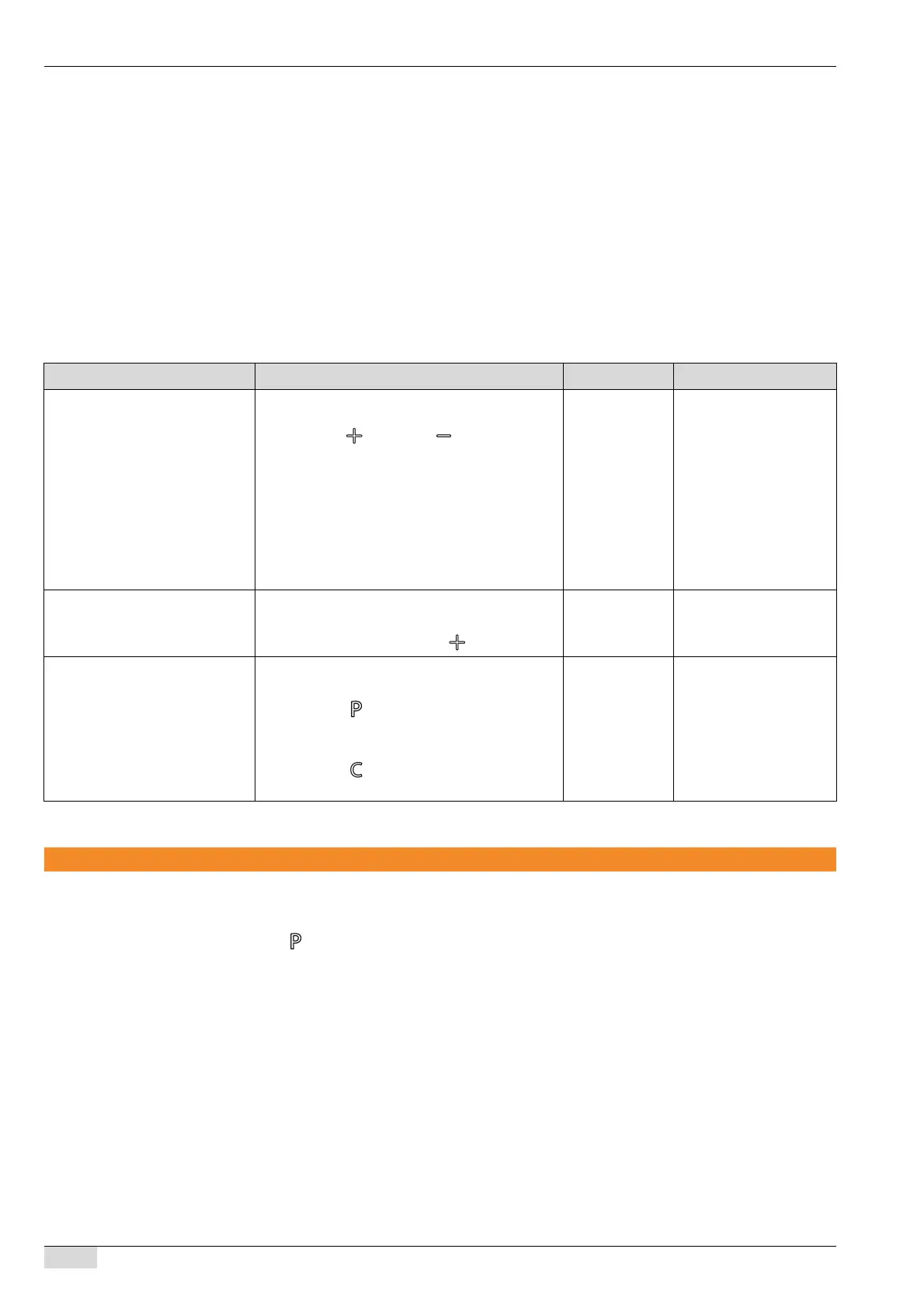
The menu contains:
• Counter, Espresso
• Counter, Café Creme
• Counter, Cappuccino
• Counter, Latte Macchiato
• Counter, mug of milk
• Counter, Hot Water
• Counter, 2x espresso
• Counter, 2x café creme
• Counter, 2x cappuccino
• total counter
• reset all counters
System information
The "system information" menu contains information on the machine.
► Navigate to the "system information" menu in the programming.
► Press the button.
The first menu item appears.
The menu contains the following information:
• Software version and date
• Machine name and version
• Fabrication number
• Production date
Menu option (display text) Description Setting range Notes
Espresso: 23 ► All beverage counters are listed in the "coun-
ters" menu. Navigate through the counters
using the button and button.
Espresso
Café Creme
Cappuccino
Latte Macchiato
Mug of milk
Hot Water
2x Espresso
2x Café Creme
2x Cappuccino
–
Total counter: 50 The total count of all dispensed beverages is dis-
played after the individual counters.
► Navigate further using the button.
––
Reset all counters The prompt to reset all counters appears at the
end.
► Press the button for "Yes" to reset all
counter values.
or
► Press the button for "No" to retain all
counter values.
Yes/No –














 To Next Page