Instruction Man u al Instrument Panels IT 96-A, IT 96-2
9
Issued: 26.11.2007
830.636 BA / EN
5.5.2 Tank filling levels
Y
ATTENTION!
Measuring too long.
Damage of rod type tank probes or tank sensors:
F
Briefly actuate keys for checking the tank filling levels.
"
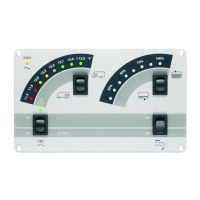
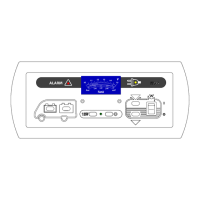
Briefly press the top left key in the right control panel (tank symbol).
The filling level of the water tank is shown (the lower scale is applicable).
"
Briefly press the bottom left key in the right control panel (tank symbol).
The filling level of the sewage tank is shown (the lower scale is applicable).
5.5.3 Water pump
"
Briefly press the top right switch in the right control panel (tank symbol).
The supply voltage for the water pump is switched on:
F
if applicable the pump is switched on briefly (e.g. in a pressure sy-
stem).
"
Briefly press the right bottom switch in the right control panel (tank sym-
bol).
The supply voltage for the water pump is switched off.
5.6 Troubleshooting and remedies
5.6.1 Alarms
Y
ATTENTION!
Total discharge!
Damage of the leisure battery:
F
Prevent a low battery charge which is indicated by low voltage.
F
Check the voltage regularly (see Chapter 5.5.1).
Y
It is best to make the check in the morning before the 12 V consumers
are switched on.


 To Next Page